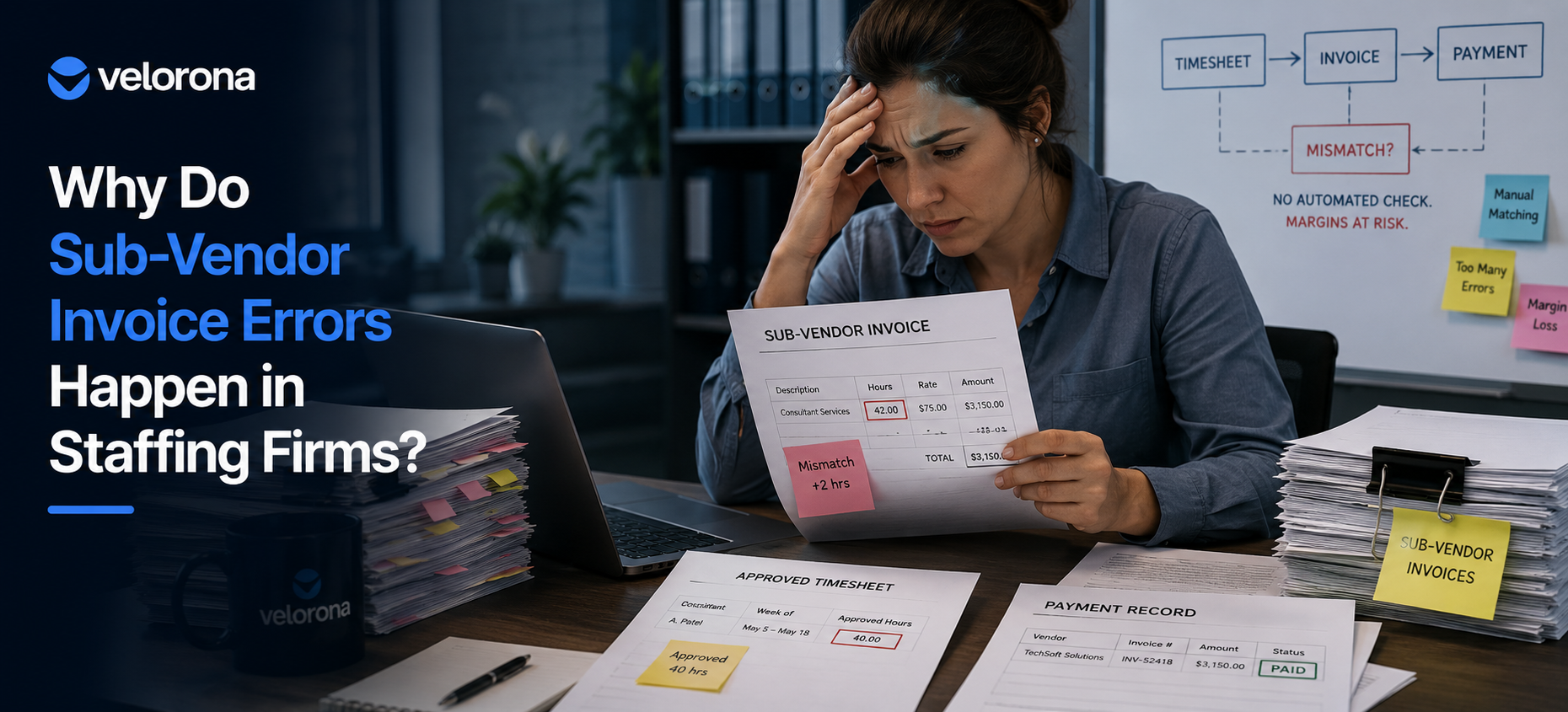
Why Do Sub-Vendor Invoice Errors Happen in Staffing Firms?
Sub-vendor invoicing sits at the intersection of three separate records: the timesheet (what the consultant actually worked), the sub-vendor invoice (what they’re billing you for), and your accounting system (what you’ve already paid). In other words, nothing forces those three to agree.
When you run this with spreadsheets and email, there’s no enforced reconciliation. For example, a sub-vendor submits an invoice. Your controller opens the email, tries to find the matching timesheet, and approves it or asks for a correction – all manually, all in her inbox, all one typo away from a mistake.
The math is unforgiving. Specifically, manual invoice-to-timesheet matching carries a 3–5% error rate, based on Velorona’s analysis of staffing firm invoice data during onboarding. At a firm with $500K to $1M in annual sub-vendor spend, that’s $12,000-$25,000 in overpayments a year. Moreover, that’s just the ones you catch. A lot of firms never find the rest because the errors sit buried in a spreadsheet nobody reopens, or they’re never reconciled at all. For broader context, the American Staffing Association publishes industry benchmarks showing net margins of 3-7% – which means a $15,000 leak is a direct hit to profitability.
Furthermore, the problem gets worse as you scale. With five sub-vendors, email works fine. With twenty, however, it falls apart. Invoices arrive on different schedules and in different formats, and matching all of it by hand against your timesheet records is exactly where sub-vendor invoice errors live. This is the same fragmentation we cover in 5 Back-Office Bleeds Costing Your IT Staffing Firm Money: the more moving pieces, the more margin quietly disappears.
Why Can’t Your Current System Catch Sub-Vendor Invoice Errors?
Most firms run one of two processes today.
Email-based approval. In this case, the sub-vendor sends the invoice, the controller checks the timesheet, and approves or pushes back. This approach is fine at three or four sub-vendors. At fifteen-plus, however, that’s multiple hours a week just on approvals – on top of everything else covered in The Real Cost of Manual Payroll Prep.
Monthly batch reconciliation. Alternatively, invoices pile up and the controller reconciles everything at month-end. This requires less labor per week, but it’s riskier: you’re finding errors after you’ve already paid.
Neither process has an automated check. In other words, nothing is asking “do this invoice’s hours match the timesheet?” Nothing flags a mismatch for review. As a result, there’s no record of what’s approved versus what’s still in dispute.
What Kinds of Errors Slip Through?
Because of this gap, the errors slip through consistently. For example, a sub-vendor forgets to subtract a sick day and bills 40 hours instead of 32. Similarly, a line item gets duplicated. Or a consultant moves from C2C to W-2 mid-month and the sub-vendor bills the old rate anyway. None of it is malicious. It’s simply what happens when there’s no automated verification between the invoice and the payment. The U.S. Department of Labor’s FLSA recordkeeping requirements make accurate hour tracking a legal obligation – not just an operational one.
What Does Manual Sub-Vendor Invoice Processing Actually Look Like?
To be fair, the manual process works. Plenty of firms run sub-vendor billing on Gmail, QuickBooks, and Excel. Specifically, the typical workflow looks like this:
Step 1. Sub-vendor emails the invoice (PDF or spreadsheet).
Step 2. Next, the controller enters it into QuickBooks or a tracking sheet.
Step 3. Then the controller pulls the matching timesheet – if she can find it.
Step 4. If hours don’t match (for instance, 40 on the timesheet but 42 on the invoice), she emails the sub-vendor for clarification.
Step 5. Eventually, the sub-vendor replies with a correction or an explanation.
Step 6. After that, the controller approves or disputes it in QuickBooks.
Step 7. If disputed, the back-and-forth typically runs one to two weeks.
What Does This Workflow Actually Cost?
That workflow consumes real labor every month. In addition, add the two or three invoices that slip through uncorrected at $250-$500 each and the annual cost of sub-vendor invoice errors climbs well past the controller’s time alone.
How Does Manual Reconciliation Compare to Automated Invoice Matching?
The following table breaks down the differences between manual and automated approaches to catching sub-vendor invoice errors:
| Dimension | Manual Reconciliation (Spreadsheet + Email) | Automated Invoice Matching |
|---|---|---|
| Reconciliation time | 12+ hours/month | ~2 hours/month (exception review only) |
| When errors are caught | After payment, at month-end | Before payment, on arrival |
| Approval turnaround | 1–2 weeks per disputed invoice | Same day for matched invoices |
| Annual cost of sub-vendor invoice errors | $12K–$25K in undetected overpayments | Flagged and caught pre-payment |
| C2C / multi-tier handling | Manual tracking across 3-4 parties | Three-party chains handled natively |
| Multi-currency (USD/INR) | Manual FX conversion – error-prone | Currency locked at setup – automatic |
| Audit trail | Email threads and memory | Every approval timestamped and logged |
| Scales past 15+ sub-vendors | Breaks down | Holds steady |
As the table shows, the manual approach works at small scale. However, once you cross 10 to 15 sub-vendors or 50 consultants, both the invoice reconciliation cost and the error rate climb. This is the same ceiling we walk through in The High Cost of Operational Fragmentation.
What’s a Better Way to Catch Sub-Vendor Invoice Errors Before Payment?
Reconciliation works better when it’s automated and immediate rather than something your controller does after the fact. Instead of waiting for someone to pull a timesheet and eyeball the hours, the system checks it the moment the invoice lands.
Here’s how it works in practice: a sub-vendor submits an invoice. The system then checks every line item against the matching timesheet record do the hours line up, does the rate match, is there a duplicate. If something’s off, it consequently flags the invoice inside your invoices workspace and holds payment until the discrepancy is resolved.
Three Outcomes That Matter
This approach does three things:
First, it catches sub-vendor invoice errors before you pay. Instead of finding a $1,200 overpayment during month-end close, you know the moment the invoice arrives.
Second, it frees up your controller. She goes from 12+ hours a month of manual matching to about 90 minutes of exception handling specifically, the legitimate disputes that actually need a human. That’s the same 12-hours-to-90-minutes metric documented in Velorona’s operational data for firms that move from manual to automated reconciliation.
Third, it pays sub-vendors faster. Because invoices that match get approved same-day instead of sitting in a week-long email thread, this also helps on the DSO side of your cash flow. As a result, staffing firms making this switch typically see a 15-30 day DSO improvement within the first quarter.
In total, by automating sub-vendor invoice matching, a firm spending $500K a year with sub-vendors avoids most of that 3-5% error rate and therefore typically recovers $12,000-$25,000 in margin annually.
How Do You Verify Sub-Vendor Invoices Step by Step?
Step 1: Centralize your invoice intake. First, stop routing invoices through email. Instead, use one place for every sub-vendor to submit — whether that’s a portal upload or a centralized invoices dashboard. This is what Velorona’s sub-vendor portal does: sub-vendors submit directly into the system, not your inbox.
Step 2: Connect invoices to your timesheets. Next, whatever system handles invoicing needs access to your timesheet records, so it can pull the matching entries the second an invoice arrives. In Velorona, for instance, timesheets and invoices live in the same platform no export, no re-keying.
Step 3: Set your matching rules. After that, configure the basics: hours on the invoice should equal hours on the approved timesheet. Similarly, the rate has to match the agreed sub-vendor rate. In addition, there should be no repeated line items for the same consultant and date. Velorona’s bidirectional reconciliation runs these checks automatically client invoices going out matched against sub-vendor invoices coming in.
Step 4: Flag, don’t auto-approve. When something doesn’t match, it goes to your controller with a plain explanation: “invoice shows 42 hours, timesheet shows 40.” She then decides approve if legitimate (for example, a mid-week rate change), request a correction if it’s an error, or hold it for follow-up. Every decision is consequently timestamped and logged in the audit trail. The IRS recordkeeping requirements for independent contractors make this documentation essential, not optional.
Step 5: Track resolution. Finally, disputed invoices stay visible in the system until resolved. As a result, there are no email threads to dig through and no forgetting to follow up. The audit log records who submitted, who approved, and when ready for tax season or wage disputes without reconstruction.
What Does This Look Like in Practice?
Note: This is a representative scenario based on typical staffing-firm workflows, not a named customer case study.
Consider a hypothetical IT staffing firm: 35 active consultants, 8 sub-vendors, roughly $600K a year in sub-vendor spend. In this scenario, the controller reconciles invoices monthly in one big batch. That process takes two full days a month and usually turns up $1,200-$2,000 in overpayments invoices already paid by the time anyone notices.
The Problem in Action
In one cycle, for instance, she finds a sub-vendor billed 120 hours for a consultant who’d only worked 80 – forty of those hours were a rebilled duplicate from a prior month. It had already been paid. Consequently, getting the refund takes three weeks of calls.
The Automated Alternative
Now imagine the same firm using automated invoice matching instead. In this case, invoices arrive in one place. The system then checks every line against the approved timesheet and flags mismatches before the controller signs off on payment.
Here’s what changes as a result: the duplicate billing gets caught on arrival, not after payment. Furthermore, reconciliation drops from 16 hours a month to about 2 hours of exception review. Invoices that match get approved same-day. In addition, the back-and-forth with sub-vendors decreases because every flag comes with the exact mismatch data attached no “can you check your records?” email chains.
At a 3-5% error rate on $600K in annual sub-vendor spend, the math therefore says $18,000-$30,000 a year in errors that either get caught pre-payment or don’t happen at all.
What Should You Honestly Expect From Velorona and What Isn’t Ready Yet?
Velorona handles timesheets, sub-vendor invoicing with bidirectional reconciliation, client portal auto-delivery, multi-currency invoicing (USD/INR with FX lock), expense tracking, time-off, schedules, payroll details, bulk timesheet approval, and audit logs with 2FA.
The Team plan costs $10/month per user ($7/month on annual billing), with no setup fees and no implementation cost. As a result, firms typically go live in 5 to 14 days. Compare that to CEIPAL ($30K–$50K/year, 12 weeks implementation) or Bullhorn ($50K+/year). You can see the full breakdown on the pricing page.
What Isn’t Available Today
However, Velorona does not do the following today: QuickBooks Online integration is targeted for Q3 2026 (until then, you can export clean matched data via CSV). Similarly, Stripe Connect for online invoice payment is targeted for Q3 2026. SSO is currently in progress. In addition, Public API + Zapier is targeted for Q3 2026. Payroll execution via Gusto Embedded is targeted for Q4 2026. Finally, 1099-NEC auto-generation is also targeted for Q4 2026. Full details are on the FAQ page.
If QuickBooks integration or payroll execution is an immediate requirement, the honest answer is to wait or evaluate alternatives. On the other hand, if your core pain is sub-vendor invoice errors and the reconciliation-to-payment workflow, Velorona addresses that today.
One month free trial. No credit card required.
Frequently Asked Questions About Sub-Vendor Invoice Errors
How long does it take to set up automated invoice matching?
If you’re moving off spreadsheets, plan on 5 to 14 days: specifically, defining your matching rules, loading sub-vendor rates, and connecting your timesheet data. There are no setup fees and no implementation cost. You can see the full details on the pricing page.
What if a sub-vendor has a legitimate reason for a mismatch?
The system flags it it doesn’t reject it. Instead, your controller reviews the context and approves if it checks out. The difference is that you now have a documented, timestamped approval trail rather than an unanswered email thread.
How do I verify sub-vendor invoices that arrive in different formats?
Sub-vendors submit through their own portal in Velorona. As a result, everything gets normalized and run through the same matching logic against approved timesheet hours. In other words, no re-keying regardless of format.
Does this work with QuickBooks?
Velorona keeps your matched, reconciled invoice data accurate and exportable, so whatever goes into QuickBooks is already clean. However, native real-time QuickBooks Online sync is targeted for Q3 2026. Until then, CSV export ensures the data is correct before it enters your accounting system. See the FAQ page for more details.
Is catching sub-vendor invoice errors worth it for a firm with only a few sub-vendors?
If you’re running three to five sub-vendors and your controller isn’t overwhelmed, then spreadsheets are fine. However, once you’re past 10 sub-vendors, or once you’ve already found an overpayment error, the math works fast. For example, a single $5,000 overpayment that gets caught before payment pays for the platform for years. See the full pricing breakdown for reference.
What’s the difference between invoice matching and invoice reconciliation?
Matching happens in real time as invoices arrive specifically, it checks whether hours and rates line up against the approved timesheet. Reconciliation, on the other hand, is the broader monthly process covering payment verification, aging, and collections, which we cover in Closing the Staffing Cash Gap. You need both, but matching is what stops sub-vendor invoice errors before they cost you money.
Are Sub-Vendor Invoice Errors Costing You Money Right Now?
Your sub-vendors are probably invoicing you for hours your consultants didn’t work. Not on purpose simply because nothing’s checking. Therefore, the question is how much it’s costing you per month.
Here’s the rough math: number of sub-vendors × 3-5% error rate × average monthly invoice size. At most staffing firms with 30-100 consultants, that consequently lands around $1,000-$2,000 a month.
Book a personalized demo and we’ll walk through how your specific sub-vendor workflow would change with your actual consultant and vendor structure. Alternatively, Claim 2 Months 100% FREE Premium Plan, no credit card required.
Related reading:
- 5 Back-Office Bleeds Costing Your IT Staffing Firm Money
- How IT Staffing Firms Can Eliminate Payroll Errors
- The Real Cost of Manual Payroll Prep
- Cut Your Staffing Firm’s DSO with Automated Invoicing
- The Friday Night Reconciliation Ritual: What It Actually Costs
- The Complete Guide to Staffing Agency Back Office Software
- Staffing Back Office Automation: One Platform