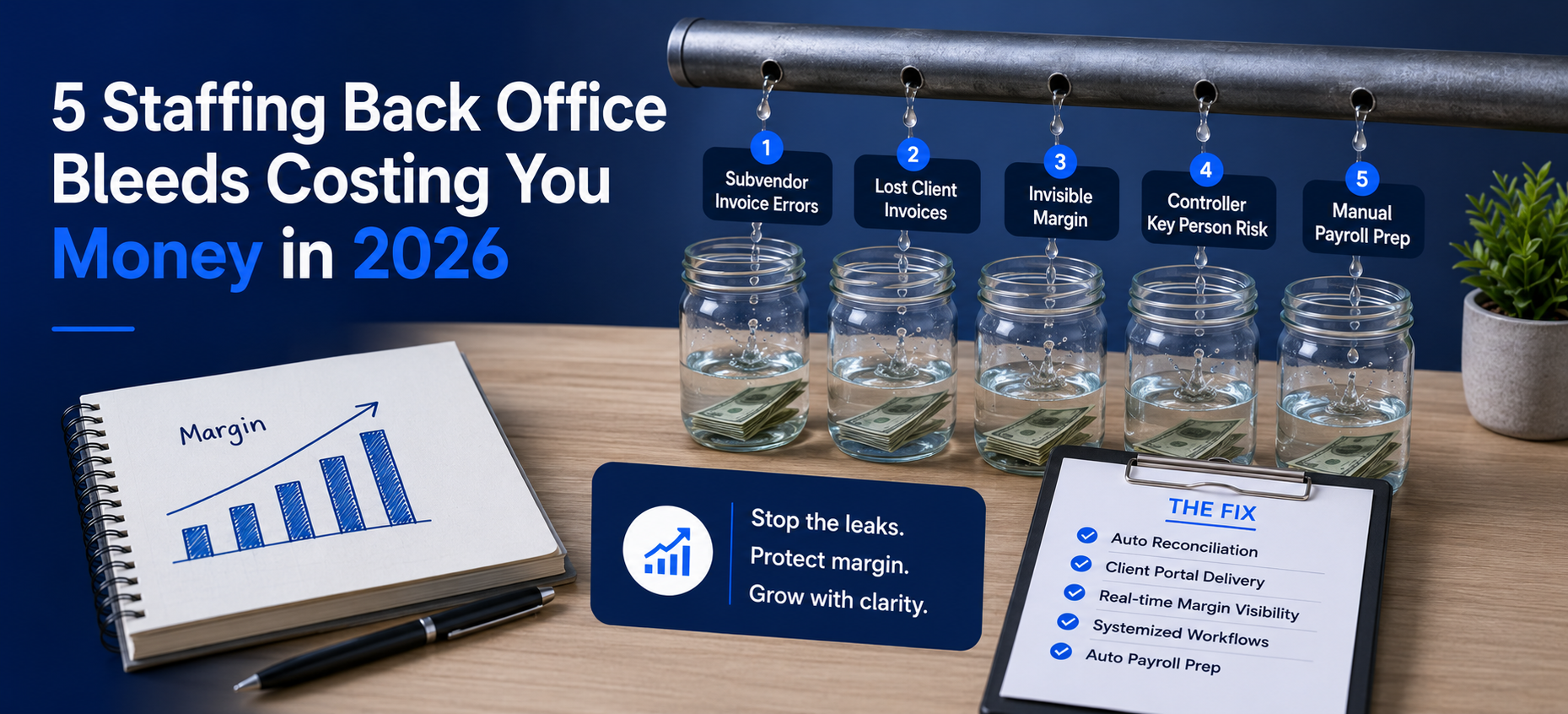
5 Staffing Back Office Bleeds Costing You Money in 2026
Quick answer: Staffing back office bleeds are the five recurring ways IT staffing firms lose margin: subvendor invoices paid for hours that never happened, client invoices lost in email, margin invisible until year end, one controller who knows how everything works, and payroll rebuilt every Monday. Each bleed is measurable, and each one is fixable. This post names the cost and the fix for all five.
According to Staffing Industry Analysts, back office inefficiency is a leading operational pain point for mid size staffing firms. The firms losing ground are rarely losing it to bad placements. Instead, they are losing it to staffing back office bleeds, in five specific places, every billing cycle.
What Are the Five Staffing Back Office Bleeds, at a Glance?
The table below maps each bleed to its cost and its fix. Afterward, each section explains the bleed in practice.
| Bleed | Annual cost | Velorona fix | When you see results |
|---|---|---|---|
| Subvendor invoice errors | $12K to $25K at $500K spend | Bidirectional reconciliation | First billing cycle |
| Lost client invoices / DSO drag | Working capital tied up | Client portal auto delivery | DSO drops 15 to 30 days in Q1 |
| Invisible margin | Decisions on stale data | Margin per client from approved hours | Immediate |
| Controller key person risk | Months of reconstruction | Logic encoded in the platform | Ongoing |
| Manual payroll prep | Hours every Monday | Auto populated from approved timesheets | First payroll cycle |
Are You Paying Subvendor Invoices for Hours Nobody Worked?
This is the most expensive of the staffing back office bleeds, and also the least visible. For example, a subvendor sends an invoice for 40 hours, yet your consultant worked 36. That four hour gap at a $100 hourly rate is $400.
Multiplied across 20 to 30 subvendor relationships in a year, most firms with $500K in subvendor spend leak $12,000 to $25,000 annually. Unfortunately, the manual process of eyeballing a PDF against a timesheet export breaks at scale. Therefore the fix is bidirectional reconciliation, where every incoming invoice is auto matched against approved hours before payment.
How Much DSO Are You Losing to Invoices That Never Arrived?
The average firm sends client invoices as PDF attachments to an AP inbox. As a result, there is no visibility into whether the email arrived. When the client says they never received it, the payment clock resets and DSO stretches.
Instead, the fix is client portal auto delivery. Invoices go to a branded portal, so you see when the client opened, viewed, and approved them. Consequently, firms typically see DSO drop 15 to 30 days within the first quarter.
Do You Know Your Margin Per Client Right Now?
Most owners answer “roughly.” However, the honest answer is usually “not without two days of Excel.” Timesheets live in one system, client invoices in another, and subvendor costs arrive by email.
Therefore the fix is live margin visibility. When approved hours generate both the client invoice and the Payroll Details record from the same data, margin per client becomes a number the system already knows. As a result, the two day Excel project turns into a 30 second answer.
What Happens When Your Controller Leaves?
At most firms, one person is the institutional memory of the back office. So when they give notice, you spend months reconstructing that knowledge. Meanwhile, errors slip through and the owner absorbs the overflow.
Instead, the fix is encoding the logic in the platform. Multi level approval chains, rate cards stored per client in the Vendor Hub, and automated reconciliation all run whether your controller is in or not. Because of this, a new hire can run the cycle in week one rather than week eleven.
How Long Does Your Monday Payroll Prep Take?
For a 50 consultant firm running manual prep, the run that should take 90 minutes often takes most of the morning. Furthermore, every re-entry step adds a fresh chance for error.
By contrast, the fix connects approved timesheets directly to Payroll Details, with no export, reformatting, or rekeying. Therefore the same approved hours that bill the client also prepare the pay run.
How Do the Five Bleeds Connect?
All five staffing back office bleeds trace to one root cause. Specifically, data moves through manual handoffs between disconnected systems: timesheets in email, invoices in QuickBooks, subvendor costs on spreadsheets, and payroll in a separate tool. Each handoff is where the error enters, the delay begins, or the visibility is lost.
Consequently, the fix is not a better spreadsheet. Rather, it is removing the handoffs by connecting the data at the source. For more, see staffing back office automation on one platform and what manual payroll prep really costs.
Frequently Asked Questions
How long does it take to fix these bleeds with Velorona?
Velorona goes live in 5 to 14 days, with no setup fees and historical data imported via CSV. In practice, the first caught subvendor error typically appears in the first billing cycle.
What if we already use QuickBooks?
Velorona exports to QuickBooks via CSV today. Moreover, native QuickBooks Online sync arrives Q3 2026.
What does Velorona not do?
It is not an ATS. Therefore it does not source candidates or manage job orders. Instead, it handles the back office after the placement.
Book a personalized demo at velorona.com/demo.