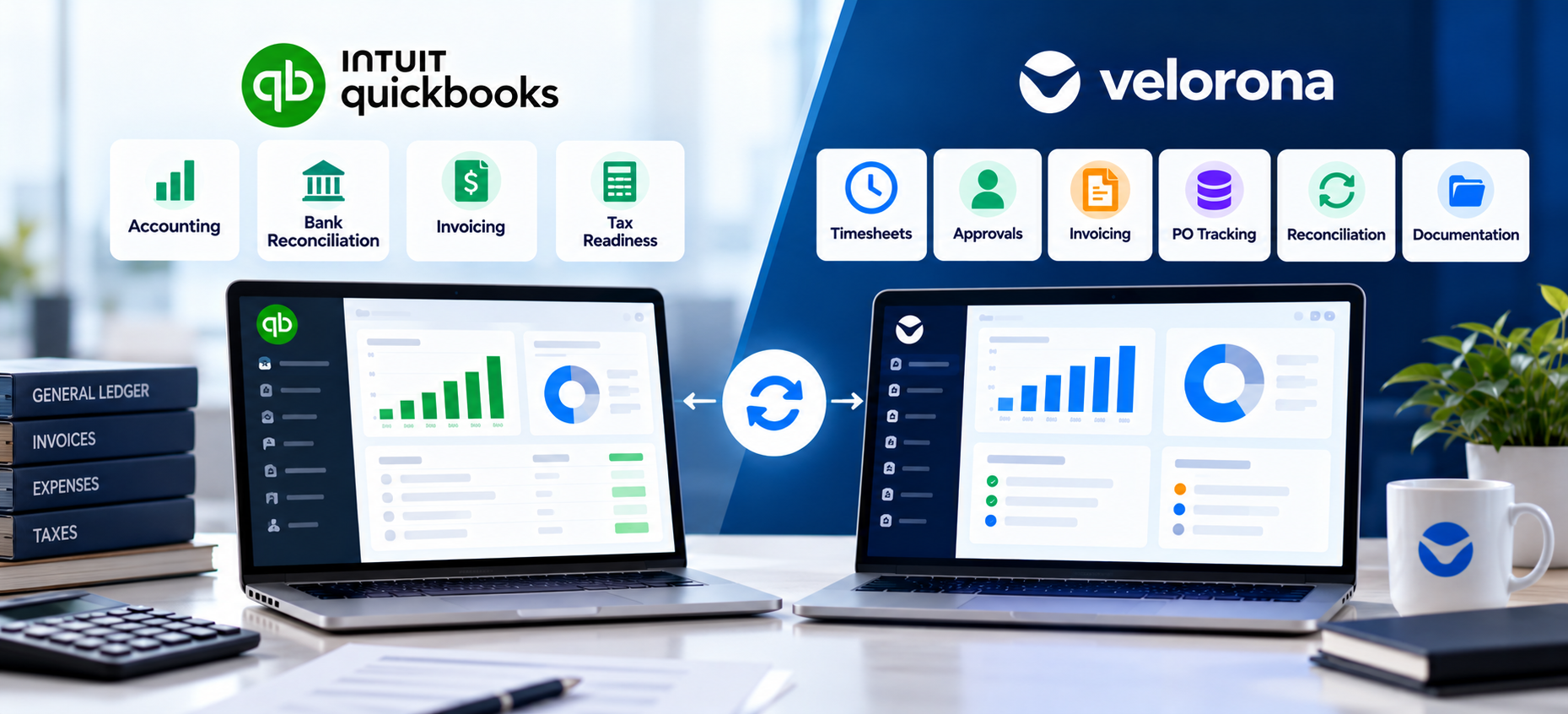
QuickBooks Online handles staffing accounting well: general ledger, bank feeds, tax prep, and invoicing. It isn’t built around consultant timesheets, client sign-off, sub-vendor invoice verification, or margin per placement. Most growing firms keep QBO and add a staffing back-office platform alongside it.
QuickBooks Online (QBO) is the accounting system behind a large share of staffing firms. It’s a strong choice for bookkeeping and taxes. However, staffing firms also need workflows around contractor time, client approvals, sub-vendor reconciliation, and assignment-level margin.
This article covers what QBO handles well, six gaps staffing firms typically hit, and how a staffing-specific layer closes them without replacing QBO.
What Does QuickBooks Online Do Well for Staffing Firms?
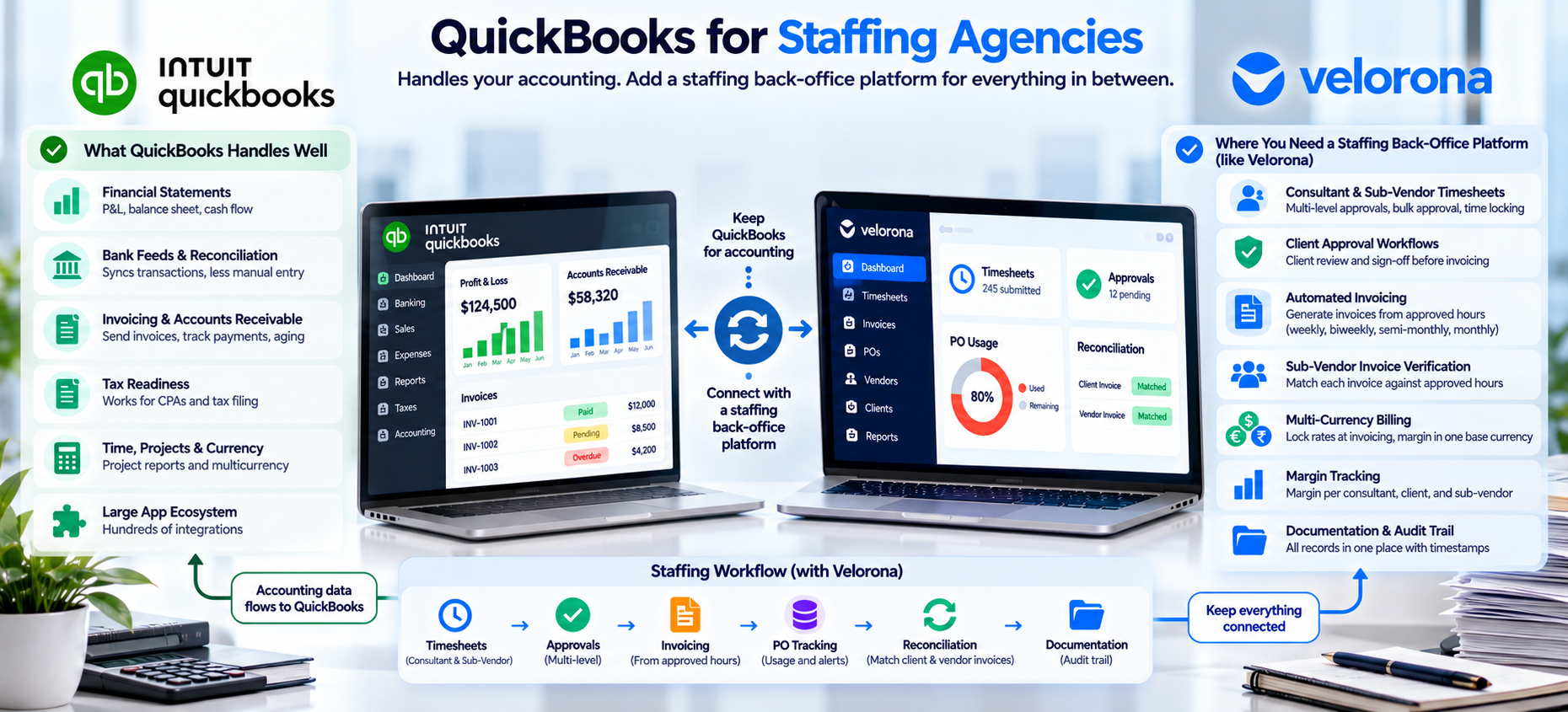
QBO is the accounting layer, and it does that job well:
- Financial statements. P&L, balance sheet, and cash flow reporting are solid and familiar to any CPA.
- Bank feeds and reconciliation. Transactions sync from connected accounts and cut manual entry.
- Tax readiness. Most outside accountants already work in QBO.
- Invoicing and AR. You can send invoices, track payment status, and run aging reports.
- Time, projects, and currency. Eligible plans add timesheet approvals, project profitability, and multicurrency.
- A large app ecosystem. Hundreds of integrations cover expenses, payments, and reporting.
For a five-person agency billing a few clients directly, this is often enough. The gap appears as a firm adds consultants, sub-vendors, and approval chains.
Where Does QuickBooks Fall Short for Staffing Operations?
QBO’s model assumes a simple relationship: your company, a customer, and a vendor. Staffing adds consultants who aren’t employees, sub-vendors who supply their own contractors, clients who approve hours before billing, and margin that shifts with every timesheet.
| Gap | What QBO Handles | Where Staffing Needs More |
|---|---|---|
| Time and approvals | Internal timesheet approval | Consultant → PM → account manager → client chain, bulk approval, time locking |
| Client sign-off | Invoice delivery | Client review of hours before billing, with timestamped proof |
| Invoicing | Invoices from billable time | Invoices generated from approved hours across different billing cycles |
| Sub-vendor invoices | Bill entry and payment | Matching each invoice against approved hours before payment |
| Multi-currency | Foreign-currency transactions | Rate locked at invoicing, margin in one base currency |
| Margin | Company-level and project reports | Margin per consultant, client, and sub-vendor across the chain |
1. Consultant and Sub-Vendor Time Tracking
QuickBooks Time handles simple hourly logging. However, staffing firms need multi-level approval, bulk approval across dozens of consultants, and time locking once hours are approved. Corp-to-corp consultants working through their own entity don’t map cleanly onto a single-employer model. Velorona’s timesheets cover this, and we show the Friday impact in How to Turn a 12-Hour Friday Into 90 Minutes With Bulk Approval.
2. Client Approval Workflows
QBO’s timesheet approvals are internal. It isn’t built around an end client reviewing hours before you invoice. Most firms fall back on emailed spreadsheets. Approvals get buried, and “I never received it” becomes a real dispute. We cover that in How to Stop Losing Clients Over Lost Invoices.
3. Automated Invoicing
QBO can generate an invoice. It doesn’t turn approved timesheets into client invoices automatically across weekly, biweekly, semi-monthly, and monthly cycles. Firms re-enter hours already approved elsewhere. That manual step introduces errors and eats a controller’s week. Velorona’s invoicing works the other way: approve hours once, and the invoice is already built.
4. Sub-Vendor Invoice Verification
This gap carries the biggest dollar impact. QBO’s two-party model isn’t built to cross-check a sub-vendor invoice against the hours your own team approved. Per Velorona’s analysis during onboarding, manual matching carries a 3–5% error rate. On $500K in annual sub-vendor spend, that is $12,000–$25,000 a year. We explain the fix in Bidirectional Invoice Reconciliation and the cost in How to Catch the Sub-Vendor Invoice Errors Quietly Draining Your Margin.
5. Multi-Currency Billing
QBO supports multicurrency, but as a general accounting feature. Firms billing a US client in USD and paying an offshore sub-vendor in INR need the rate locked at invoicing and margin in one base currency. Otherwise FX swings quietly shift margin. We cover this in How to Stop FX Drift From Quietly Eating Your Staffing Margin.
6. Margin Per Consultant and Client
On eligible plans, QBO Projects can track profitability once configured. However, margin per consultant, per client, and per sub-vendor across a multi-party chain still means manual coding and an Excel rebuild. Most owners see true margin only when they reconstruct it quarterly. By then, an unprofitable placement has run for months. See Staffing Firm Margin: Where It Actually Disappears.
What Will a QuickBooks Sync Fix, and What Won’t It?
A sync removes double entry between the operational layer and accounting. It doesn’t replace either one. QBO stays the system of record for the ledger, taxes, and statements. The staffing layer owns approvals, client sign-off, sub-vendor matching, rate cards, and margin.
Don’t wait for a sync to fix a workflow problem. The sync is a convenience once both systems exist. The operational gap needs a purpose-built layer however tightly it connects to QBO.
How Does a Staffing-Specific Back-Office Layer Help?
This is the gap Velorona is built to close, alongside QBO and not in place of it. For firms managing 20 or more consultants, the layer covers:
- Timesheets built for staffing. Web and mobile entry, GPS-stamped clock-in and clock-out, multi-level approval, bulk approval, and time locking.
- A client portal. Clients review and approve in one place, with every open, view, and approval timestamped. See the client portal.
- Invoices from approved hours. No re-keying, with NET 7–90 terms and PO balance alerts.
- Sub-vendor reconciliation. Sub-vendors approve their own consultants’ hours in their portal. Incoming invoices are matched against approved hours before payment, so mismatches surface before money moves. See the vendor hub.
- Multi-tier chains. Client, firm, sub-vendor, and sub-sub-vendor chains work natively. We cover this in Multi-Tier Sub-Vendor Support: Win Deals Competitors Turn Away.
- Multi-currency rate cards. USD billing, INR payment, and the FX rate locked at invoicing.
- Live margin visibility. Margin per consultant, client, and sub-vendor as hours and invoices arrive.
- Documents. MSAs and W-9s stay attached to each vendor record.
- Expenses, time-off, and schedules. Expense tracking, time-off with accrual rules, and schedules live in the same system.
- An audit trail. Every approval and change is timestamped and tied to a verified user through 2FA. See How to Resolve a Wage Dispute in Minutes, Not Weeks.
A firm with a handful of direct hires and no sub-vendor chain may not need this yet. The signal to watch: month-end close takes days instead of hours, or nobody can state a client’s margin without a spreadsheet rebuild.
What Should You Honestly Expect From Velorona?
Velorona handles timesheets, bidirectional reconciliation, client portal delivery, multi-currency invoicing, payroll details, bulk approval, and audit logs with 2FA. The Team plan costs $10/month per user ($7 on annual billing), with no setup fees. Firms typically go live in 5 to 14 days. See the pricing page.
However, Velorona does not do the following today. QuickBooks Online synchronization sits on the roadmap. Until it ships, CSV export moves clean hours and invoice data into QBO. Velorona also doesn’t execute payroll. It prepares payroll-ready data for Gusto, ADP, or Paychex. Payroll execution via Gusto Embedded targets Q4 2026, as does 1099-NEC auto-generation. The FAQ page has current status.
FAQ: QuickBooks and Staffing Back-Office Software
Does a staffing back-office platform replace QuickBooks Online?
No. It handles timesheets, approvals, invoicing, sub-vendor billing, and margin reporting. It feeds clean data to QBO, which stays the accounting system of record.
Can I just use QuickBooks Time instead?
For simple, single-party hourly tracking, yes. Once you add multi-level approvals, C2C consultants, or sub-vendor hours to verify, most firms outgrow it.
Is this only relevant for IT staffing firms?
No. Any firm billing clients for contractor time runs into similar gaps. Sub-vendor chains and cross-border payments are most common in IT staffing.
How long does it take to add a back-office layer on top of QBO?
Typically 5 to 14 days, depending on data cleanliness and any legacy system to migrate from.
Does Velorona run payroll?
No. It tracks payroll-ready data and feeds your provider. See Timesheet to Payroll Staffing: Remove the Manual Step Where Errors Enter.
Where does this fit in a wider software stack?
We map all 15 categories in 15 Staffing Agency Tools for Back-Office Operations.
Try It on Your Own Billing Cycle
The fastest way to find what’s slipping through is to run one billing cycle through a staffing back-office platform and compare it to what QBO shows.
Book a 15-minute demo and bring your last 90 days of sub-vendor invoices. Or start a free 30-day trial, no credit card required.
Related reading:
- QuickBooks for Staffing Agencies: What It Handles, What It Doesn’t
- 15 Staffing Agency Tools for Back-Office Operations
- Bidirectional Invoice Reconciliation
- How Sub-Vendor Invoice Errors Cost Your Staffing Firm $12,000 to $25,000 Every Year
- Staffing Firm Margin: Where It Actually Disappears
- The Complete Guide to Staffing Agency Back Office Software