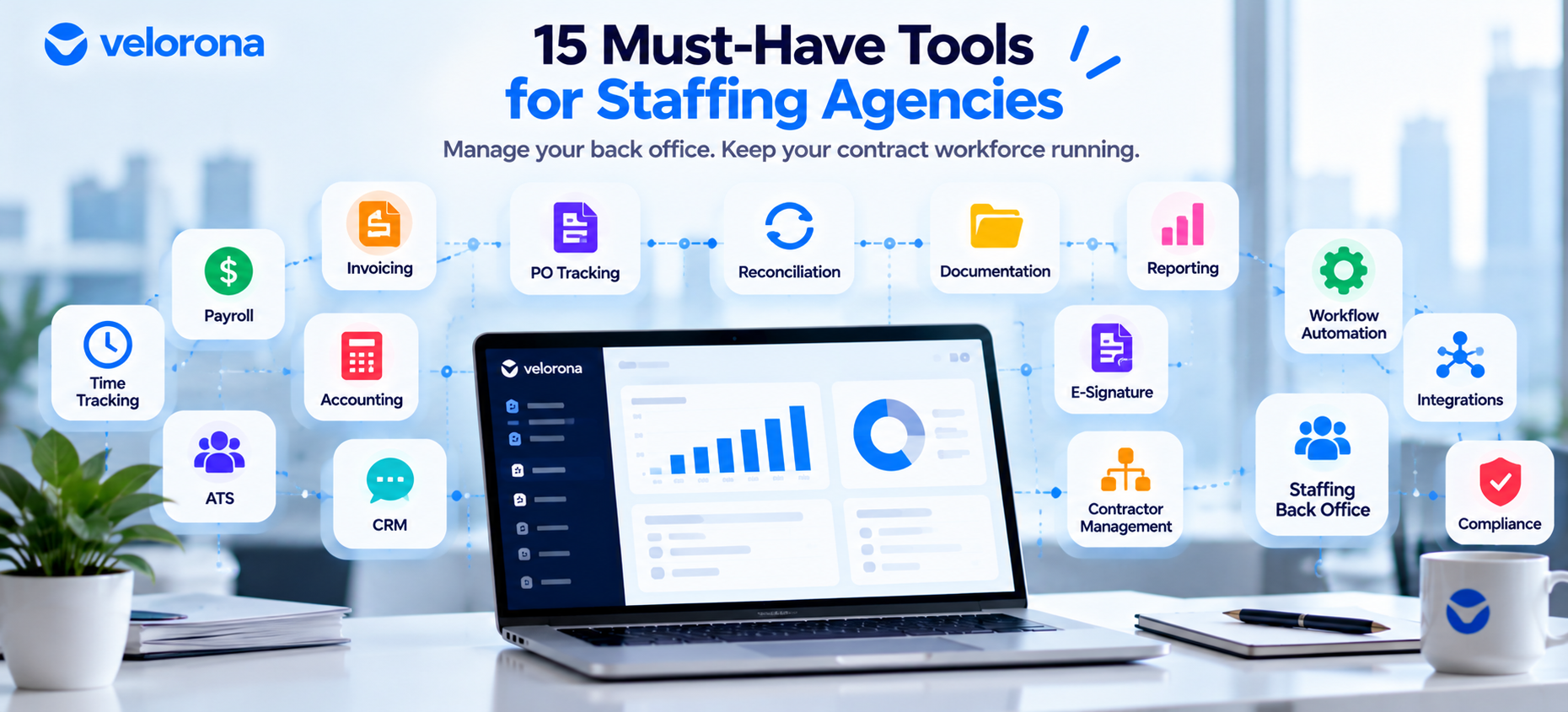
A staffing agency runs two operations at once: placing candidates out front, and a back office handling timesheets, sub-vendor invoices, payroll data, and reconciliation. This guide covers 15 staffing agency tools across the contractor lifecycle. It also shows where C2C and sub-vendor work needs a staffing-specific back-office layer that accounting and time-tracking tools weren’t built for.
Running a staffing agency means living in two worlds. In front, you place candidates and manage clients. Behind the scenes, a second operation runs, and it never seems to end.
Agencies on spreadsheets, inboxes, and disconnected systems struggle to catch billing discrepancies quickly. That is especially true in C2C and sub-vendor arrangements. Approved hours, client invoices, vendor invoices, and rate cards each live in a different place.
Per Velorona’s analysis of staffing firm invoice data, manual matching carries a 3–5% error rate. On $500,000 in annual sub-vendor spend, that is $15,000–$25,000 in potential exposure. The actual figure depends on approval processes and how fast mismatches surface. 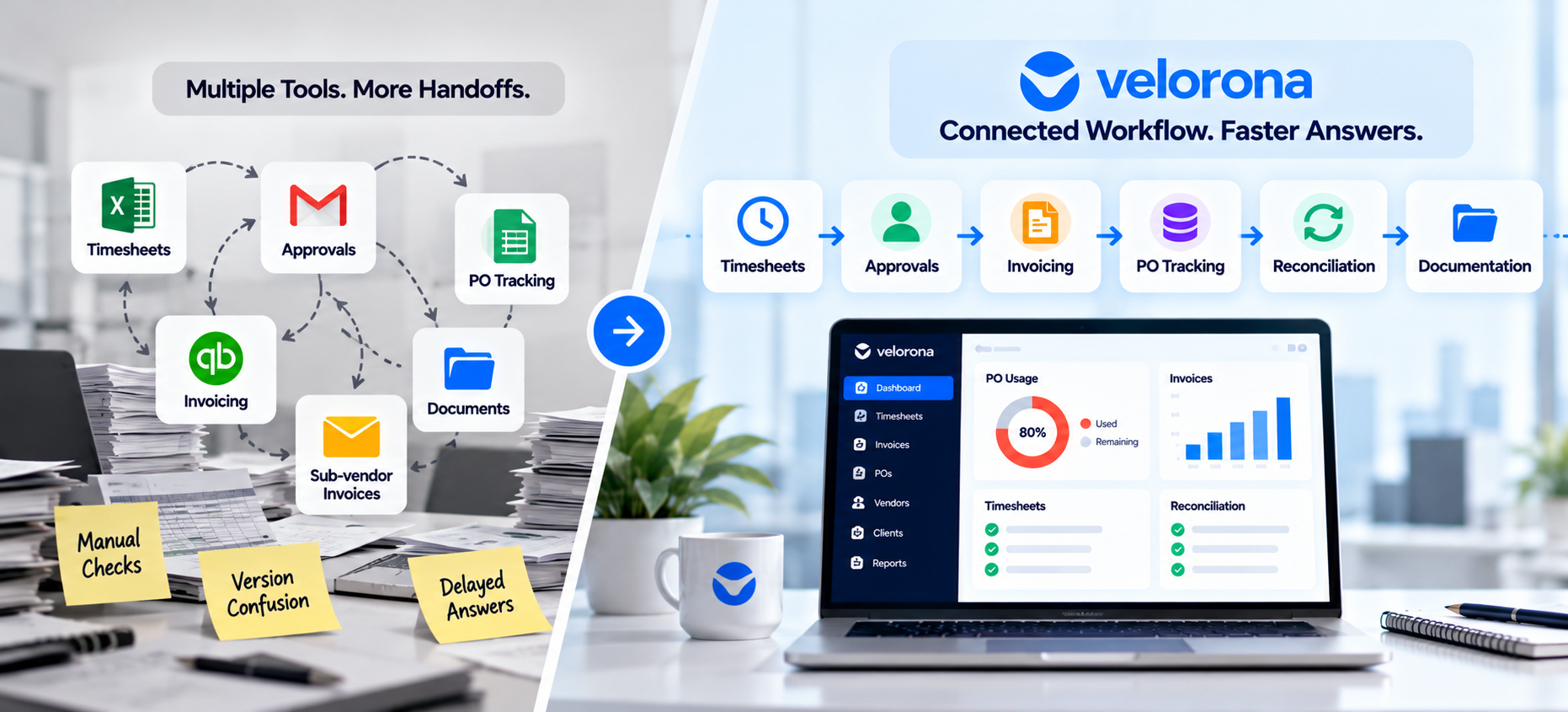
A well-designed stack cuts repetitive entry, tracks approvals, and improves billing accuracy. Here are the 15 categories worth evaluating.
Which 15 Staffing Agency Tools Should You Evaluate?
| # | Category | Example Tools | Primary Job |
|---|---|---|---|
| 1 | Accounting | QuickBooks Online | Financial records |
| 2 | Payroll | Gusto, ADP, Paychex | Payroll and tax filing |
| 3 | Time tracking | Clockify, Hubstaff | Hours logging |
| 4 | ATS | Bullhorn, JobDiva | Candidates and placements |
| 5 | Invoicing | QuickBooks, staffing platforms | Client billing |
| 6 | CRM | HubSpot, Salesforce | Sales pipeline |
| 7 | Expense management | Ramp, Expensify | Receipts and reimbursements |
| 8 | Reporting & BI | Looker Studio, Power BI | Dashboards |
| 9 | E-signature | DocuSign | Contracts and agreements |
| 10 | Communication | Slack, Microsoft Teams | Messaging |
| 11 | Contractor management | Worksuite, Remote | Contractor records |
| 12 | Integrations | APIs, CSV exports | Data movement |
| 13 | Workflow automation | Zapier | Event-based tasks |
| 14 | Staffing back office | Velorona | Approvals, billing, reconciliation |
| 15 | Document & compliance | SharePoint, Google Drive | Records and expiry tracking |
1. Accounting: QuickBooks Online
QuickBooks Online is a practical accounting foundation. It supports invoicing, receivables, payables, expense categorization, and financial reporting.
The limitation isn’t recording staffing transactions. QuickBooks wasn’t designed to run staffing workflows: multi-level timesheet approvals, rate-card validation, PO tracking, or matching sub-vendor invoices against approved hours.
Keep QuickBooks as the system of record. Add a staffing-specific layer upstream of it. We cover this split in QuickBooks for Staffing Agencies: What It Handles, What It Doesn’t.
2. Payroll: Gusto, ADP, or Paychex
Payroll isn’t where you improvise. Gusto, ADP, and Paychex are common options for employee payroll, contractor payments, and tax filings. Agencies with complex multi-state structures often lean toward ADP or Paychex.
The key factor is the data flowing in. If approved hours, pay rates, and classifications get managed manually, reconciliation risk starts before the payroll run.
Velorona isn’t a payroll processor. It tracks payroll details so the hours and rates reaching your provider arrive clean. We cover the handoff in Timesheet to Payroll Staffing: Remove the Manual Step Where Errors Enter.
3. Time Tracking: Clockify, Hubstaff, and Staffing-Specific Tools
In staffing, an approved timesheet becomes the source record for client billing, payroll inputs, contractor payments, and margin reporting. The Department of Labor’s FLSA rules also expect employers to keep accurate hours records.
Clockify handles basic logging. Hubstaff adds monitoring features for remote teams. Both are generic trackers. They don’t natively model multi-level approval chains, client-facing review, or invoice generation from approved hours.
Ask what happens to hours after approval. If someone exports them to Excel, tracking solved only the first step. Velorona’s timesheets carry approved hours straight into billing.
4. Applicant Tracking: Bullhorn or JobDiva
Bullhorn and JobDiva manage candidates, job orders, submissions, and placements. Bullhorn suits agencies wanting a broad, configurable recruiting and sales system. JobDiva is often evaluated for high-volume sourcing and submittal tracking.
Confirm how your ATS connects to timekeeping, payroll, and billing. An ATS ends where the placed consultant’s working life begins. Timesheets, expenses, and sub-vendor billing typically live outside it.
5. Invoicing: QuickBooks and Staffing-Specific Tools
QuickBooks creates and tracks invoices well for simple billing. Staffing complexity shows up fast: different bill rates per client, PO numbers, approval requirements, and sub-vendor invoices that need matching.
C2C agencies must compare vendor invoices against approved hours and agreed rates before paying. Done manually, that consumes operations time. A staffing-specific workflow generates client invoices from approved hours and matches sub-vendor invoices against the same record. We explain the mechanism in Bidirectional Invoice Reconciliation.
6. CRM: HubSpot or Salesforce
Your ATS handles candidates. Your CRM handles clients. HubSpot fits agencies building a pipeline, and its free tier can suit smaller firms. Salesforce makes sense as customization and reporting needs grow.
Pick one system of record for accounts, contacts, and opportunities. Once a deal becomes a placement, the record driving billing and hours approval lives in the back office, not the CRM.
7. Expense Management: Ramp or Expensify
Expenses get hard to review when receipts and reimbursements run through email. Ramp pairs corporate cards with policy enforcement. Expensify focuses on receipt capture and reimbursement.
Confirm the accounting integration and approval workflow first. For billable expenses, tagging each cost to a client or placement lets you pass it through the right invoice. Velorona’s expense tracking supports that link.
8. Reporting and Analytics: Looker Studio or Power BI
Margin per client, DSO, bench time, and utilization usually sit across separate systems. Looker Studio works for lightweight dashboards. Power BI suits advanced modeling and multiple data sources.
Useful dashboards show gross margin by client and consultant, AR aging, time-to-approval, invoice status, and sub-vendor exposure.
One caveat: neither tool fixes messy upstream data. Reporting surfaces what was captured. Disconnected systems need integration or a centralized workflow first. We cover the margin side in Staffing Firm Margin: Where It Actually Disappears.
9. E-Signature: DocuSign
Every contractor relationship involves MSAs, NDAs, W-9s, and certificates of insurance. DocuSign provides audit trails and timestamps that make compliance reviews manageable.
Signed documents need a home. A vendor hub keeps each executed agreement tied to the sub-vendor it belongs to.
10. Communication: Slack or Microsoft Teams
Slack suits speed and integrations. Teams fits firms already in Microsoft 365.
Don’t let chat become the only record of time approvals, rate changes, or payment decisions. Those belong in systems that capture ownership, dates, and an audit trail. A thread scrolls away by Friday. We cover why in How to Resolve a Wage Dispute in Minutes, Not Weeks.
11. Contractor and Sub-Vendor Management: Worksuite, Remote, or Staffing-Specific Tools
Contractor management matters more as an agency adds independent contractors, C2C suppliers, and vendor layers. Generic tools like Worksuite or Remote may help, depending on workforce type and location.
Check whether your system handles staffing-specific needs: client assignments, bill and pay rates, sub-vendor relationships, and invoice matching. Evaluate onboarding, W-9 collection, COI expiry alerts, rate-card controls, and audit trails. Multi-party chains need more, as we show in Multi-Tier Sub-Vendor Support: Win Deals Competitors Turn Away.
12. Integration and Data Management
Excellent individual tools still create bottlenecks if they don’t exchange data reliably. Map how candidate, timesheet, rate, invoice, and payment data moves before buying anything new.
Prefer native integrations. Otherwise, agencies use APIs, scheduled CSV exports, or automation tools. The test isn’t whether two tools can swap data. It’s whether the connection preserves accuracy, cuts duplicate entry, and leaves an audit trail.
QuickBooks Online synchronization sits on Velorona’s roadmap. Until it ships, CSV export moves clean approved-hours and invoice data into accounting.
13. Workflow Automation: Zapier
Zapier connects systems through event-based workflows. It can create a CRM contact after a client record appears, notify a team when a timesheet is approved, or start onboarding after an agreement is signed.
It suits lightweight tasks. It shouldn’t replace a system-of-record strategy or a workflow needing detailed audit trails and billing logic. Automation should remove repetitive work, not necessary checks. “Invoice arrives, pay automatically” skips the verification that protects margin.
14. Staffing Back Office: Velorona
Most staffing tools solve one part of the operating model. An ATS manages placements. A payroll provider processes pay. QuickBooks manages accounting. A tracker records hours. The challenge is connecting them without repeated exports and manual reconciliation.
Velorona is a staffing back-office system for contractor timesheets, client billing, C2C workflows, sub-vendor invoices, payroll details, and margin visibility. It connects approved hours to downstream billing and flags vendor invoice mismatches before payment.
Relevant workflows include:
- Client invoicing from approved hours, bill rates, and PO details
- Sub-vendor invoice review against approved hours and agreed rates
- C2C billing across client, agency, and sub-vendor
- Invoice status, AR visibility, and placement-level margin
- Vendor document tracking through the vendor hub
Velorona doesn’t replace your payroll processor or accounting system. It sits between time approvals, billing, vendor reconciliation, and financial reporting. Learn more in The Complete Guide to Staffing Agency Back Office Software.
15. Document and Compliance Management
Beyond e-signature, agencies need disciplined storage and expiry tracking. A well-organized Google Drive or SharePoint can work at 5–20 contractors.
As volume grows, centralized tracking becomes more valuable. Surfacing expiring COIs, missing W-9s, and incomplete onboarding replaces separate spreadsheets for agreements and expiry dates.
What Should You Buy First at Each Stage?
Not every firm needs all 15 at once. Build around the current bottleneck.
5–20 consultants: Start with QuickBooks, a payroll provider, e-signature, and time tracking tied to invoicing. Manual processes still work. Clean data habits now prevent rework later.
20–50 consultants: Cracks appear. Sub-vendor reconciliation, invoice delivery tracking, and month-end close get painful. Dedicated back-office tooling starts paying off. Margin data gaps also begin affecting pricing decisions.
50+ consultants: Manual processes stop scaling. We cover this pattern in The Staffing Firm Growth Ceiling at 50-60 Consultants.
The best stack isn’t the one with the most software. It creates reliable handoffs between recruiting, time approval, billing, payroll prep, vendor management, and reporting. Start by finding where your team re-enters data, chases approvals by email, or struggles to reconcile vendor invoices.
What Should You Honestly Expect From Velorona?
Velorona handles timesheets with multi-level approval and time locking, sub-vendor invoicing with bidirectional reconciliation, client portal delivery with read receipts, multi-currency invoicing (USD/INR with FX lock), expense tracking, time-off, schedules, bulk approval, and audit logs with 2FA.
The Team plan costs $10/month per user ($7 on annual billing). There are no setup fees. Firms typically go live in 5 to 14 days. See the pricing page.
However, Velorona does not do the following today. QuickBooks Online synchronization sits on the roadmap, with CSV as the interim method. Stripe Connect payment through the portal also sits on the roadmap. SSO is in development. Public API and Zapier integration are planned. Payroll execution via Gusto Embedded targets Q4 2026, as does 1099-NEC auto-generation. The FAQ page has current status.
FAQ: Staffing Agency Tools
Do staffing agencies need all 15 tool categories? No. Build around your bottleneck. Small firms often start with accounting, payroll, e-signature, and time tracking.
Is an ATS enough to run a staffing agency? No. An ATS manages recruiting and placements. Timesheets, client billing, and sub-vendor reconciliation need separate workflows.
Does Velorona replace QuickBooks or payroll software? No. QuickBooks stays your accounting system. Your payroll provider still processes pay. Velorona keeps the operational data feeding them clean.
Why isn’t a generic time tracker enough for staffing? It logs hours but doesn’t natively handle multi-level approvals, client review, or invoice generation from approved hours.
What is the biggest gap in most staffing stacks? The connection between approved hours, client billing, and sub-vendor invoices. Each tool works alone, but manual handoffs sit between them.
How quickly can a firm add a back-office layer? Firms typically go live with Velorona in 5 to 14 days with no setup fees.
Try Velorona on Your Own Workflow
Put your real timesheets, client invoices, and sub-vendor billing through the system. See where the manual handoffs disappear.
Book a 15-minute demo for a guided walkthrough, or start a free 30-day trial. One month free, no credit card required.
Related reading:
- QuickBooks for Staffing Agencies: What It Handles, What It Doesn’t
- Bidirectional Invoice Reconciliation
- How to Catch the Sub-Vendor Invoice Errors Quietly Draining Your Margin
- Staffing Firm Margin: Where It Actually Disappears
- How to Stop Controller Burnout From Manual Timesheet Approval
- The Complete Guide to Staffing Agency Back Office Software