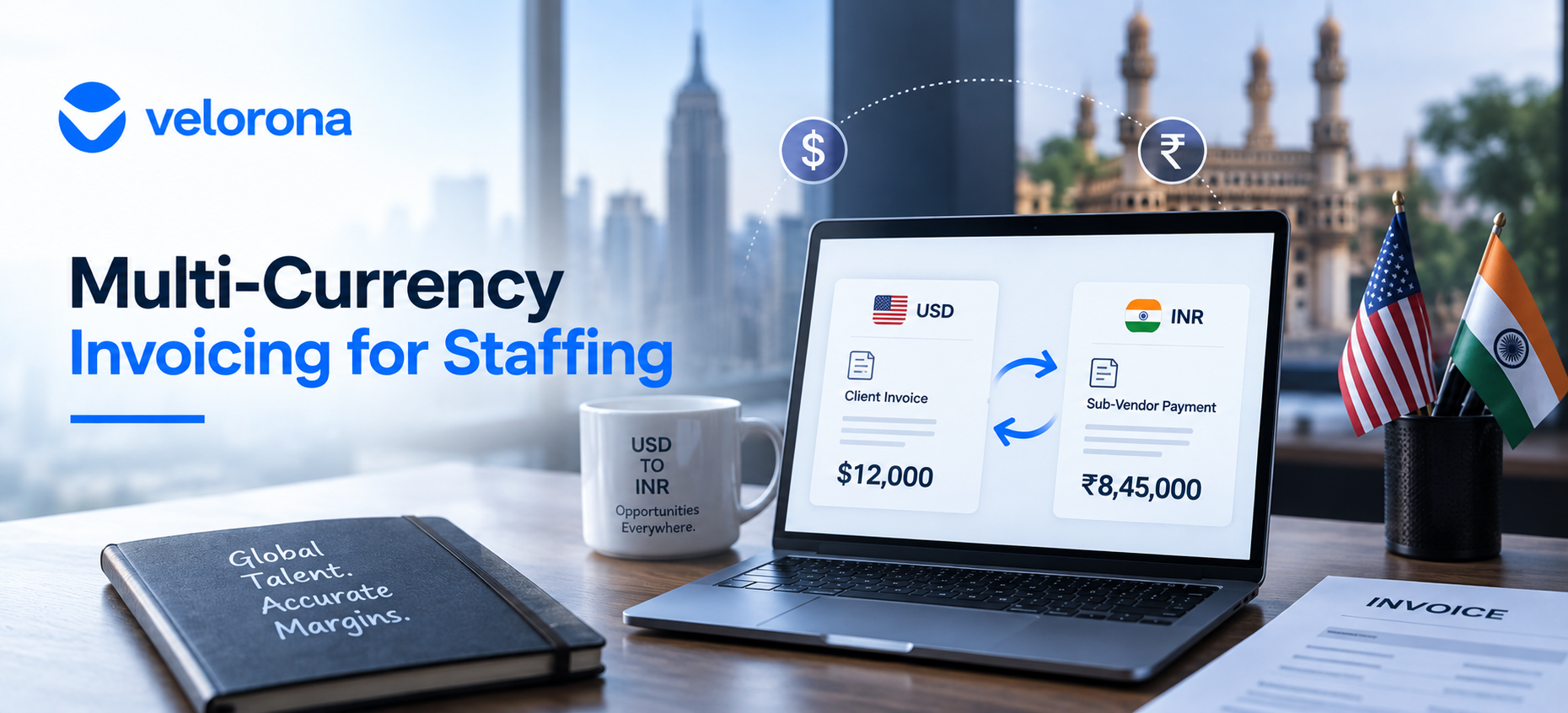
Multi-Currency Invoicing for Staffing: Bill USD, Pay INR
Many IT staffing firms invoice US end-clients in USD while paying Indian sub-vendors in INR and most invoicing tools have no native way to handle that relationship, forcing a manual conversion step every billing cycle. Multi-currency invoicing for staffing builds rate cards directly into the billing workflow, so the client side, the sub-vendor side, and your margin all track in the correct currency without a spreadsheet in between.
Your client pays you in USD. Your sub-vendor in Hyderabad gets paid in INR. Somewhere between those two transactions, someone has to convert one to the other, decide which exchange rate to use, and make sure the margin calculation still makes sense after the conversion happens.
Most invoicing tools assume you operate in one currency. However, staffing firms with cross-border sub-vendor relationships usually don’t and the manual FX workaround they build around single-currency tools quietly distorts the margin numbers they rely on to run the business.
Why Do So Many IT Staffing Firms Need Multi-Currency Invoicing for Staffing?
Because a common structure in IT staffing especially among Indian-American-owned firms concentrated in NJ, Dallas-Fort Worth, and Atlanta involves billing a US end-client in USD while the consultant sources through, or pays via, a sub-vendor in India invoiced and paid in INR.
That’s not an edge case. It’s a standard part of how the sourcing model works in this segment. Specifically, the American Staffing Association recognizes cross-border staffing structures as a core feature of the IT staffing market and the back-office tools most firms use were never built for it.
What the Manual Workaround Actually Looks Like
Without native multi-currency support, every invoice cycle involves someone manually looking up an exchange rate, doing the math by hand, and hoping the calculation stays consistent from one invoice to the next. In practice, it doesn’t:
One invoice might use the rate from the day someone created it. Another uses the rate from the day someone processed it. A third uses whatever rate the controller remembered from last week. Nobody tracks which rate applied to which invoice. Consequently, the margin number the actual difference between what you billed and what you paid becomes unreliable before anyone notices.
At $500K to $1M in annual sub-vendor spend, even a 2–3% currency swing applied inconsistently across dozens of invoices per month meaningfully distorts what you think your margin actually is. That’s on top of the $12,000–$25,000 in sub-vendor invoice errors that manual reconciliation already misses.
What Goes Wrong Without Native Multi-Currency Invoicing for Staffing?
Four specific problems compound when you handle FX manually:
Inconsistent exchange rates. The rate used varies by whoever does the conversion, whenever they do it. As a result, two invoices from the same billing cycle use different rates and nobody knows which is right.
Distorted margin reporting. If your margin-per-client reporting relies on manually converted numbers, the underlying math is only as accurate as the last person who looked up the exchange rate. Consequently, a client relationship can look profitable on paper while actually running at a loss after accurate conversion.
Audit trail gaps. Manual FX calculations rarely get documented. When a sub-vendor disputes a payment amount or a client questions an invoice, you can’t show which rate applied because it was a number someone typed into a spreadsheet and never recorded with the transaction.
Controller time wasted. The manual conversion adds to the reconciliation burden your controller already carries. At 12+ hours per month on manual reconciliation, adding a currency conversion step to every sub-vendor invoice makes a compounding problem worse.
How Does Manual FX Conversion Compare to Native Multi-Currency Invoicing?
The following table shows the difference between the spreadsheet workaround and multi-currency invoicing built into the billing workflow:
| Dimension | Manual FX Conversion (Spreadsheet) | Native Multi-Currency Invoicing (Velorona) |
|---|---|---|
| Exchange rate consistency | Varies by whoever does it, whenever they do it | Locked at time of invoicing consistent record |
| Margin accuracy | Distorted by inconsistent rate application | Accurate both currencies tracked with locked rate |
| Time per invoice cycle | Manual lookup and calculation every time | Automatic rate applies from configured setup |
| Audit trail | Rarely documented | Rate used records with the invoice automatically |
| Client-side currency | USD | USD |
| Sub-vendor-side currency | INR converted manually each cycle | INR handled natively, no manual step |
| Margin calculation currency | Estimate depends on whoever ran the numbers | USD calculated from actual converted values |
| Multi-tier sub-vendor support | Manual tracking across currency layers | Native multi-tier chains and multi-currency work together |
How Does Velorona Handle Multi-Currency Invoicing for Staffing Firms?
Velorona lets you set up rate cards per client and per sub-vendor in their respective currencies USD for the end-client invoice, INR for the sub-vendor payment and locks the FX rate at the time of invoicing.
Specifically, three things happen automatically:
The client invoice generates in USD from approved timesheet hours, at the client billing rate, on the client billing schedule. No manual calculation.
The sub-vendor payment tracks in INR from the same approved hours, at the sub-vendor rate, with the FX rate locked at invoicing time. Consequently, there’s no retroactive ambiguity about which rate applied to which transaction.
Margin calculates in USD accounting for the conversion rather than requiring manual reconciliation of two currencies every billing cycle. As a result, margin per client and per consultant reflects reality, not a rough estimate based on whatever rate someone used that week.
Furthermore, this works alongside Velorona’s bidirectional reconciliation: client invoices going out matched against sub-vendor invoices coming in, with mismatches flagged before payment. The multi-currency layer applies to the matching so a rate discrepancy between what the sub-vendor invoiced and what the vendor hub shows gets flagged, not paid.
How Do You Set Up Multi-Currency Invoicing Correctly?
Here’s the step-by-step setup:
Step 1: Set the client invoice currency. Typically USD for US end-clients, configured once per client relationship during setup. Every future invoice to that client generates in USD automatically.
Step 2: Set the sub-vendor payment currency separately. If you pay a sub-vendor in INR, that tracks independently from the client-side currency not forced into a single currency for the whole transaction. The vendor hub stores the sub-vendor’s currency, rate, and payment terms alongside their W-9 and rate agreement.
Step 3: Lock the FX rate at invoicing not at payment. This keeps your margin calculation consistent and auditable. You can always see which rate applied to which invoice, which matters when a sub-vendor disputes a payment or your accountant asks about a Q2 number during year-end prep.
Step 4: Let margin reporting reflect the true converted number. Once both sides track in their native currency with a locked conversion rate, margin per client and per consultant reflects what you actually kept not a rough manual estimate. The American Staffing Association reports industry net margins of 3–7%; accurate multi-currency margin tracking is what lets you know where you sit within that range for each client.
What Changes When FX Handling Is Built In Not Bolted On?
Three things shift when multi-currency invoicing for staffing runs natively rather than through a spreadsheet workaround:
Currency conversion errors stop compounding silently. Firms with cross-border sub-vendor relationships typically stop discovering weeks or months later that an inconsistent FX rate quietly distorted a margin number they relied on. The rate becomes a fact recorded with the invoice, not a calculation someone ran once and never revisited.
Margin visibility extends to every client relationship. When the margin calculation handles the currency conversion automatically, you can answer “what’s my margin on Client X?” for both domestic and cross-border relationships in the same dashboard without building a separate spreadsheet for the INR relationships. We cover the broader margin visibility problem in Staffing Firm Margin: Where It Actually Disappears.
The controller’s reconciliation burden shrinks. Removing the manual FX lookup from every sub-vendor invoice cycle reduces the time your controller spends on the billing process. Combined with automated invoice-to-timesheet matching, the total reconciliation workload drops from 12+ hours per week to about 90 minutes of exception review including the currency layer.
What Should You Honestly Expect and What Isn’t Ready Yet?
Velorona handles timesheets with multi-level approval and time locking, sub-vendor invoicing with bidirectional reconciliation via the vendor hub, client portal auto-delivery with read receipts, multi-currency invoicing (USD/INR with FX lock), expense tracking, time-off, schedules, payroll details, bulk timesheet approval, and audit logs with 2FA.
The Team plan costs $10/month per user ($7/month on annual billing), with no setup fees and no implementation cost. Firms typically go live in 5 to 14 days. Full plan details sit on the pricing page.
What Isn’t Available Today
However, Velorona does not do the following today: QuickBooks Online integration targets Q3 2026 (until then, clean matched multi-currency data exports via CSV). Similarly, Stripe Connect for online invoice payment targets Q3 2026. The team currently builds SSO. In addition, Public API + Zapier targets Q3 2026. Payroll execution via Gusto Embedded targets Q4 2026. Finally, 1099-NEC auto-generation also targets Q4 2026. The FAQ page covers additional details.
One month free trial. No credit card required.
Frequently Asked Questions About Multi-Currency Invoicing for Staffing
Which currencies does Velorona support beyond USD and INR?
Multi-currency support isn’t limited to a single currency pair. In other words, it handles whatever combination of client and sub-vendor currencies your relationships require not just USD/INR. If your sub-vendor relationships span multiple countries, each relationship configures with its own currency and rate in the vendor hub.
Does the FX rate update automatically, or do I set it manually?
The rate locks at the time of invoicing, giving you a consistent, auditable record rather than a rate that fluctuates between creation and payment. For your specific rate-feed setup and how often rates refresh, confirm the details directly with the Velorona team during onboarding the mechanics may vary by configuration.
How does multi-currency affect my margin reporting?
Margin calculates using the actual converted values, so a client and sub-vendor relationship spanning USD and INR still produces an accurate USD margin figure not an estimate based on whatever rate someone used that week. As a result, margin per client stays accurate across both domestic and cross-border relationships in the same view.
Do I need this if I only work with US-based sub-vendors?
No. If every party in your billing chain operates in the same currency, multi-currency support isn’t relevant to your workflow. It matters specifically for firms with cross-border sub-vendor relationships where the client invoice and sub-vendor payment run in different currencies.
Does multi-tier sub-vendor support work alongside multi-currency?
Yes. If your chain includes a client in USD, a sub-vendor in INR, and a further sub-vendor layer, both the multi-tier structure and the currency handling work together not as separate, disconnected features. We cover multi-tier C2C workflows in C2C Invoicing Software Built for How Staffing Firms Actually Bill.
How does multi-currency connect to sub-vendor invoice verification?
Directly. When Velorona matches a sub-vendor invoice against approved timesheet hours, the match includes the rate in the sub-vendor’s currency. If the sub-vendor invoiced at a rate that doesn’t match the vendor hub agreement, the system flags it before payment. That catches both hour errors and rate errors including rate creep that shows up as a currency-converted discrepancy. We cover the full cost of sub-vendor errors in How Sub-Vendor Invoice Errors Cost Your Staffing Firm $12,000 to $25,000 Every Year.
Book a 15-minute demo and we’ll show you exactly how the USD rate card setup works with your actual client and sub-vendor structure. Alternatively, start a free 30-day trial, no credit card required.
Related reading:
- How Sub-Vendor Invoice Errors Cost Your Staffing Firm $12,000 to $25,000 Every Year
- Staffing Firm Margin: Where It Actually Disappears
- C2C Invoicing Software Built for How Staffing Firms Actually Bill
- Automate Timesheet Reconciliation: Cut 12 Hours to 90 Minutes
- Staffing Firm Audit Trail: Resolve Wage Disputes in Minutes
- January Is Coming: Get Your 1099 Data Ready Now
- The Complete Guide to Staffing Agency Back Office Software