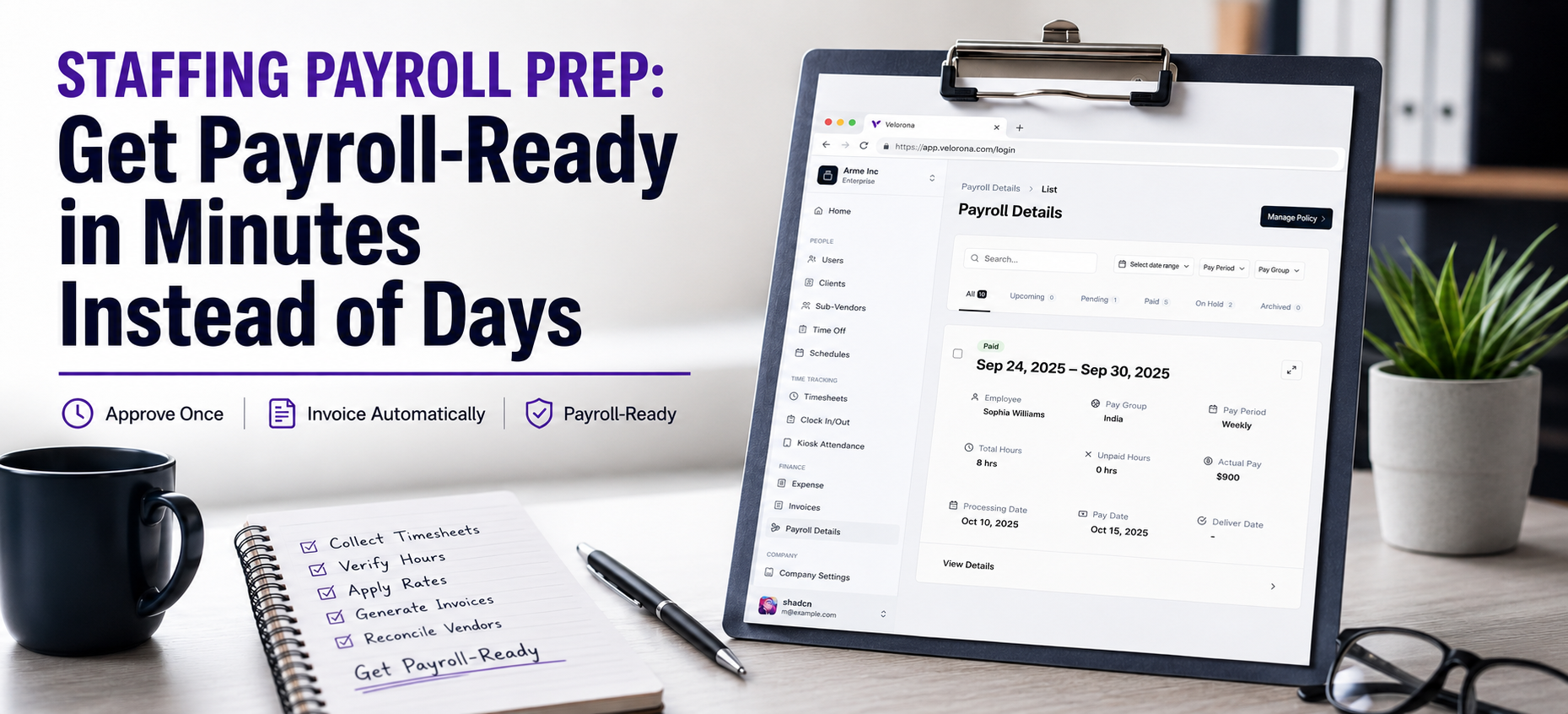
Staffing Payroll Prep: How to Get Payroll-Ready in Minutes Instead of Days
Quick answer: Staffing payroll prep eats more time than the actual pay run. The days spent collecting timesheets, verifying hours, and re-keying them before payroll can even start are the real bottleneck. Velorona removes that prep work by approving hours once and turning them into structured Payroll Details, client invoices, and sub-vendor reconciliation automatically. You arrive at your payroll provider clean and ready, instead of rebuilding the data from spreadsheets.
Why Does Staffing Payroll Prep Become a Fire Drill as Firms Grow?
For example, Raj runs an IT staffing firm with 80 consultants. His controller, Priya, spends the week before payroll chasing missing timesheets, checking hours, reconciling vendor invoices, and fixing spreadsheet errors. Yet by Friday evening, payroll hasn’t even started they’re still preparing the data.
The irony is that payroll itself isn’t the problem.
Instead, the problem is everything that happens before it.
For staffing, recruiting, and contractor-heavy firms, staffing payroll prep often means:
- Chasing timesheets across email and spreadsheets
- Verifying hours manually
- Applying rates consultant by consultant
- Re-entering the same information into multiple systems
- Reconciling vendor invoices against approved hours
As a result, the hours disappear before the pay run even begins.
Therefore, Velorona’s goal is simple: eliminate the prep work.
A note on language, because it matters: Velorona does not run payroll or file employment taxes. It produces Payroll Details structured, employee-facing transparency plus an HR admin view and feeds clean, approved data into your payroll process. However, payroll execution is on the roadmap. The value today is everything upstream of the pay run.
How Do You Stop Manually Auditing Every Timesheet?
First, the biggest time sink in staffing payroll prep is checking hours by hand.
Velorona reduces it two ways that are live today:
- Geolocation on clock-in. When a worker clocks in and out through timelogs, location is captured for site-based verification.
- Bulk approval. Approvers can clear up to 50 timesheets in a single click from web or mobile.
Instead of spending Friday afternoon reviewing every entry one by one, Priya can approve an entire batch in minutes.
The “chase and check” cycle shrinks dramatically.
How Do You Apply the Right Rates Without Re-Keying?
Furthermore, rates are configured once per consultant, client, and assignment.
That includes:
- Client billing rates
- Sub-vendor payout rates
- C2C arrangements
- Multi-currency rate structures
Once configured, approved hours automatically carry those rates through the workflow.
For example, nobody needs to remember whether Client A pays $95/hour or $105/hour. The assignment already knows.
The spreadsheet dependency disappears.
How Does Approved Time Become an Invoice Automatically?
This is where disconnected systems usually break.
For instance, in many staffing firms, approved hours are exported, re-entered into an invoicing system, and checked again before billing.
However, Velorona eliminates that duplicate work.
The same approved hours automatically generate:
- Client invoices
- Payroll Details
- Sub-vendor reconciliation records
Additionally, client invoices are delivered directly to the client portal, where you can see when they were opened, viewed, and approved.
As a result, one set of approved hours becomes the foundation for the entire back office.
How Does Sub-Vendor Reconciliation Protect Your Margins?
This is the highest-value workflow in Velorona and the part of staffing payroll prep most firms overlook.
Most staffing firms focus on getting invoices out. However, far fewer pay attention to the invoices coming in.
In fact, Sub-vendor invoice errors are one of the most common sources of invisible margin leakage. A consultant may have worked 40 hours, but the invoice arrives showing 45.
Multiply that across multiple consultants, multiple vendors, and an entire year.
Consequently, the result is thousands of dollars disappearing without anyone noticing.
Velorona automatically matches inbound sub-vendor invoices against approved consultant hours through the Vendor Hub and flags mismatches before payment.
Instead of discovering errors during year-end reviews, firms catch them before money leaves the business.
For many staffing firms, this single workflow is worth more than every payroll-prep efficiency combined.
Can You Actually See Margin Per Consultant and Client?
Most staffing firm owners think they know which clients are profitable.
However, few can prove it without opening Excel.
When approved hours drive both:
- Outbound client invoices
- Inbound sub-vendor invoices
margin becomes visible automatically.
Raj no longer has to ask:
“Are we actually making money on Client X?”
Instead, he can see:
- Revenue per consultant
- Cost per consultant
- Margin per client
- Margin per assignment
Without spending two days building spreadsheets.
The firms that scale successfully aren’t just faster at payroll prep. They’re faster at understanding where profit comes from. As the American Staffing Association regularly notes, margin discipline separates the staffing firms that survive growth from those that stall at it.
What’s the Real Before-and-After?
| Stage | Manual Prep | With Velorona |
| Collect timesheets | Chase across spreadsheets and email | Submitted in-app via web or mobile |
| Verify hours | Review every entry manually | Geolocation + bulk approval |
| Apply rates | Re-key consultant by consultant | Pre-configured assignment rates |
| Produce billing | Re-enter into invoicing tool | Auto-generated from approved hours |
| Reconcile vendors | Manual matching | Automatic mismatch detection |
| Audit disputes | Search email threads | Timestamped action history + audit log |
The point isn’t instant payroll.
Rather, the point is that payroll starts with clean data instead of days of preparation.
How Does This Protect You During a Wage Dispute?
Every submission, edit, approval, and rejection is recorded in a timestamped action history protected by two-factor authentication.
When a consultant disputes hours months later, the answer already exists inside the system.
No spreadsheet archaeology, no searching through email chains, no guessing.
What Should You Not Expect Yet?
To stay honest:
Velorona does not currently:
- Execute payroll
- File taxes
- Generate 1099-NEC forms automatically
These capabilities are on the roadmap.
Also planned:
- QuickBooks Online integration
- Stripe Connect payments
- Public API and Zapier integrations
- Single Sign-On (SSO)
Until QuickBooks integration ships, firms can import historical data through CSV.
What exists today is the prep-elimination layer:
- Verified hours
- Structured Payroll Details
- Automated client invoicing
- Sub-vendor reconciliation
- Margin visibility
- Audit-ready records
What Does It Cost and How Soon Can You Start?
Velorona pricing is straightforward:
- Starter: $6/user/month
- Team: $10/user/month
Furthermore, annual billing reduces costs by 30-33%.
There are:
- No setup fees
- No implementation fees
- No credit card required for the free trial
Most firms go live within 5-14 days.
In contrast, enterprise staffing platforms often require 6-12 weeks and significant implementation costs before value appears.
Related Reading
If you’re evaluating your entire back-office workflow, these articles may help:
- How to Run Your Staffing Back Office on One Platform in 2026 (and End the Friday Spreadsheet Scramble)
- What Back-Office Automation Actually Fixes for Staffing Firms in 2026 (and What It Doesn’t)
- How to Cut Your Staffing Firm’s DSO by 15-30 Days With Automated Invoicing
Together, they explain how timesheets, invoicing, reconciliation, margin visibility, and payroll preparation connect into one workflow.
FAQ: Getting Payroll-Ready Faster
Does Velorona actually run payroll?
No. Specifically, Velorona produces Payroll Details and feeds approved hours and rates into your payroll process. However, payroll execution is on the roadmap.
How are hours verified without manual auditing?
Geolocation is captured on clock-in, and approvers can clear timesheets in bulk rather than reviewing them one at a time.
How do C2C rates flow through?
Invoice and payout rates are configured per assignment, allowing approved hours to generate client invoices and reconcile sub-vendor invoices automatically.
Can I move my historical data into the platform?
Yes. Historical data can be imported via CSV. Additionally, native QuickBooks Online integration is planned.
Get Payroll-Ready in Minutes
Stop letting staffing payroll prep eat days that should have been spent growing the firm.
See how one set of approved hours can drive Payroll Details, client invoicing, sub-vendor reconciliation, and margin visibility from a single workflow.
Book a personalized demo: velorona.com/demo