How One Staffing Sales Call Closed on the Demo Alone
In competitive staffing pitches, prospects can’t tell firms apart on rate or process descriptions alone everyone says the same things. A live staffing client portal demo, shown rather than described, answers the one question every prospect quietly asks underneath the pitch: “if we sign, is our billing going to be a mess?” This guide covers why showing beats telling in staffing sales specifically and what changes when the portal a prospect sees on the call is the same one your existing clients use every week.
The account manager had run this pitch a dozen times. New prospect, mid-size manufacturing company, looking for an IT staffing partner to place 15–20 consultants over the next year. She knew the slide deck cold: rates, placement process, references, the usual.
She also knew what usually happened next. The prospect would say it sounded good. They’d ask for references. They’d say they were “also talking to a couple of other firms.” And three weeks later, she’d follow up to find out they’d gone with someone else usually a bigger, more established name. Not because that firm was better at placements. Because they felt more buttoned-up. More like a firm running a real operation, not a process held together by a shared inbox and a PDF attached to an email.
This time, about twenty minutes into the call, the prospect’s ops director asked the question she’d heard a hundred times: “How do we actually track hours and get billed? Is it just email, or…?”
Instead of describing it, she shared her screen.
What Happens When You Show a Staffing Client Portal Demo Instead of Describing One?
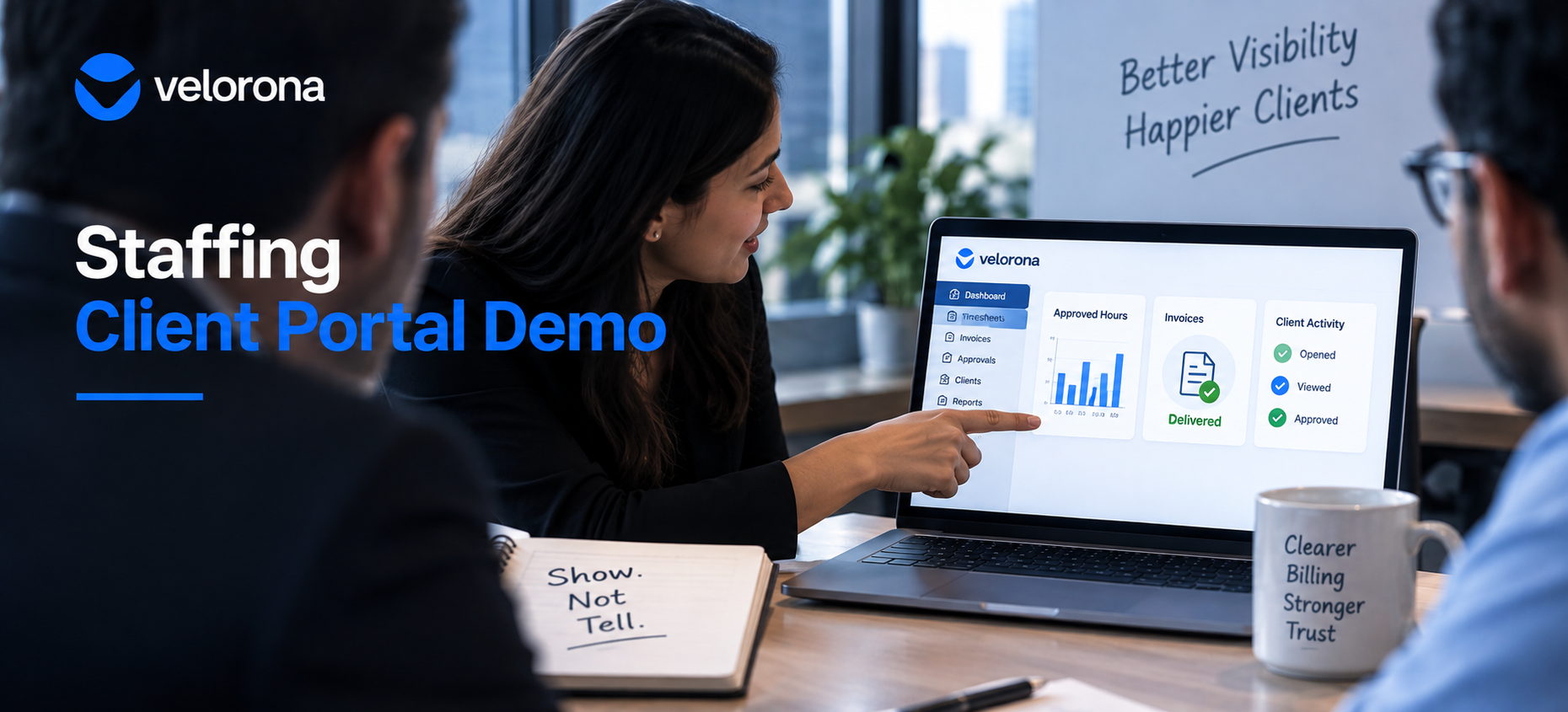
She pulled up the client portal the same one her firm’s actual clients used and walked through it in real time.
What the Prospect Saw
Here’s where you’d see every consultant’s approved hours, broken down by week. Here’s the invoice, generated automatically the moment those hours receive approval no one composing an email, no attachment to lose. Here’s the read receipt you can see the moment this invoice was opened, not just that someone clicked send. Here’s the audit log, timestamped, if there’s ever a dispute about what was approved and when.
The ops director went quiet for a second. Then: “Our current vendor sends us a PDF over email every two weeks and half the time it’s the wrong month.”
That was the moment the call turned. Not because her rates were better. Not because her placement process was more rigorous. Because for the first time in the conversation, the prospect wasn’t imagining what working with this firm would be like. They were looking at it live, on the same screen they’d use if they signed.
They signed nine days later. No other firm got a second call.
How Does a Description-Only Pitch Compare to a Live Portal Demo?
| Dimension | Description-Only Pitch | Live Staffing Client Portal Demo |
|---|---|---|
| What the prospect experiences | A claim about how good the process is | The actual process, in front of them |
| How it gets evaluated | Compared against every other firm’s similar claim | Compared against what they currently have |
| What it answers | “Do you say the right things?” | “Is our billing going to be a mess?” |
| Where trust builds | Nowhere specific — assumed or not | In real time, on the call |
| Invoice visibility | Described | Demonstrated read receipts showing open, view, approval |
| Hour tracking | Promised | Shown – approved timesheets broken down by week |
| Dispute resolution | Mentioned | Demonstrated audit trail with timestamps on screen |
| Time to trust | Built over weeks through follow-up | Built on the call |
Why Does “Show, Don’t Tell” Win Staffing Sales Deals Specifically?
Every staffing firm says the same things in a pitch: we vet consultants carefully, our placement process is thorough, our rates are competitive. A prospect evaluating three firms hears some version of that sentence three times and has no real way to tell them apart.
However, what they can tell apart is what it actually feels like to be a client.
The Question Prospects Never Ask Out Loud
Underneath every staffing pitch, every prospect quietly asks the same operational question: “If we sign with this firm, is our billing going to be a mess?”
Nobody says this out loud. It sounds too small. However, it’s what the ops director is thinking when she asks how hours tracking works. It’s what the CFO is thinking when she asks about invoice format. They’ve been burned before by a staffing firm that sent PDFs by email, got lost in spam filters, couldn’t answer “did you get the invoice?” without a two-day investigation.
A live staffing client portal demo answers that question without anyone having to say a single reassuring word about it. The account manager just showed them. The portal answered a question they hadn’t even fully articulated yet.
Why This Shifts the Competitive Dynamic
This is the difference between a features conversation and a trust conversation. Features get compared line by line, and the biggest name usually wins that comparison. Trust gets built in real time, on the call, and it doesn’t care how long the other firm has been in business.
For a firm competing against bigger, better-known names on placements alone, the staffing client portal demo is often the only moment in the entire sales cycle where the smaller firm looks more capable not less. The American Staffing Association notes that client trust and operational reliability rank alongside placement quality as the primary drivers of staffing firm retention. Demonstrating operational reliability on the call rather than asserting it is what makes that trust tangible.
Does the Portal Have to Be Real or Can It Be a Sales Mockup?
The reason this closes deals is that the account manager isn’t demoing a mockup built for sales calls. She’s pulling up the exact same client portal her existing clients log into every week.
The Difference a Live System Makes
When a prospect sees a live portal with real data structures actual invoice delivery records, actual timesheet approvals, actual audit logs they’re not seeing a pitch. They’re seeing what Tuesday looks like if they sign.
A mockup, however polished, still requires the prospect to imagine the real thing. A live system removes the imagination step. The prospect stops evaluating your pitch and starts evaluating whether they want to use this tool — which is a fundamentally different and much shorter conversation.
This is why the portal should show what clients actually see: the invoice appearing automatically from approved hours, the delivery timestamp, the read receipt, the approval confirmation. Not a slide that says “invoices go through a portal.” The portal, open, with an invoice in it.
What This Means for Implementation
In Velorona, the same client portal that existing clients use for billing and approval is the same environment a prospect sees on a demo call. There’s no separate sales environment to maintain, no mockup to keep in sync with the real product, no risk that a prospect sees something on the demo that doesn’t exist in production. The portal is live from day one firms typically go live in 5 to 14 days with no setup fees so the sales asset is available almost immediately.
How Does the Portal Connect to What Happens After the Deal Closes?
The staffing client portal demo closes the deal. However, the same portal is also what prevents the relationship from eroding over time.
The most common reason staffing clients quietly start moving business to a competitor isn’t price. It’s the feeling that the vendor doesn’t have operations under control missed invoices, wrong amounts, no visibility into what was approved. We cover this pattern in detail in Your Client Said They Never Got the Invoice. Again.
When a client signs after seeing the portal on a sales call, they’ve already set an expectation for how billing works. The portal delivers on that expectation automatically invoices generating from approved timesheets, read receipts confirming delivery, automated reminders at 7, 14, and 30 days past due. The sales promise and the operational reality match.
That’s how a staffing firm builds the kind of client relationship that renews at full volume instead of quietly shrinking at the next contract discussion. The DSO improvement that firms see typically 15–30 days within the first quarter after switching to portal delivery is documented in Cut Your Staffing Firm’s DSO Without Chasing Clients.
What Should You Honestly Expect and What Isn’t Ready Yet?
Velorona handles timesheets with multi-level approval and time locking, sub-vendor invoicing with bidirectional reconciliation via the vendor hub, client portal auto-delivery with read receipts and scheduled reminders, multi-currency invoicing (USD/INR with FX lock), expense tracking, time-off, schedules, payroll details, bulk timesheet approval, and audit logs with 2FA.
The Team plan costs $10/month per user ($7/month on annual billing), with no setup fees and no implementation cost. Firms typically go live in 5 to 14 days. Full plan details sit on the pricing page.
What Isn’t Available Today
However, Velorona does not do the following today: Stripe Connect for clients to pay invoices directly through the portal targets Q3 2026. QuickBooks Online integration targets Q3 2026 (until then, export clean data via CSV). The team currently builds SSO. In addition, Public API + Zapier targets Q3 2026. Payroll execution via Gusto Embedded targets Q4 2026. Finally, 1099-NEC auto-generation targets Q4 2026. The FAQ page covers additional details.
One month free trial. No credit card required.
Frequently Asked Questions About Using a Staffing Client Portal Demo in Sales
Does showing a live portal work better than a slide deck for every prospect?
It’s most effective when the prospect has already expressed concern or curiosity about billing, hours tracking, or transparency which comes up in most staffing pitches once you’re past the initial rate and placement discussion. However, even without an explicit question, walking through the client portal proactively tends to shift the conversation faster than a features slide.
What if the prospect asks a question the portal can’t answer live?
That’s a normal part of the conversation. The goal isn’t to have every possible answer pre-loaded it’s to replace a description of “how it works” with the actual thing working in front of them. A live system with one unanswered question builds more trust than a polished slide deck with all the right claims.
Do sales teams need special training to run a portal demo?
Minimal. Since the portal the account manager shows is the same client portal existing clients already use, she doesn’t need to memorize a separate demo script. She walks through the same views a new client would see in their first week hours approval, invoice generation, read receipts, audit log.
Is this only useful for new client pitches, or does it help with renewals too?
Both. For renewals, showing the portal’s audit trail and dispute-free history over the contract term reinforces exactly why the relationship has been low-friction. It turns a renewal conversation from a negotiation into a review of evidence that the relationship is working.
How quickly can a sales team start using this approach?
As soon as the portal goes live for existing clients typically 5 to 14 days from signing up the same environment used for real clients doubles as the sales asset. There’s no separate demo environment to set up. Consequently, the sales team can start using it almost immediately.
What happens if a prospect signs and the portal doesn’t live up to the demo?
It does because the demo is the portal. There’s no gap between what was shown on the sales call and what the client uses on day one. The invoice appears automatically from approved hours. The read receipt works. The audit trail logs every action. What the prospect saw on the screen during the pitch is exactly what they see on Tuesday morning of their first billing cycle.
Book a Demo and See What You Could Be Showing on Your Next Call
When a prospect asks “how does billing actually work?” the answer that closes deals isn’t another claim about being organized. It’s opening the client portal and showing them.
Book a demo of Velorona and see the exact client portal your sales team could share on their next call. Alternatively, start a free 30-day trial live in 5 to 14 days, no credit card required.
Related reading:
- Your Client Said They Never Got the Invoice. Again.
- Cut Your Staffing Firm’s DSO Without Chasing Clients
- Staffing Firm Audit Trail: Resolve Wage Disputes in Minutes, Not Weeks
- The Complete Guide to Staffing Agency Back Office Software
- How Sub-Vendor Invoice Errors Cost Your Staffing Firm $12,000 to $25,000 Every Year
- Staffing Firm Margin: Where It Actually Disappears
- Fast Staffing Software Implementation: Live in 5 Days, Not 12 Weeks