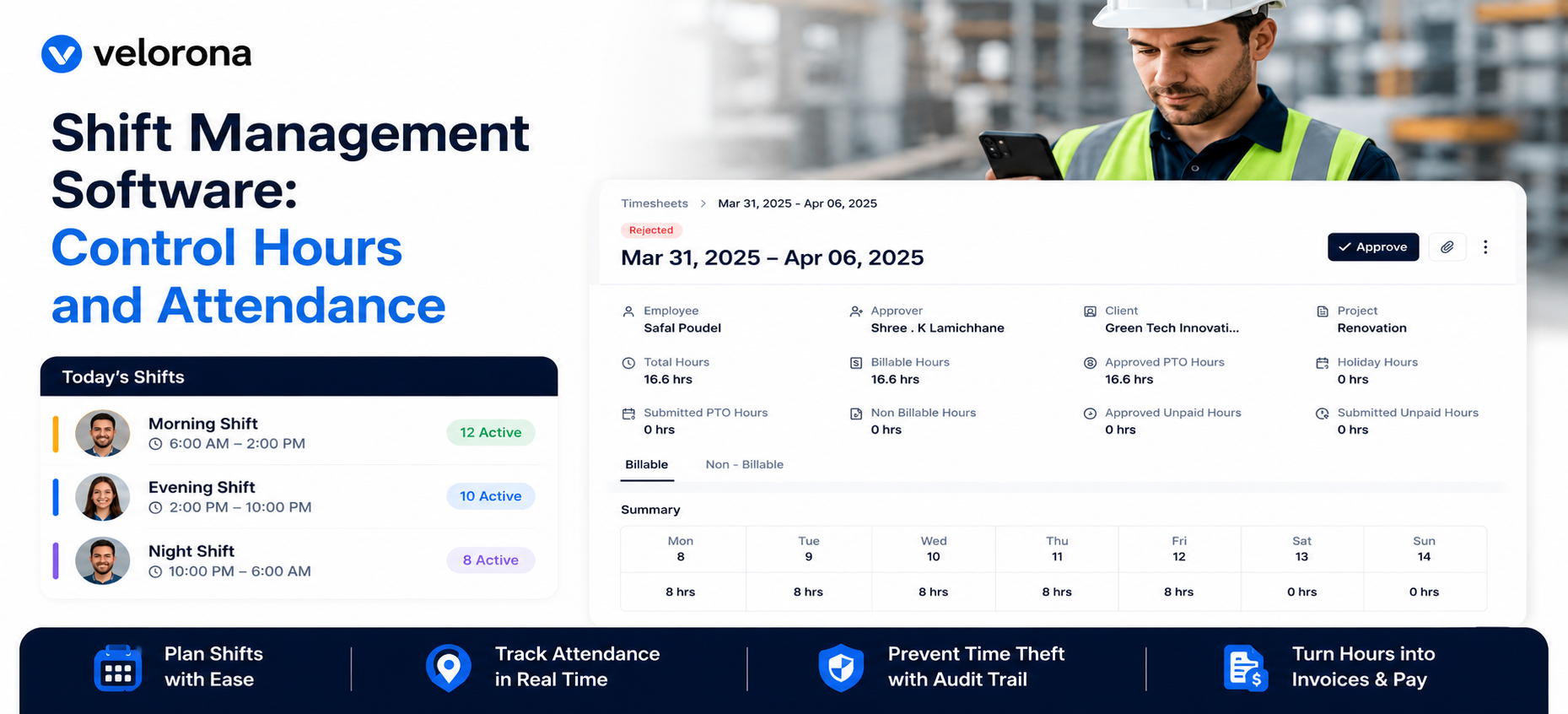
Shift Management Software: Control Hours and Attendance
Quick answer: Shift management software keeps schedules, attendance, and approvals in one place. Velorona connects the schedule to time capture, then turns approved hours into invoices and clean pay data. As a result, the owner controls hours without the Friday scramble. To stay honest, kiosk face match attendance is a 2026 roadmap item, not a live feature.
Why Is Shift Monitoring So Hard Without the Right Tools?
Workforce management is no longer just about who clocks in and who clocks out. For a staffing firm, the real challenge is bigger. It runs multiple shifts, on site and remote teams, and a constant flow of timesheets.
Manual tracking cannot keep up. Spreadsheets and paper logs invite errors. Moreover, they waste hours a small team cannot spare.
Therefore, shift management software has to do more than record attendance. It must connect hours to billing and pay. According to the U.S. Department of Labor, accurate records of hours worked are also a legal requirement.
What Should Shift Management Software Actually Do?
The job is to connect the schedule to the work. First, it should plan shifts and assignments. Then it should capture the hours worked. Finally, it should turn approved hours into invoices.
Velorona does this in one place. A worker submits a timesheet or clocks in through timelogs, with geolocation captured on clock in.
Next, the work schedule shows assignments for consultants and shifts for hourly teams. As a result, planned hours and worked hours sit side by side.
How Does It Prevent Time Theft Today?
Anyone managing a team has asked the question. Was that really a full eight-hour shift?
Velorona answers it with live controls. Mobile clock in records the moment work starts. In addition, geolocation confirms the hours were logged where the work happened.
Furthermore, every clock event sits in a timestamped audit trail protected by two factor authentication. Consequently, a dispute resolves from evidence, not memory. The U.S. Equal Employment Opportunity Commission also stresses the value of clear workplace records.
What About AI Facial Recognition?
This is where honesty matters. Shared device kiosk attendance with photo, face match, and PIN is on Velorona’s roadmap. Specifically, it is targeted for Q3 2026. Therefore, it is not available today.
If a vendor claims AI face recognition is already live, ask for a demonstration in your environment first. Biometric features also carry privacy duties, as the Federal Trade Commission has warned. For now, Velorona’s live controls are mobile clock in, geolocation, and the audit trail.
How Does Shift Data Connect to Billing and Margin?
This is where shift management software earns its keep. The hours on the schedule are the hours you bill and pay against.
When hours are approved, the client invoice is generated from those exact hours. Then it reconciles the inbound subvendor invoice through the Vendor Hub.
Most staffing firms leak 3 to 5 percent of subvendor spend to invoice errors. That is $12,000 to $25,000 a year on $500K of spend. However, Velorona flags any mismatch before payment.
What Does Velorona Do, and Not Do?
| Live today | on the 2026 roadmap or out of scope |
|---|---|
| Work schedule, shifts, assignments | Kiosk face match attendance (Q3 2026) |
| Mobile clock in, geolocation, bulk approval | Payroll execution (2026 roadmap) |
| Client invoicing and subvendor reconciliation | QuickBooks Online sync (2026 roadmap) |
| Audit trail and Payroll Details | Performance scoring or surveillance (not a Velorona function) |
To be precise, Velorona is staffing back office software. It produces Payroll Details for transparency, and it does not run payroll. Until QuickBooks Online sync ships, data moves via CSV.
What Does It Cost and How Fast Is Go Live?
Starter is $6 per user per month, and Team is $10 per user per month. Furthermore, annual billing saves 30 to 33 percent. There is also a one month free trial with no credit card, no setup fee, and a 5 to 14 day go live.
In contrast, enterprise platforms take 6 to 12 weeks to implement. They also charge $8,000 to $15,000 to set up. The American Staffing Association publishes further benchmarks on staffing operations.
For related reading, see how to run your staffing back office on one platform. You can also read about workforce management software for staffing.
FAQ: Shift Management Software
Does Velorona have AI facial recognition today?
No. Kiosk attendance with photo, face match, and PIN is targeted for Q3 2026. Today’s controls are mobile clock in, geolocation, and the audit trail.
Does shift data connect to billing?
Yes. Approved hours generate client invoices and reconcile subvendor invoices from the same source.
Can remote and field teams use it?
Yes. Mobile clock in with geolocation records hours wherever the work happens.
Does it run payroll?
No. It produces Payroll Details. Payroll execution is a 2026 roadmap item.
See Shift Management Software in Action
See how Velorona connects schedules, attendance, billing, and reconciliation into real control.
Book a personalized demo: velorona.com/demo