Your Client Said They Never Got the Invoice. Again.
When a staffing firm sends invoices by email, every send is a small bet that nothing goes wrong between outbox and inbox. A staffing client invoice portal removes that bet entirely invoices deliver automatically, with a timestamped record of when the client opened, viewed, and approved them. Firms that make this switch typically see DSO improve by 15–30 days within the first quarter not because clients pay faster out of goodwill, but because the lost-invoice cycle stops entirely.
He’d heard it before. Not often, but enough times that he’d started to dread the phone ringing on a Thursday afternoon.
“Hey we still don’t have last month’s invoice. This is the second time.”
It wasn’t the first time this particular client had said it. It was the third. And sitting there with the phone against his ear, he knew he didn’t actually know whether the invoice had gone out on time. He’d have to check with his controller. She’d have to dig through Outlook. By the time they figured out what happened sent, bounced, buried, never sent the client had already had two more days to wonder whether this staffing firm had its act together.
He apologized. He resent it. The client said it was fine.
It wasn’t fine. Three months later, that client moved 40% of their placements to a competitor. When he asked why, the answer wasn’t price. It was: “We just felt like we had to manage you.”
Why Do Clients Leave Over Something as Small as a Late Invoice?
Because a late or missing invoice isn’t what the client experiences as a late or missing invoice. What the client experiences is a vendor that doesn’t have its operations under control.
What’s Actually Happening When an Invoice Gets Lost
Here’s what he didn’t fully appreciate until he mapped it out: every invoice his firm sent by email was a small bet that nothing would go wrong between his outbox and the client’s inbox.
Spam filters. A forwarded email that got lost in a reply chain. A client’s AP contact who changed roles without telling anyone. A Friday afternoon send that buried under 40 unread emails by Monday.
None of those are his fault. However, every single one becomes his problem the moment a client says “I never got it” because at that point, there’s no way to prove otherwise. No read receipt. No timestamp. No record of what the system sent, when, or whether it landed.
How the Problem Compounds at Scale
For a staffing firm running 60, 80, or 100+ consultants across several end-clients, that uncertainty doesn’t stay small. It compounds. One lost invoice is an awkward phone call. Three lost invoices over two quarters is a client quietly deciding the firm isn’t dependable enough to keep all their business with.
The client doesn’t call to complain. They renew at a smaller volume. Or they don’t renew at all. By then, the connection between “invoice delivery problems” and “client relationship damage” is invisible because nobody drew a line between the two.
What Actually Happens When Invoices Go Through a Staffing Client Invoice Portal?
When his firm moved to a client portal instead of email, the shift wasn’t about looking more professional. It was about removing the guesswork entirely.
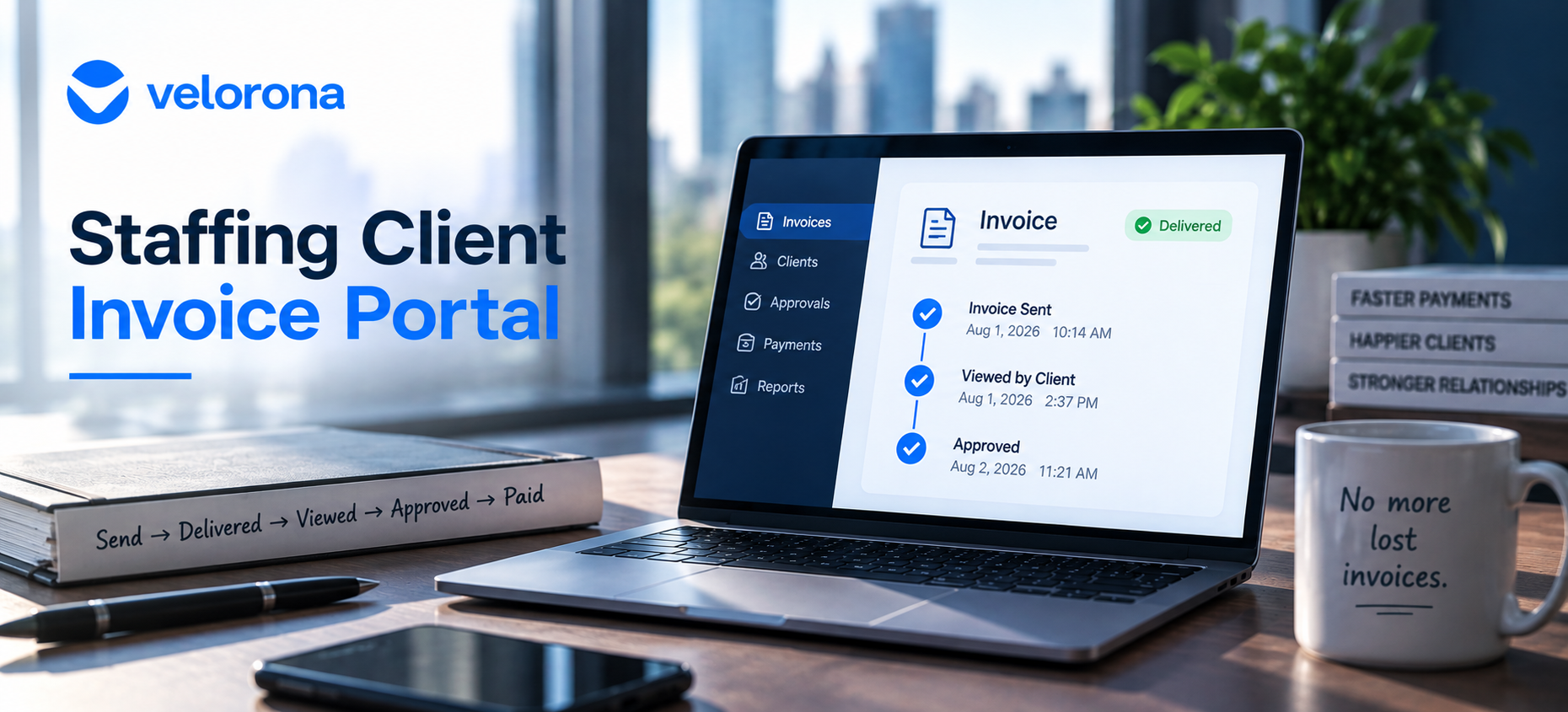
Every invoice generated from an approved timesheet goes straight to the client’s portal not composed, not attached, not sent from someone’s inbox at 4:47pm. He can see the moment a client opens it. He can see when they view it. He can see when they approve it.
The question “did they get it?” stopped requiring forty minutes of digging through Outlook. It became something he could answer in ten seconds by glancing at the dashboard.
The “I never received it” conversation didn’t get easier to handle. It stopped happening.
How Does Email Invoice Delivery Compare to a Client Portal?
The following table shows the difference between email delivery and a staffing client invoice portal across every dimension that matters:
| Dimension | Email Delivery | Staffing Client Invoice Portal (Velorona) |
|---|---|---|
| Proof of delivery | None – sender assumes it arrived | Automatic – logged the moment the invoice generates |
| Proof client opened it | None | Timestamped view record – visible in the dashboard |
| Proof client approved it | Verbal or a separate email thread | Logged in the same system with timestamp |
| Resolution if disputed | “Let me check and resend” – 1–3 days | Pull up the timestamp – 10 seconds |
| Who composes and sends it | A person, manually, every billing cycle | Generated automatically from approved hours |
| Invoice generation source | Re-keyed from timesheet data error-prone | Pulled from the same locked, approved timesheet hours |
| DSO impact | Lost-invoice cycle adds 7–15 days per occurrence | Lost-invoice cycle stops – typical 15–30 day DSO improvement |
| Scheduled follow-up | Manual – someone remembers to email | Automated reminders at 7, 14, and 30 days past due |
How Much Faster Do Firms Get Paid After Switching to a Client Portal?
Staffing firms that switch from email to portal delivery typically see a 15–30 day improvement in days-sales-outstanding (DSO) within the first quarter not because clients suddenly pay faster out of goodwill, but because the lost-invoice cycle stops existing.
DSO measures the average number of days it takes a firm to collect payment after a sale. Every day added to that number is cash sitting in a client’s inbox instead of in your account. Per Velorona’s analysis of staffing firm workflows during onboarding, the single biggest driver of DSO improvement isn’t faster payment terms or more aggressive follow-up it’s removing the ambiguity around whether an invoice was received at all. Firms stop losing the first 5–10 days of a payment cycle to “wait, did you send that?”
We cover the full DSO picture including how invoice generation timing and portal delivery work together in Cut Your Staffing Firm’s DSO Without Chasing Clients. For a broader view of where cash gets stuck in staffing firm operations, Closing the Staffing Cash Gap covers the pattern end to end.
Why This Is a Retention Problem Not Just an Efficiency Problem
It would be easy to describe a staffing client invoice portal as “automated invoice delivery” and leave it there. However, that framing misses what’s actually at stake.
Clients don’t leave staffing firms because the invoice format changed. They leave because, somewhere along the way, they started feeling like they had to manage the relationship from their side chasing documents, following up twice, wondering whether this vendor had operations under control.
What the Client Actually Experiences
That feeling is quiet. It doesn’t show up as a complaint. It shows up eighteen months later as a smaller renewal, or no renewal at all.
A staffing client invoice portal doesn’t just move a document from one place to another. It removes the single most common reason a client starts quietly shopping around: the sense that this vendor isn’t tight operationally.
Specifically, three things change on the client side when invoices arrive through a portal rather than email:
The client stops managing the relationship from their side. They don’t need to track down invoices, forward them to AP, or remind the staffing firm to resend. The invoice appears in the portal when hours receive approval not when someone on the staffing side remembers to send it.
Disputes become verifiable, not negotiable. When a client questions an invoice, the portal shows when it was delivered, when it was opened, and when it was approved. The conversation moves from “I’m not sure we got that” to a timestamped fact. This connects directly to the staffing firm audit trail that protects firms in disputes across timesheets, invoices, and sub-vendor payments.
The firm signals operational competence. A staffing firm that sends invoices through a tracked portal with automated reminders communicates the same thing as a staffing firm with clean, audit-ready timesheets and verified sub-vendor invoices: this firm runs a tight back office. That impression compounds over the life of a client relationship.
How Does Automated Invoice Generation Connect to the Portal?
The portal solves the delivery problem. However, the delivery problem is only part of the issue.
If invoices go into the portal with the wrong rate because the client contract renewed in January at $120/hour and the billing system still shows $115 the portal delivers the wrong invoice cleanly and on time. Fast delivery of an incorrect invoice is worse than slow delivery of a correct one, because the client approves it and the error becomes harder to dispute later.
This is why the staffing client invoice portal and the invoice generation workflow need to connect. In Velorona, the client invoice generates directly from locked, approved timesheet hours billing rate pulled from the current client configuration in the vendor hub, PO number applied automatically, billing schedule respected.
The same approved hours that verify the client invoice also serve as the source of truth for matching the sub-vendor invoice coming in. That’s bidirectional reconciliation and it’s what prevents a fast, clean invoice delivery from turning into a fast, clean billing error. We cover the sub-vendor side of this in How to Verify Sub-Vendor Invoices Before You Pay.
What Should You Honestly Expect and What Isn’t Ready Yet?
Velorona handles timesheets with multi-level approval and time locking, sub-vendor invoicing with bidirectional reconciliation via the vendor hub, client portal auto-delivery with read receipts and scheduled reminders at 7, 14, and 30 days, multi-currency invoicing (USD/INR with FX lock), expense tracking, time-off, schedules, payroll details, bulk timesheet approval, and audit logs with 2FA.
The Team plan costs $10/month per user ($7/month on annual billing), with no setup fees and no implementation cost. Firms typically go live in 5 to 14 days. Full plan details sit on the pricing page.
What Isn’t Available Today
However, Velorona does not do the following today: Stripe Connect for clients to pay invoices directly through the portal targets Q3 2026 this will allow clients to pay the moment they approve, removing the payment-method friction step. QuickBooks Online integration targets Q3 2026 (until then, export clean matched data via CSV). The team currently builds SSO. In addition, Public API + Zapier targets Q3 2026. Payroll execution via Gusto Embedded targets Q4 2026. Finally, 1099-NEC auto-generation targets Q4 2026. The FAQ page covers additional details.
One month free trial. No credit card required.
Frequently Asked Questions About Staffing Client Invoice Portals
Does a client portal actually stop clients from disputing invoices?
It removes the most common version of the dispute “we never received it” by replacing an unverifiable email send with a timestamped, logged delivery. Disputes about the amount or hours billed still require accurate underlying data, which is a separate but related problem covered in Staffing Agency Rate Cards: How Outdated Rates Quietly Destroy Your Margin.
How long does it take to move from email invoicing to a portal?
Most firms go live within 5–14 days, since the portal pulls from the same approved timesheet data the firm already generates there’s no separate invoicing workflow to rebuild from scratch. No setup fees, no implementation cost.
Will clients actually use a portal, or will they ask for the PDF anyway?
In practice, once a client logs in once and sees they can check invoice status without emailing anyone, most stop asking for PDFs. The portal is generally easier for them than digging through their own inbox particularly for AP teams managing invoices from multiple vendors.
Does this help with disputes beyond just “we never got it”?
Yes, because every invoice generates from the same approved timesheet data and the system timestamps each stage (sent, viewed, approved), the portal also gives you a clean record if a client questions specific hours or amounts later, not just delivery. That’s the same audit trail that resolves wage and sub-vendor disputes in minutes rather than weeks.
What happens when a client is overdue and still hasn’t paid?
The portal sends automated reminders at 7, 14, and 30 days past due without your controller having to remember to follow up manually. For genuinely stuck invoices past 60 days, a human phone call still makes sense. However, the automated reminders handle the routine follow-up so no invoice goes unfollowed by default.
How does portal delivery connect to DSO improvement?
DSO stretches when invoices get lost, disputed, or go unfollowed. Portal delivery eliminates the lost-invoice cycle, read receipts eliminate the dispute about whether the client received it, and automated reminders eliminate the inconsistent follow-up. Together, those three changes typically account for the 15-30 day DSO improvement firms see within the first quarter.
The Next Time a Client Says They Never Got the Invoice
You won’t need to dig through Outlook. You won’t need to call your controller. You’ll open the dashboard, see the delivery timestamp, the view timestamp, and the approval status and the conversation will be over in thirty seconds.
Or – better – that call won’t come, because the invoice delivered automatically the day the hours were approved, the client got a reminder three days before it was due, and nobody had to remember to send anything.
Start your free trial of Velorona – no credit card required, live in 5–14 days. Start free trial →
Or book a 15-minute demo to see the client portal with your actual billing structure.
Related reading:
- Cut Your Staffing Firm’s DSO Without Chasing Clients
- Closing the Staffing Cash Gap
- Staffing Firm Audit Trail: Resolve Wage Disputes in Minutes, Not Weeks
- How to Verify Sub-Vendor Invoices Before You Pay for Hours No One Worked
- Staffing Agency Rate Cards: How Outdated Rates Quietly Destroy Your Margin
- Staffing Firm Margin: Where It Actually Disappears
- The Complete Guide to Staffing Agency Back Office Software