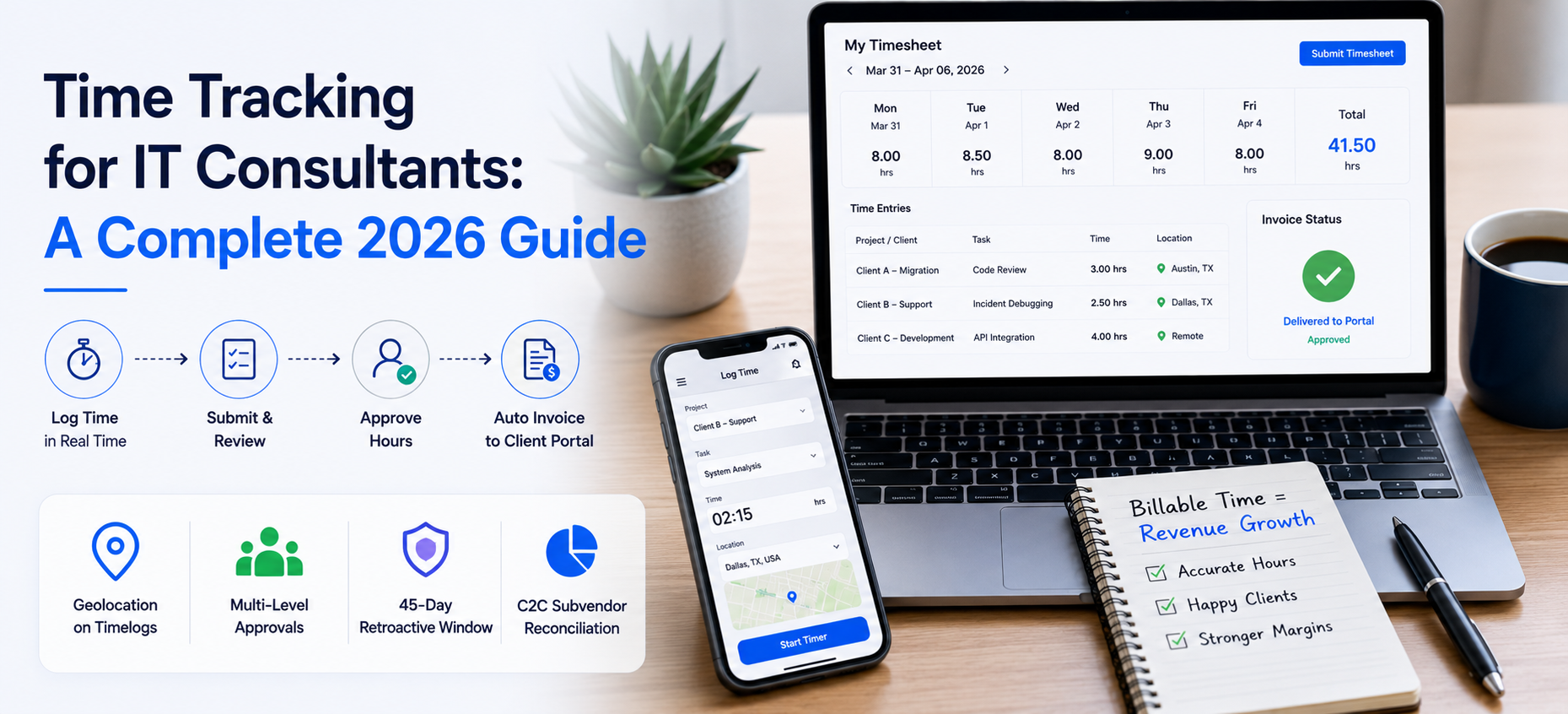
Quick answer: Time tracking for IT consultants turns logged hours into accurate, billable invoices. The fix is a system where consultants log hours in real time against specific clients and projects, those entries go through approval, and approved hours automatically populate the client invoice in a portal rather than by email. This guide covers the workflow end to end, including C2C arrangements, retroactive timesheets up to 45 days back, and multi level approval chains.
Why Is Time Tracking for IT Consultants a Revenue Issue?
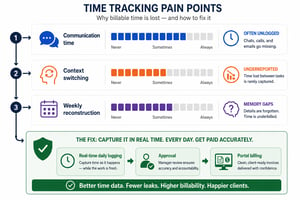
Professional services firms lose billable value to inaccurate time tracking. IT consultants in particular under report hours spent on communication such as messaging, email, and meetings. According to Accelo research on time tracking, this lost time adds up across a year.
A Harvard Business Review study found that daily time tracking improves billing accuracy compared with weekly reporting, because it removes the cognitive load of reconstructing the week from memory. So time tracking for IT consultants is a revenue lever, not just an admin task.
What Is the Difference Between a Timelog and a Timesheet?
Time logs are granular entries where employees record specific hours against a project. In Velorona, timelogs include geolocation, so approvers can verify where work occurred. Timesheets are a collection of timelogs over a pay period, submitted by the employee and approved by a designated approver.
A 45 day retroactive window applies. A timesheet cannot be created for a period more than 45 days ago, which protects data integrity and prevents backdated billing disputes.
How Does the Velorona Time Tracking Workflow Work?
The workflow has four steps. First, create and finalize the schedule, which acts as the container for work hours. Second, the employee logs time via web or mobile, selecting the project, with geolocation captured for verification.
Third, the employee submits and the approver reviews. Approved hours move to ready for invoicing, and rejected entries return with inline comments. Fourth, with invoicing set to automatic, Velorona pulls approved hours, applies the project rate, and generates the invoice, delivered to the client portal rather than as an email attachment.
How Are C2C Subvendor Consultants Tracked?
When you invite a user, select Corp to Corp as the employment type and link them to a subvendor. This creates a dual approval layer. The subvendor admin approves their consultants’ hours first. Your approver then reviews and approves for client billing.
Every inbound subvendor invoice is auto matched against those approved hours before payment. If the subvendor invoiced 40 hours and the consultant logged 36, the mismatch is flagged before money leaves your account. For firms with $500K in subvendor spend, this typically catches $12,000 to $25,000 a year in errors.
What Are the Roles in the Velorona Time Tracking System?
| Role | Primary function in time tracking |
|---|---|
| Company Admin | Sets up the platform, invites clients, finalizes schedules, configures approval chains |
| Approver | Reviews submitted timesheets, accepts or rejects with inline comments |
| Employee | Fills out timelogs, submits timesheets, views pay history |
| Subvendor | For C2C setups, approves their own employees’ hours before the agency reviews them |
Where Does Billable Time Leak?
Frequently Asked Questions
Can I track time across multiple client projects simultaneously?
Yes. Users are assigned to multiple projects and select the specific project per entry, so time is billed to the correct client.
What if a client rejects an invoice due to a time discrepancy?
Because clients review and approve in the portal, rejections happen in real time with inline comments. You see the disputed line item, review the linked timesheet, and resubmit without email back and forth.
Can I manage multiple IT firms under one account?
Yes. Velorona supports multi company management under a single login.
What happens when a consultant forgets to submit a timesheet?
Velorona sends automated reminders before the cutoff. If the period closed, the consultant can generate a retroactive timesheet for any period within the past 45 days.
A one month free trial is available, no credit card required, live in 5 to 14 days.
Book a personalized demo at velorona.com/demo.