Workforce Monitoring Software: What Staffing Firms Need
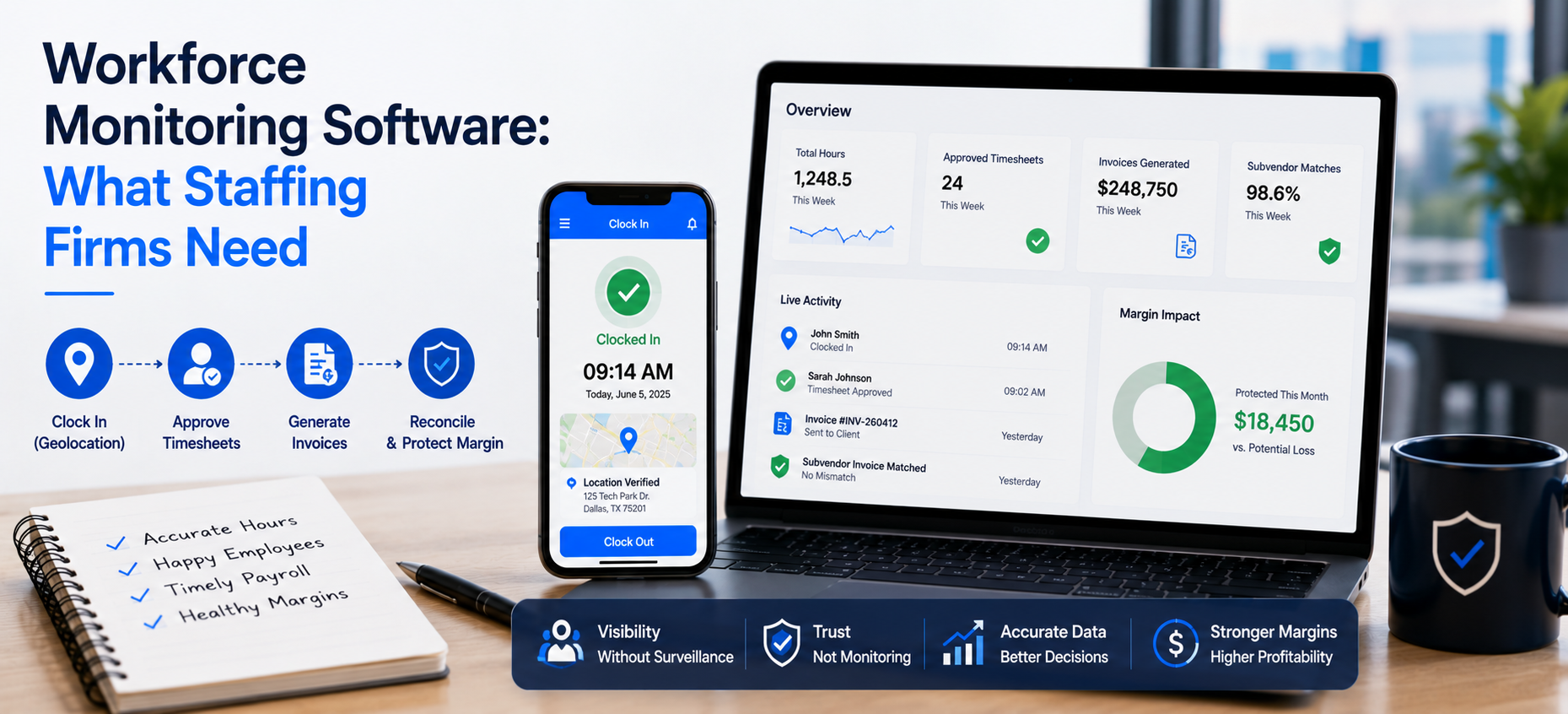
Quick answer: Workforce monitoring software should connect hours to billing and pay, not simply watch employees. Velorona captures attendance with geolocation, routes hours through approval, and turns them into invoices and reconciliation. As a result, monitoring becomes useful, not invasive. To stay honest, kiosk face match is a 2026 roadmap item, and Velorona is not a surveillance tool.
Why Has Workforce Monitoring Changed?
Workforce management is no longer about punch cards and spreadsheets. The way teams work has shifted, and oversight has shifted with it. Remote and hybrid teams need accurate, real-time records.
However, monitoring is easy to get wrong. Done badly, it feels like surveillance and erodes trust. Done well, it simply keeps hours, billing, and pay aligned.
Therefore, the right workforce monitoring software does more than log hours. It connects them to the money. The U.S. Department of Labor also requires accurate records of hours worked.
What Should Workforce Monitoring Software Actually Do?
The job is to make hours accurate and connected. First, it should capture attendance cleanly. Then it should route approvals. Finally, it should feed billing and pay.
Velorona does this. A worker clocks in through timelogs on web or mobile, with geolocation captured on clock in.
Next, an approver clears up to 50 timesheets in a single click. As a result, the data does not just sit there. Instead, it flows into invoices and reconciliation.
Is This Surveillance? No, Here Is the Difference
Monitoring should not feel like Big Brother. So, the distinction matters.
Velorona records hours, captures geolocation on clock in, and keeps an audit trail. However, it does not score employees or watch them work. According to Gallup, trust-based oversight is linked to higher engagement, while surveillance tends to lower it.
Consequently, managers gain visibility without hovering. Moreover, workers see their own logged hours, which builds trust rather than fear.
What About Facial Recognition?
This is where honesty matters. Shared device kiosk attendance with photo, face match, and PIN is on Velorona’s roadmap. Specifically, it is targeted for Q3 2026. Therefore, it is not available today.
If a vendor claims AI face recognition is already live, ask for a demonstration first. Biometric tools also carry privacy duties, as the Federal Trade Commission has warned. For now, the live controls are mobile clock in, geolocation, and the audit trail.
How Does Monitoring Connect to Billing and Margin?
This is where monitoring becomes useful, not just watchful. The hours you record are the hours you bill and pay against.
When hours are approved, the client invoice is generated from those exact hours. Then it reconciles the inbound subvendor invoice through the Vendor Hub.
Most staffing firms leak 3 to 5 percent of subvendor spend to invoice errors. That is $12,000 to $25,000 a year on $500K of spend. However, Velorona flags any mismatch before payment.
What Does Velorona Do, and Not Do?
| Live today | on the 2026 roadmap or out of scope |
|---|---|
| Mobile clock in, geolocation, bulk approval | Kiosk face match attendance (Q3 2026) |
| Client invoicing and subvendor reconciliation | Payroll execution (2026 roadmap) |
| Audit trail and Payroll Details | QuickBooks Online sync (2026 roadmap) |
| Work schedule and time off tracking | Employee surveillance or scoring (not a Velorona function) |
To be precise, Velorona is staffing back-office software. It produces Payroll Details for transparency, and it does not run payroll. Until QuickBooks Online sync ships, data moves via CSV.
What Does It Cost and How Fast Is Go Live?
Starter is $6 per user per month, and Team is $10 per user per month. Furthermore, annual billing saves 30 to 33 percent. There is also a one-month free trial with no credit card, no setup fee, and a 5 to 14 day go live.
In contrast, enterprise platforms take 6 to 12 weeks to implement. They also charge $8,000 to $15,000 to set up. The American Staffing Association offers further benchmarks.
For related reading, see workforce management software for staffing. You can also read about shift management software.
FAQ: Workforce Monitoring Software
Does Velorona watch or score employees?
No. It records hours, captures geolocation on clock in, and keeps an audit trail. It does not surveil or score staff.
Does it have facial recognition today?
No. Kiosk attendance with photo, face match, and PIN is targeted for Q3 2026.
Does monitoring connect to billing?
Yes. Approved hours generate client invoices and reconcile subvendor invoices from the same source.
Does it run payroll?
No. It produces Payroll Details. Payroll execution is a 2026 roadmap item.
See Workforce Monitoring Software in Action
See how Velorona turns accurate hours into invoicing, reconciliation, and visible margin, without surveillance.
Book a personalized demo: velorona.com/demo