When Sub-Vendor Invoices Don’t Match Approved Hours
A sub-vendor invoice mismatch is easy to miss. An invoice lands in your controller’s inbox, covering a consultant placed at one of your clients, billed at the agreed rate for what looks like a normal two-week period.
Nothing about it stands out.
Your controller marks it for payment, and the money goes out.
But the consultant’s approved timesheet shows fewer hours than the invoice billed. Not dramatically fewer. Just enough that the difference would only become visible if someone placed the invoice beside the approved timesheet and compared them.
Nobody did. It was a busy week. The invoice looked ordinary.
If you run a US IT staffing firm with meaningful corp-to-corp volume, this is a mismatch worth checking for. The question is whether your current process would catch it before payment.
How a Sub-Vendor Invoice Mismatch Forms
Walk through a normal C2C placement.
A consultant works at your end client. That consultant reaches you through a sub-vendor another firm that supplies the person.
You bill your client based on the relevant approved hours. You pay the sub-vendor according to the commercial arrangement and supporting records.
Three records should align: the consultant’s approved timesheet, the approval record for those hours, and the sub-vendor’s invoice.
The problem begins when they do not.
A disagreement does not announce itself. The invoice arrives as one record. The approved hours live somewhere else. Unless someone deliberately puts the two next to each other, the difference can remain invisible.
A Sub-Vendor Invoice Mismatch Example
Consider a straightforward hypothetical case.
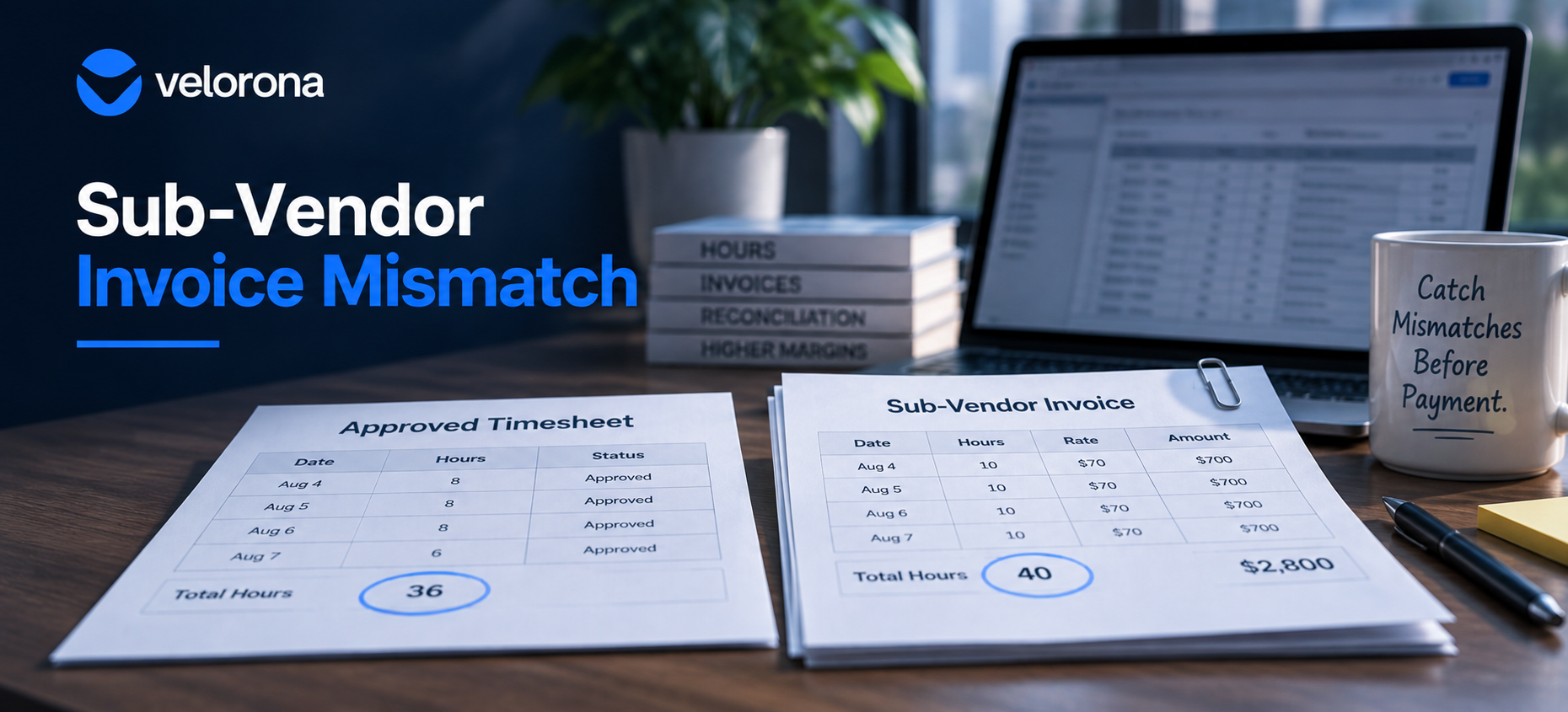
A sub-vendor invoices for 40 hours in a week. The consultant’s approved timesheet for that same week shows 36.
That is a four-hour gap.
At a hypothetical $70 hourly rate, the difference would be $280 on that invoice.
A $280 mismatch may look small beside the rest of a billing cycle. That is exactly why a reviewer can miss it when checking the invoice without the approved timesheet beside it.
The issue is not whether every discrepancy becomes a dispute. It is whether the firm sees the discrepancy before deciding what to do.
Now consider the operational pattern rather than one isolated invoice.
A small discrepancy on one invoice. A partial-day difference on another. An overtime line that does not match the approved record on a third.
Each case may have a different explanation. Some may be simple mistakes. Some may reflect timing or documentation differences. The point is not to assume wrongdoing.
The point is that without a consistent comparison, the firm may not know a mismatch exists.
Why the Check That Would Catch It Gets Skipped
The basic check is easy to describe.
Before paying a sub-vendor invoice, compare it against the consultant’s approved hours for the same period.
If the records align, move forward according to your process. If they do not, review the discrepancy.
The difficulty is operational.
Your controller may already spend the end of the week chasing timesheet approvals, checking billing records, answering client questions, and preparing the next set of financial tasks.
Now add another job: open each incoming sub-vendor invoice, identify the right consultant, locate the matching approved timesheet, compare the relevant records, investigate differences, and repeat the process across the billing cycle.
That is how a simple control becomes inconsistent.
It happens when there is time. Something more urgent pushes it aside. A small mismatch can pass through because the comparison depends on someone remembering to perform it manually.
This is one point where spreadsheets and email can become harder to sustain as staffing operations grow.
The issue is not that spreadsheets are inherently bad. The issue is that a recurring control depends on a person finding the time to run it — which is how a sub-vendor invoice mismatch slips through.
Invoicing and Reconciliation Are Not the Same Thing
Generating an invoice and reconciling an invoice are different jobs.
A buyer should verify whether a system only produces invoices or also checks incoming vendor bills against approved operational records.
Generating an invoice means producing a bill.
Reconciliation means comparing records to determine whether billed or payable amounts align with the underlying approved data.
For a staffing firm, that comparison can matter in two directions.
On the outbound side, a staffing firm can generate client invoices can be generated from approved hours so the billing record reflects the underlying approved work data.
On the inbound side, the staffing firm can check sub-vendor invoices against approved consultant hours before payment.
The timing matters.
A mismatch surfaced before payment gives the firm an opportunity to review the discrepancy while the records are current.
A mismatch found much later can require more reconstruction, more back-and-forth, and more effort to resolve.
That is why “before payment” matters.
Why C2C Staffing Makes This Harder Than It Sounds
Two operational realities make C2C reconciliation different from a simple invoice workflow.
The Relationship May Involve More Than Two Parties
A basic vendor system may model a straightforward relationship between a client and a vendor.
A staffing workflow can involve a longer chain:
End client → staffing firm → sub-vendor → consultant
In some arrangements, additional vendor tiers may also exist.
When a placement involves additional vendor tiers, the system needs to represent those relationships rather than flatten them into a two-party record.
That matters because the hours, approvals, commercial terms, incoming invoice, and outgoing client bill may sit at different points in the chain.
If the system does not represent those relationships clearly, teams may end up rebuilding the missing context through email, spreadsheets, and individual memory.
Currency Can Add Another Layer
A US IT staffing firm may bill an end client in USD while maintaining commercial terms with an overseas sub-vendor in another currency.
In that situation, currency handling becomes part of the operational workflow.
If teams maintain currency information and rate structures outside the main process, they may need separate spreadsheet calculations alongside the hours comparison.
That creates another manual layer in a workflow that is already trying to reconcile approved work against billed amounts.
A Test You Can Run This Week
You do not need to buy anything to find out whether a sub-vendor invoice mismatch exists in your current process.
Start with a recent billing period.
Pull the relevant sub-vendor invoices. For each one, locate the consultant’s approved timesheet for the same period. Compare the billed hours with the approved hours.
Record every case where the numbers do not align.
Then investigate the reason.
The goal is not to assume every mismatch represents overbilling. A discrepancy may have a legitimate explanation. What matters is whether your process makes the difference visible before payment.
If the records align, your current process may be working well for that sample.
If they do not, you now have something more useful than a generic industry estimate: evidence from your own workflow.
That is a better starting point for deciding whether the current process is sufficient or whether a more systematic control is worth evaluating.
When a System Becomes Worth Evaluating
Software becomes relevant when it reduces dependence on someone remembering to perform the comparison.
The useful question is not simply whether a system can store invoices.
Ask whether it can:
- compare incoming sub-vendor invoices against approved consultant hours;
- surface discrepancies before payment;
- preserve the relevant approval and matching history;
- represent the vendor relationships involved in the placement; and
- keep the records accessible when a later dispute or audit question arises.
For a firm in the 30-300 consultant range with meaningful sub-vendor volume, that is the point where a focused back-office system becomes worth evaluating against the cost and effort of the current process.
If most of your placements are direct W-2 engagements with little sub-vendor activity, the need may be lower.
If a meaningful share of your operation runs through C2C relationships and sub-vendor invoices, the reconciliation workflow deserves closer attention.
How Velorona Matches Sub-Vendor Invoices Against Approved Hours
Velorona supports staffing back-office workflows that include sub-vendor relationships. This is the workflow where a sub-vendor invoice mismatch would surface.
Teams can invite sub-vendors into the system and link consultants to the relevant sub-vendor record. Sub-vendors can also approve their consultants’ hours within their own portal.
When a sub-vendor invoice comes in, Velorona can match it line by line against approved timesheet hours. If the records agree, the system marks them as matched. Any discrepancy surfaces before payment when the records do not align.
How Approved Hours Connect to Client Invoicing
On the outbound side, teams can generate client invoices from approved hours.
The system also supports reviewing incoming sub-vendor invoices alongside outgoing client invoices, helping teams see both sides of the workflow in one operational context.
Approval and transaction history matters too. The system timestamps submissions, approvals, invoice matches, and payment-related events, so teams can answer later questions from an existing record instead of reconstructing events from memory.
For a deeper look at the connection between billing speed and cash flow, read Velorona’s guide to how automated invoicing shortens the staffing cash cycle.
Supporting Multi-Tier and Multi-Currency Staffing Workflows
For staffing arrangements that involve more than a simple two-party relationship, Velorona supports multi-tier sub-vendor structures. It also supports multi-currency workflows for firms operating across currencies.
Those capabilities matter most when the underlying problem is not simply, “We need to create an invoice.”
The real challenge is keeping approved hours, client billing, sub-vendor billing, and related records connected closely enough for discrepancies to become visible at the right time.
Staffing firms evaluating that broader operational fit can also review Velorona’s guide to staffing agency back-office software.
Where Velorona Stops and When Another System May Fit Better
On payroll, Velorona supports the preparation and record side only. It does not execute payroll or file payroll taxes; payroll execution remains outside that scope. Your organization should make worker-classification decisions including whether to treat a consultant as a W-2 employee or an independent contractor according to its own legal and tax guidance. The IRS guidance on worker classification provides official federal tax context on this distinction.
Velorona is also not an applicant tracking system. If you primarily need to source candidates, manage submissions, and run a full front-office recruiting workflow, an ATS or broader staffing platform may fit better.
No system can promise a specific amount of recovered margin from invoice reconciliation. The value depends on your actual volume, current controls, mismatch frequency, and operating process.
Keeping accurate time and pay records also matters under federal recordkeeping requirements. The U.S. Department of Labor’s Fair Labor Standards Act recordkeeping guidance provides official context on federal recordkeeping requirements. That is another reason to maintain reliable, searchable records regardless of which system you choose.
The Question Worth Asking Before the Next Payment Run
The most useful question is not:
“Do we have a process for checking sub-vendor invoices?”
Most firms can describe a process.
A better question is:
“Would our current process reliably show us when a sub-vendor invoice does not match approved consultant hours before payment?”
If the answer is yes, keep doing what works.
But if the answer depends on one person opening two records side by side, remembering which consultant belongs to which vendor, and finding time before the payment run, that is the workflow worth examining.
To see how approved hours and sub-vendor invoice matching can work in one system, Request a Velorona Demo and bring a real billing scenario from your own firm.