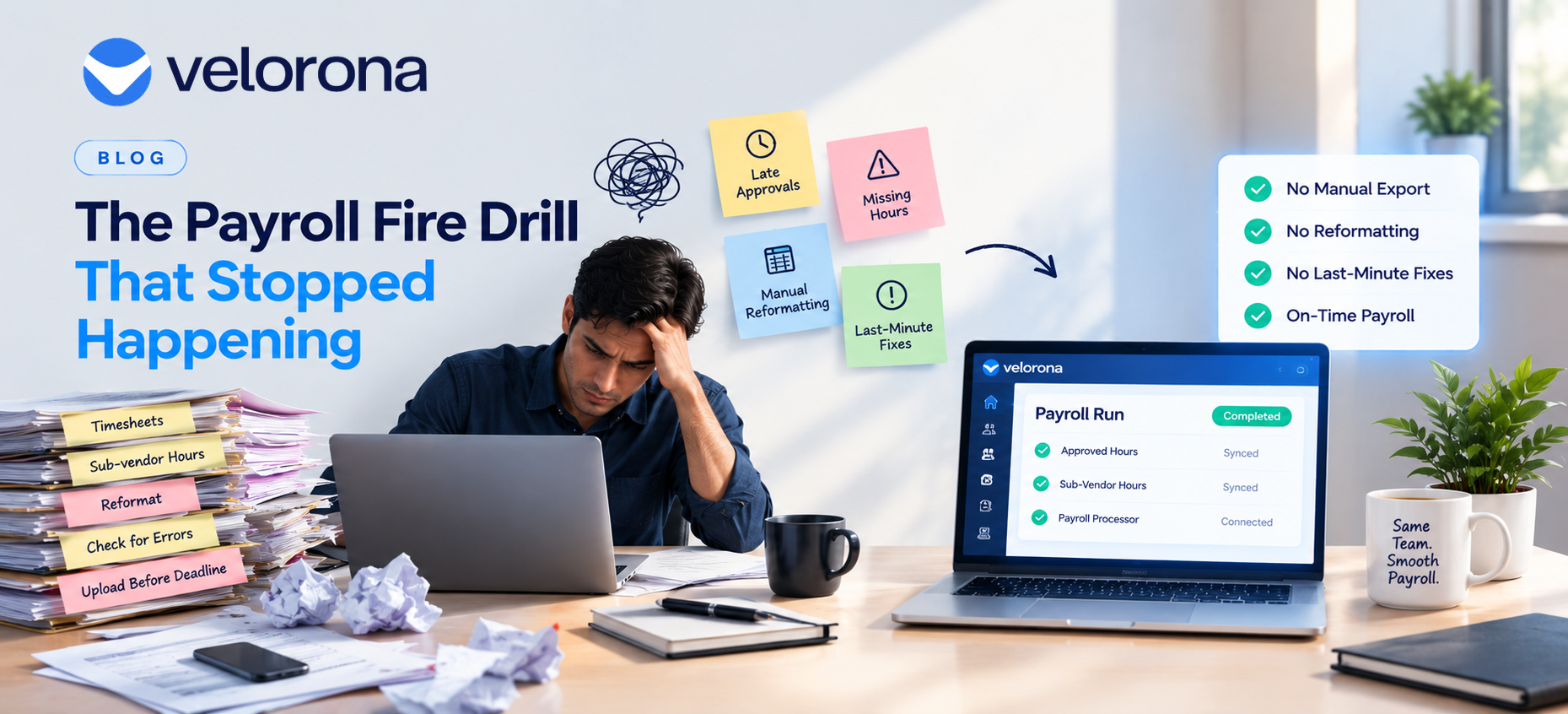
The Payroll Fire Drill That Stopped Happening
When approved hours don’t flow directly into a payroll run, someone has to manually re-enter them and every pay period becomes a small fire drill of exporting, reformatting, and double-checking before the deadline. Staffing firms feel this acutely, since payroll timing is rigid but the upstream data (timesheets, sub-vendor hours) rarely arrives cleanly.
Why Does Payroll Day Feel Like a Fire Drill Every Single Cycle?
It was the same routine every other Thursday: pull the approved timesheets, export them, reformat the export into whatever shape the payroll processor expected, spot-check for anything obviously wrong, and upload it before the cutoff usually with about an hour of buffer, which felt like plenty until the week something didn’t match.
That week, two consultants’ hours had been approved late, after the export had already been pulled. Someone had to catch it, manually add the missing hours to the file, and re-upload before the payroll processor’s deadline. It got done. But “it got done” had required someone noticing the gap, which meant someone had to be paying very close attention on a day that was supposed to be routine.
This wasn’t a one-time problem. It was every single pay period, just with different specific snags a rate that hadn’t updated, a new consultant not yet in the payroll system, a sub-vendor invoice that came in after the cutoff. Nothing ever broke badly. It just never stopped requiring careful, manual attention at the exact moment things were busiest.
Why Is This Especially Common in Staffing, Not Just Payroll Generally?
Most payroll software assumes hours arrive from a stable, predictable internal timekeeping process employees on a fixed schedule, approvals happening well before any deadline. Staffing firms don’t have that luxury. Hours come from consultants placed across multiple end-clients, approvals sometimes trail behind due to client-side sign-off requirements, and sub-vendor invoices arrive on their own schedule, not synchronized with the firm’s payroll calendar.
| Manual Export/Import | Direct Data Flow | |
| What triggers the payroll file | Someone manually pulling and reformatting an export | Approved hours flow automatically as they’re approved |
| Late approvals | Require manual addition after the initial export | Captured automatically, no separate step |
| Time required per cycle | 20 – 30 minutes, plus troubleshooting when something’s off | Minutes, since no reformatting step exists |
| Risk of errors | Higher – manual reformatting introduces transcription risk | Lower – same data used throughout |
The payroll processor itself (Gusto, ADP, or similar) isn’t the problem it’s the gap between “hours approved in the staffing system” and “hours reflected in the payroll run,” a gap that has to be bridged manually if nothing connects the two directly.
What Changes When That Gap Closes?
The fix isn’t a faster export process. It’s not needing a separate export-and-reformat step at all. When approved timesheet and sub-vendor hour data flows directly into the payroll platform, a late approval doesn’t require someone to catch it and manually patch a file it’s already reflected, because the underlying data feeding payroll was never a static snapshot pulled at one moment, but a live connection.
Original data point: Firms relying on manual export/import between timesheet approval and payroll processing typically spend 20–30 minutes per pay period specifically on reformatting and reconciliation time that direct data flow removes almost entirely, along with the background vigilance required to catch late changes before a file gets uploaded.
That 20–30 minutes doesn’t sound large in isolation. Across a biweekly payroll cycle over a year, it adds up to meaningful recurring time and more importantly, it removes the specific kind of stress that comes from a routine task quietly having room for something to slip through.
Is This the Same Problem Already Covered in the Controller Burnout Story?
Related, but distinct. The story about a controller who almost quit covered the workload of reviewing and approving timesheets themselves. This is what happens after approval getting that approved data into an actual payroll run without a manual bridge between the two systems. A firm can solve the approval bottleneck and still have this second, separate fire drill every payroll cycle if the two systems don’t talk to each other directly.
Both point to the same underlying principle: manual bridges between systems are where errors and stress concentrate, regardless of which specific step in the process they show up in.
What Should a Firm Check About Its Current Payroll Handoff?
- Does approved timesheet and sub-vendor data flow directly into the payroll platform, or does someone export and reformat it manually each cycle?
- What happens when an approval comes in after the usual export point is it caught automatically, or does it require someone noticing and manually adding it?
- How much buffer time exists between the internal deadline and the payroll processor’s actual cutoff, and how often is that buffer being used to fix a last-minute issue?
- If the person who normally handles this were unavailable on payroll day, would the process still run smoothly?
FAQ: Payroll Data Flow for Staffing Firms
Does this replace the payroll processor (Gusto, ADP, etc.)? No, it feeds accurate, approved data directly into whichever payroll processor a firm already uses, removing the manual export/reformat step between timesheet approval and the payroll run itself.
What happens to late timesheet approvals if there’s no manual export step to catch them? They flow into the payroll data automatically as they’re approved, rather than requiring someone to notice they arrived after an export was already pulled and manually patch them in.
How much time does manual export/import typically cost per pay period? Commonly 20–30 minutes of direct reformatting time, plus the background attention required to catch anything that changed after the export point.
Is this integration specific to one payroll processor? Direct integrations vary by platform and by payroll processor tier confirm compatibility with your specific payroll provider and plan level during evaluation.
Does removing the manual step reduce oversight of what goes into payroll? No, it removes the reformatting and re-entry step specifically, not the review itself. The same approved, verified hours flow through; there’s just no manual bridge introducing risk between approval and payroll.
Sources & Further Reading
Start your free trial of Velorona and see approved hours flow straight into your payroll run no export, no reformatting, no fire drill.