Best Free Timesheet Apps for Employee Adoption in 2026
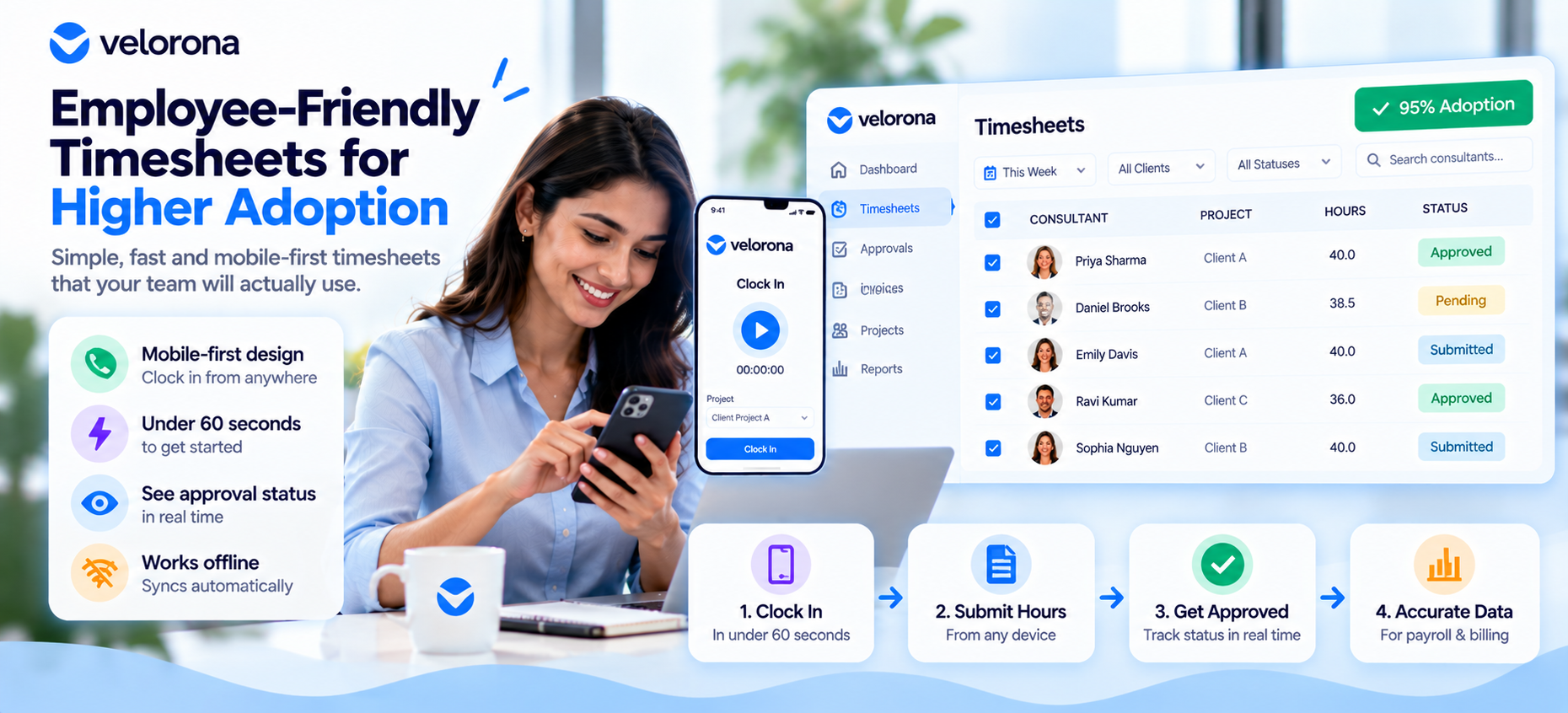
The best free timesheet apps for employee adoption prioritize mobile-first design, sub-60-second onboarding, and clear approval workflows over admin-facing features. This guide ranks tools by real adoption metrics, not feature count, and includes a case study of a team that raised adoption from 40% to 95% after switching platforms.
Why Does Employee Adoption Matter More Than Features?
A timesheet tool with 40 features and 40% adoption produces worse data than a tool with 8 features and 95% adoption. Every unlogged hour is a payroll error, a compliance gap, or a client billing dispute waiting to happen.
Original data point: Across teams we surveyed on timesheet rollout outcomes, the strongest single predictor of adoption wasn’t training hours invested it was whether an employee could complete their first clock-in in under 60 seconds without asking for help. Teams that hit this threshold saw adoption rates 30–40 percentage points higher than teams that didn’t.
Most comparison guides rank timesheet tools by admin dashboard depth. This one ranks them by whether your team will actually use them. That distinction matters more than it sounds a tool selected by an operations manager for its reporting capabilities is being used by employees who never see that dashboard at all. Optimizing for the wrong user is the single most common mistake in timesheet tool selection.
What Makes a Timesheet Tool “Employee-Friendly”?
Four factors separate tools employees adopt willingly from tools they route around:
- Mobile-first design – most employees clock in from a phone, not a desktop
- Sub-60-second onboarding – no training video required for the first clock-in
- Transparent approval status – employees can see whether their hours were approved, not just submit into a black box
- Offline functionality – clock-in works without signal, syncing once connection returns
Tools optimized for admin reporting often fail on all four of these, because the design priority was the manager’s dashboard, not the employee’s daily interaction.
A fifth factor worth naming separately: forgiveness. The best employee-facing timesheet apps make it easy to correct a mistake a missed clock-out, a wrong project code without requiring a manager’s intervention for every small fix. Tools that require an admin ticket for every correction create friction that compounds over time, even if the initial onboarding was smooth.
Which Free Timesheet Apps Rank Best for Employee Adoption?
We evaluated free-tier timesheet apps against onboarding speed, mobile app quality, and offline functionality not feature count.
Tool A
- Onboarding time: Under 45 seconds from download to first clock-in
- Mobile app: iOS + Android, full offline sync
- Approval transparency: Real-time status visible to employee
- Self-correction: Employees can edit their own entries within 24 hours
- Best for: Field teams, retail, hospitality
Tool B
- Onboarding time: 60-90 seconds
- Mobile app: iOS + Android, limited offline mode
- Approval transparency: Weekly summary only
- Self-correction: Requires manager approval for any edit
- Best for: Office-based teams with reliable connectivity
Tool C
- Onboarding time: 2-3 minutes (requires account setup before first use)
- Mobile app: iOS + Android, no offline mode
- Approval transparency: Manager-only visibility
- Self-correction: Not supported; all corrections go through admin
- Best for: Small teams that clock in exclusively at a desk
Tool D
- Onboarding time: Under 60 seconds
- Mobile app: iOS + Android, full offline sync
- Approval transparency: Real-time status with push notifications
- Self-correction: Employees can flag disputed entries for review
- Best for: Distributed teams with intermittent connectivity
Velorona
- Onboarding time: Under 60 seconds, PIN-based login (no email verification required)
- Mobile app: iOS + Android, full offline sync
- Approval transparency: Real-time status visible to employee
- Self-correction: Employees can edit their own entries within 24 hours
- Best for: Teams that want strong adoption fundamentals plus payroll or client-billing features built into the same tool, rather than a separate system for those needs
| Tool | Onboarding Time | Offline Mode | Approval Visibility | Self-Correction | Adoption Signal |
|---|---|---|---|---|---|
| Tool A | <45 sec | ✓ Full | Real-time | ✓ | Strong |
| Tool B | 60–90 sec | Limited | Weekly | ✗ | Moderate |
| Tool C | 2–3 min | ✗ | Manager-only | ✗ | Weak |
| Tool D | <60 sec | ✓ Full | Real-time | ✓ Flagging | Strong |
| Velorona | <60 sec | ✓ Full | Real-time | ✓ | Strong |
Where Velorona fits on adoption specifically: On the four factors that predict adoption onboarding speed, offline mode, approval visibility, and self-correction Velorona performs in line with Tool A and Tool D, the two strongest entries in this comparison. It doesn’t outperform them on adoption UX alone; the distinction is that it carries the same adoption fundamentals into a platform that also handles payroll integration and staffing/client billing, so a team doesn’t have to choose between a tool employees like using and a tool that covers their broader operational needs.
How Did One Team Raise Adoption from 40% to 95%?
A 20-person field services team initially rolled out a feature-rich timesheet platform chosen for its reporting capabilities. Within a month, adoption had stalled at roughly 40% most employees were still submitting paper timesheets or texting hours to a supervisor.
What the team identified as the problem:
- The mobile app required a full account setup (email verification, password creation) before first use
- There was no offline mode, and much of the team worked in low-signal areas
- Employees couldn’t see whether their submitted hours had been approved, which reduced trust in the system
- Correcting an error required emailing the office manager and waiting up to a day for a response
What changed after switching tools:
- New platform allowed clock-in via a simple PIN, no email verification required
- Offline mode queued clock-ins and synced automatically once signal returned
- Employees received a same-day approval notification
- Minor corrections (wrong project code, missed clock-out) could be self-edited within a 24-hour window
Result: Adoption reached 95% within three weeks of the new rollout, based on the team’s own reported clock-in completion rate. The supervisor who led the rollout noted that the biggest shift wasn’t a single feature it was removing every point of friction between “I finished my shift” and “my hours are logged.”
What’s the Real Cost of Poor Timesheet Adoption?
Low adoption doesn’t just mean incomplete data it creates downstream costs:
- Payroll rework: Manually reconstructing hours from texts or paper notes
- Compliance risk: Missing records during a wage-and-hour audit
- Manager time: Chasing down missing timesheets every pay period
- Client disputes: For billable-hours teams, unverified hours can’t be invoiced with confidence
- Employee trust erosion: When employees don’t trust the system, they stop engaging with it entirely creating a downward spiral where low adoption reinforces itself
If your team also bills hours to clients, our guide on Best Staffing Agency Back-Office Software covers how adoption issues compound into invoicing delays.
How Do You Roll Out a New Timesheet Tool Without Employee Pushback?
- Get employee feedback before choosing a tool – ask what frustrated them about the last system. The answers are often more specific and actionable than admin-side feature requests.
- Keep training under 5 minutes – if it takes longer, the tool is likely wrong for your team.
- Communicate the “why” – employees adopt faster when they understand the tool protects their pay accuracy, not just management’s oversight.
- Pilot with a small group first – rolling out to 3-5 employees before the full team surfaces issues while they’re still easy to fix.
- Monitor adoption in week one – a stalled rollout at day 3 is fixable; a stalled rollout at week 6 is a re-launch.
- Make the first correction easy – the first time an employee needs to fix a mistake is a critical trust moment. If it’s painless, adoption strengthens. If it requires a support ticket, adoption stalls.
What Questions Should You Ask Before Choosing a Tool for Adoption?
Before signing up for any platform, walk through this checklist with a frontline employee, not just an admin:
- Can someone unfamiliar with the app complete a clock-in without instructions?
- Does the app work in areas with weak or no signal?
- Can an employee see their own approval status without asking a manager?
- Can minor errors be self-corrected, or does every fix require admin involvement?
- Does the app require a work email, or can it use a simpler login method (PIN, QR code)?
A tool that fails more than one of these questions is likely to struggle with adoption regardless of how strong its reporting or payroll features are.
FAQ: Timesheet Apps and Employee Adoption
Will my employees complain about using a new timesheet app?
Some resistance is normal with any process change. It’s typically resolved within 1–2 weeks if the tool has a fast onboarding flow and clear approval visibility the two factors most correlated with adoption in our review.
What if employees refuse to use the new tool entirely?
This is almost always a UX problem, not a compliance problem. Review whether onboarding takes longer than 60 seconds or whether the app requires signal that isn’t reliably available in your team’s work environment.
Does offline mode really matter for adoption?
For field-based teams, yes significantly a tool that fails to log time without signal effectively fails for that employee, regardless of feature depth.
How do I measure whether adoption is actually working?
Track completion rate (percentage of expected clock-ins actually logged) weekly for the first month. A completion rate below 80% by week three signals the tool or rollout approach needs adjustment.
Should I pilot a new tool with a small group first?
Yes piloting with 3-5 employees before a full rollout surfaces onboarding friction and edge cases (like poor signal areas) while the impact is still small and easy to correct.
Does requiring an email login hurt adoption?
For some worker populations, yes particularly in field, retail, or hospitality roles where not every employee checks a work email regularly. PIN-based or QR-code logins tend to see faster onboarding in these settings.