Clients
Your Client Says
they Never Received the Invoice. Again.
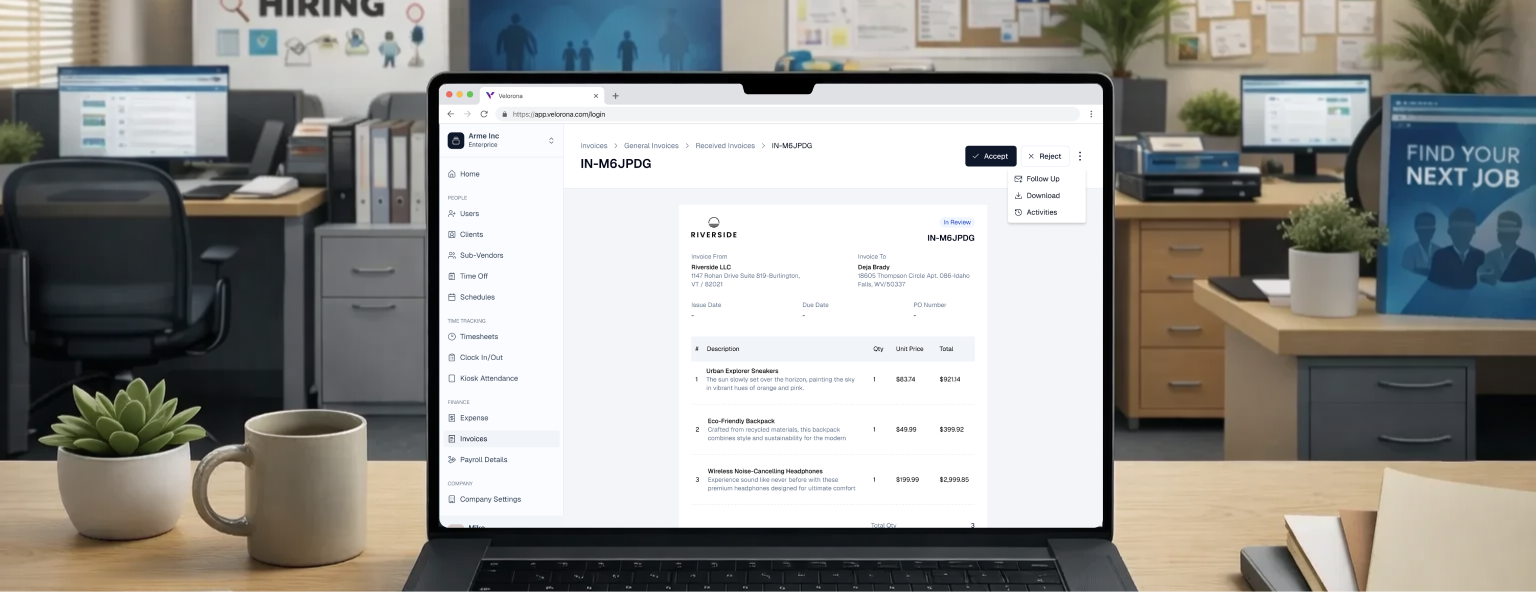
Invoices land in the client portal automatically. No email, no attachment, no lost files. Clients get notified. You see, when they opened it.
The Velorona Impact
Stop maintaining billing rates per client in spreadsheets.
Billing rates, schedules, and payment terms are configured once during onboarding and applied automatically.
One-time fees, milestones, and recurring billing all in one workflow
Recurring consultant billing, milestone invoices, and one-time fees are managed inside one workflow.
Client invoice disputes disappear when they're in a portal.
Invoices are delivered to the client portal with notifications. “I never received it,” “fell in spam,” “lost the email,” all became impossible.
Due dates calculated. Overdue tracked. Automatically.
Payment terms are configured once. Every invoice due date is calculated automatically. Receivables aging is updated in real time.
How It Actually Works?
Add client once. Rates stay with them forever.
- Billing rates, payment terms, and schedules are configured during setup.
- Applied automatically to every invoice.
- No re-entry. No rate confusion.

Approved hours become invoice line items instantly.
- Timesheet approved → invoice generated with correct rates → delivered to client portal.
- No manual composition. No attachment.

Due dates calculated. Overdue flagged. Live.
- Every invoice has a calculated due date based on the client’s payment terms.
- Receivables aging is visible in real time. No month-end surprises.
Stop Maintaining Client rates in Spreadsheets.
One setup per client. Rates, terms, and billing schedules applied automatically. No re-entering. No mismatched invoices.