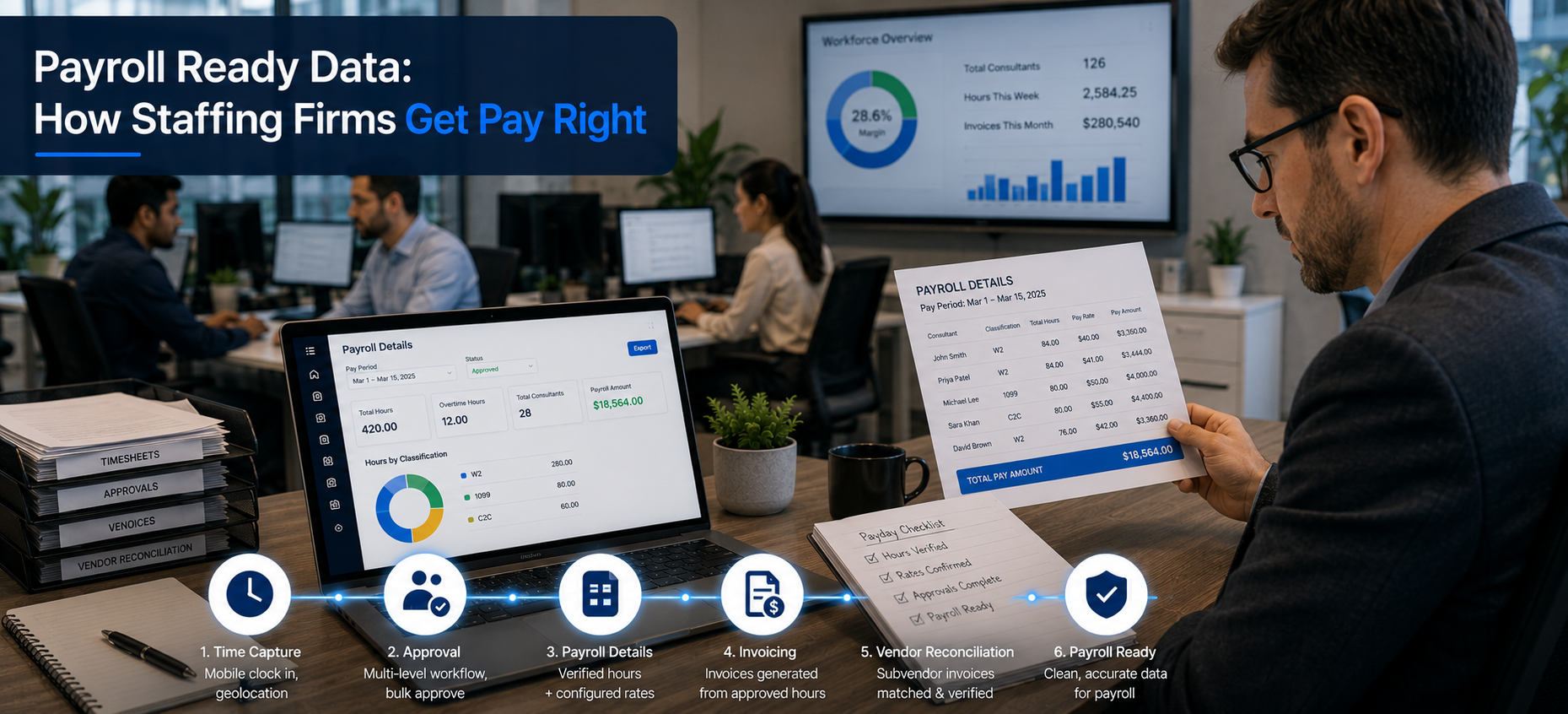
Best Payroll Management Software with Time Tracking (2026)
Last updated: August 2026
The best payroll management software in 2026 integrates directly with time tracking to eliminate manual data entry, automate overtime calculations, and maintain wage-law compliance across states. This guide compares direct-sync integrations with Gusto, ADP, and QuickBooks, and explains what separates automated payroll accuracy from manual re-entry risk.
Why Should Payroll Software and Time Tracking Be Evaluated Together?
Most buyers research payroll software and time tracking software separately, then discover after purchasing both that they don’t integrate cleanly. This creates the exact manual re-entry problem both tools were supposed to solve — someone still has to open one system, export data, reformat it, and import it into the other.
The better approach is evaluating them as one connected decision from the start: what payroll platform does your business already use or plan to use, and which time tracking tools integrate with it directly, rather than through a workaround.
This guide starts from that premise. Instead of ranking payroll software on payroll features alone, every recommendation here is evaluated specifically on time-tracking integration depth, because that’s where most of the real-world friction — and most of the correctable errors — actually live.
Why Does Payroll + Time Tracking Integration Matter?
Every manual step between clock-in data and a payroll run introduces a chance for error — a transposed number, a missed overtime hour, a forgotten adjustment. Integration removes that step entirely.
What integration actually fixes:
- Accuracy — hours flow directly from timesheet to payroll, no re-typing
- Speed — payroll processing time drops from hours to minutes
- Compliance — overtime and wage-law rules calculate automatically, before submission
- Audit trail — every hour is traceable back to a specific clock-in event
Original data point: Across the payroll workflows we reviewed, teams using manual CSV export/import between timesheet and payroll systems reported spending 20–30 minutes per pay period just on reformatting — a cost that scales to 10–15 hours per year for a biweekly payroll cycle, before accounting for error correction.
Beyond the direct time cost, manual re-entry creates a second, harder-to-quantify cost: trust. When an employee’s paycheck is wrong because of a transcription error, the damage to their confidence in the payroll process often outlasts the correction itself. Integration doesn’t just save admin time — it prevents the kind of error that erodes trust in the entire payroll system.
What Does “Payroll Integration” Actually Mean?
Not all integrations are equal. There are three distinct levels:
- Direct integration — time data syncs automatically into the payroll platform; no export/import step
- Structured export — a one-click CSV formatted specifically for your payroll provider’s import tool
- Manual export — raw data that must be reformatted by hand before uploading
| Integration Type | Setup Time | Ongoing Effort Per Pay Period | Error Risk |
|---|---|---|---|
| Direct sync | 10–15 min (one-time) | Near zero | Low |
| Structured export | 5 min (one-time) | 5–10 minutes | Medium |
| Manual export | N/A | 20–30 minutes | High |
A useful test when evaluating a vendor’s claim of “integration”: ask specifically whether a rate change or new hire in the time-tracking system requires any manual step to reflect correctly in payroll. Many platforms market “integration” that only covers hours, not the underlying employee data — meaning a rate change still requires updating two systems separately.
Which Payroll Software Integrates Directly with Gusto, ADP, or QuickBooks?
For Gusto users: Look for platforms offering native API integration rather than CSV export — this means new employees, rate changes, and hours all sync without a manual step.
For ADP users: ADP’s integration ecosystem varies significantly by ADP product tier (Run, Workforce Now, Vantage). Confirm compatibility with your specific ADP product before assuming integration works — a platform that integrates cleanly with ADP Run may not support Workforce Now at all.
For QuickBooks users: Most time-tracking platforms offer QuickBooks Online integration; QuickBooks Desktop compatibility is less common and worth verifying directly with the vendor, especially if you haven’t yet migrated to QuickBooks Online.
| Platform | Gusto | ADP | QuickBooks Online |
|---|---|---|---|
| Platform A | ✓ Direct API | Run tier only | ✓ Direct |
| Platform B | CSV export | ✓ Multiple tiers | ✓ Direct |
| Platform C | ✓ Direct API | ✗ | CSV export |
| Platform D | ✓ Direct API | ✓ Multiple tiers | ✓ Direct |
| Velorona | ✓ Direct API | ✓ Multiple tiers | ✓ Direct |
A note on where Velorona fits in this comparison: Velorona isn’t a payroll processor itself — it’s time-tracking software that sits on the other side of these integrations, feeding hours into whichever payroll platform (Gusto, ADP, or QuickBooks) you already run. The reason it’s included here is that the integration quality on Velorona’s side matches Platforms A and D above: direct API sync rather than CSV export, across all three payroll systems, with the same near-zero ongoing effort per pay period described in the table below. If you’re choosing a time-tracking tool specifically to pair with your existing payroll platform, this is the comparison that matters more than payroll features themselves.
How Does Overtime and Wage-Law Compliance Get Automated?
Overtime rules vary by state, and some states (California, for example) apply daily overtime rules in addition to federal weekly thresholds. Payroll software with built-in compliance automation applies these rules at the point of time entry, not after the fact.
According to the U.S. Department of Labor’s overtime guidance under the FLSA, non-exempt employees are entitled to overtime pay for hours worked beyond 40 in a workweek — a baseline every payroll system should enforce automatically, with state-specific rules layered on top where applicable.
What to check before choosing a tool:
- Does it apply state-specific daily/weekly overtime rules automatically?
- Does it flag missed meal/rest breaks where legally required?
- Does it maintain a compliance audit trail for wage-and-hour disputes?
- Does it update automatically when state wage-law thresholds change, or does that require manual configuration?
Why this matters for multi-state employers: A business with employees in California, Colorado, and Texas is subject to three different sets of overtime and break rules simultaneously. Software that applies a single federal ruleset uniformly across all employees will systematically miscalculate pay for workers in states with stricter requirements — a compliance risk that often isn’t discovered until an audit or employee complaint surfaces it.
Best Payroll Management Software: Feature Comparison
| Software | Time Tracking Integration | Overtime Automation | State Compliance | Free Trial |
|---|---|---|---|---|
| Platform A | ✓ Direct | ✓ Federal + state | ✓ Multi-state | 14 days |
| Platform B | CSV export | ✓ Federal only | Limited | 30 days |
| Platform C | ✓ Direct | ✓ Federal + state | ✓ Multi-state | 14 days |
| Platform D | ✓ Direct | ✓ Federal + state | ✓ Multi-state | 21 days |
If your team also needs a general-purpose timesheet tool alongside payroll, see our companion guide: Best Free Online Timesheet Tools for Teams, Payroll & Staffing Agencies. For staffing and consulting firms specifically, Best Staffing Agency Back-Office Software covers billing and invoicing integration in more depth.
How Do You Migrate to a New Payroll + Time Tracking System?
Switching payroll systems mid-year carries more risk than switching at a natural boundary like a new quarter or fiscal year, primarily because of year-to-date tax withholding records that need to transfer accurately.
A phased migration approach:
- Run parallel systems for one pay period. Process payroll in both the old and new systems simultaneously, and compare outputs line by line before fully cutting over.
- Verify year-to-date data transferred correctly. Confirm tax withholdings, benefits deductions, and any garnishments carried over accurately — this is the single most common source of migration errors.
- Test the time-tracking integration with a small group first. Before rolling out to the full team, run one pay cycle with a handful of employees to catch configuration issues.
- Keep the old system accessible in read-only mode for at least one full quarter, in case historical records need to be referenced for an audit or employee question.
FAQ: Payroll Software with Time Tracking
Does payroll software reduce errors compared to manual entry?
Direct integration removes the re-entry step that causes most payroll errors — transposed hours, missed overtime, and rate mismatches. See the integration comparison table above.
What’s the difference between direct integration and CSV export?
Direct integration syncs data automatically with no manual step. CSV export requires downloading, reformatting, and re-uploading data — typically adding 20–30 minutes per pay period. Full breakdown above.
Do all payroll platforms automatically calculate state-specific overtime?
No. Coverage varies significantly by platform and, specifically, by ADP product tier. Confirm state-by-state compliance coverage before committing, especially if you operate in California or other states with daily overtime rules.
How long does it take to set up payroll + time tracking integration?
Direct integrations typically take 10–15 minutes to configure. Manual export workflows have no meaningful setup time but cost 20–30 minutes every single pay period going forward.
Is it risky to switch payroll systems mid-year?
It carries more complexity than switching at a quarter or year boundary, mainly due to year-to-date tax data. Running parallel systems for one pay period before fully cutting over substantially reduces this risk.
Can payroll software handle both hourly and salaried employees in the same system?
Yes, most modern platforms support both, though time-tracking integration specifically matters most for hourly and non-exempt employees, since salaried exempt employees typically don’t require the same overtime calculation.