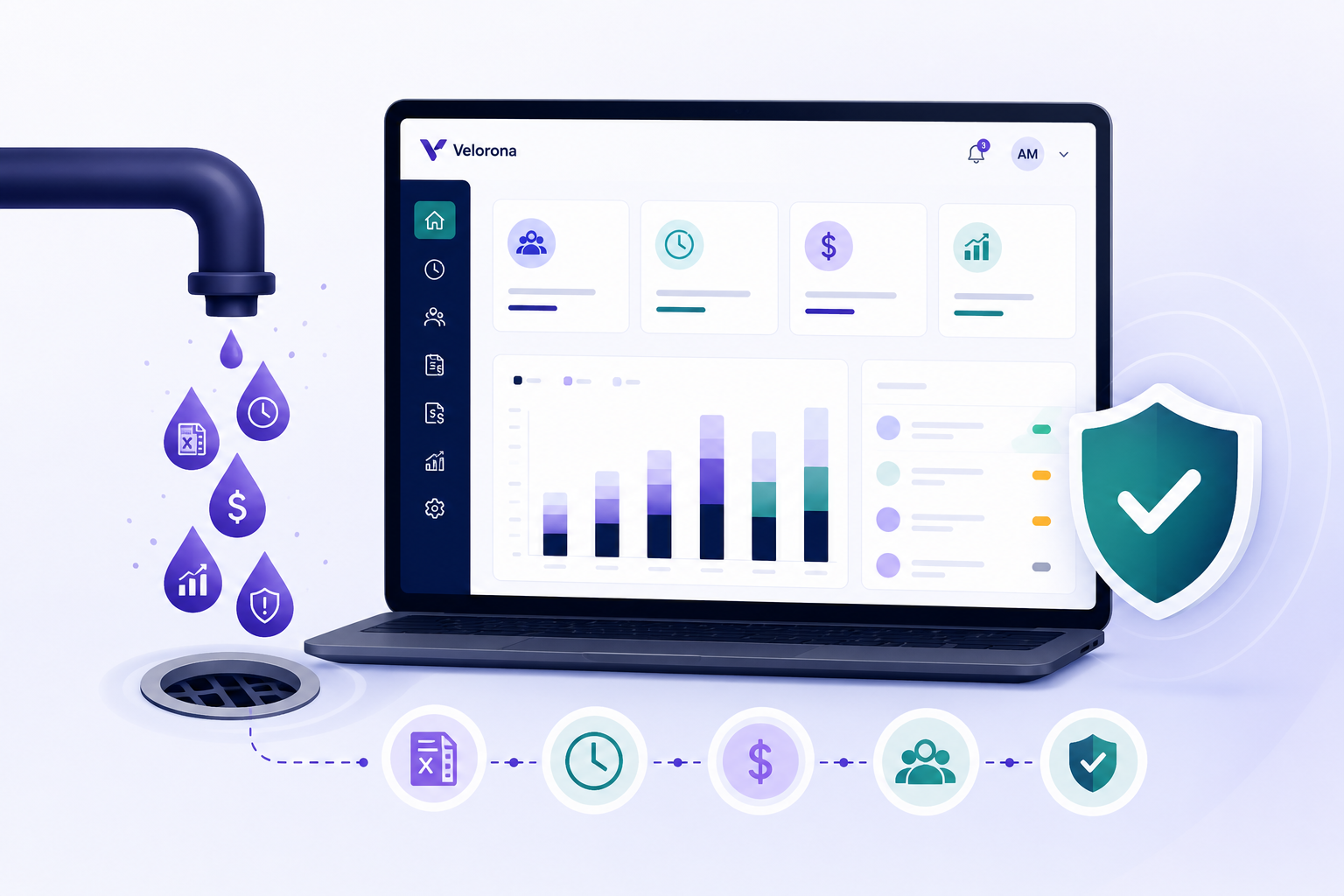
5 Back-Office Bleeds Costing Your IT Staffing Firm Money in 2026
Most IT staffing firms leak margin in the same five ways: sub-vendor invoices paid for hours that never happened, client invoices lost in email, margin invisible until year-end, one controller who knows how everything works, and payroll rebuilt from scratch every Monday morning. Each bleed is measurable. Each one is fixable. This post names the cost and the fix for all five.
Bleed 1 — Are you paying sub-vendor invoices for hours your consultants didn’t work?
This is the most expensive back-office problem in IT staffing — and the least visible.
A sub-vendor sends an invoice for 40 hours. Your consultant worked 36. The 4-hour gap at a $100/hour billing rate is $400. Multiplied across 20-30 sub-vendor relationships over a year, most IT staffing firms with $500K in sub-vendor spend are leaking $12-25K annually to errors nobody has time to catch.
The manual process — eyeballing a sub-vendor PDF invoice against a timesheet export — breaks at scale. When Priya, the controller, is running 30 invoices every billing cycle, the ones that look close enough get approved.
The fix is bidirectional invoice reconciliation: every incoming sub-vendor invoice is auto-matched against approved consultant hours before payment. Mismatches flagged before money moves. The $12-25K leak surfaces in week two, not in December.
Bleed 2 — How much DSO are you losing to invoices that ‘never arrived’?
The average IT staffing firm sends client invoices as PDF attachments to an AP email address. There is no visibility into whether the email arrived, whether the right person opened it, or whether it was forwarded to the right approver.
5 Back-Office Bleeds Costing Your IT Staffing Firm Money in 2026
Each bleed is measurable. Each one is fixable. Here is the cost and the fix for all five.
According to StaffingHub’s 2026 report, 1 in 3 IT staffing firms now operates below a 20% margin — and the average firm spends 38% of revenue on administrative costs alone. The firms losing ground aren’t losing it to bad placements. They’re losing it in the back office, in five specific places, every single billing cycle.
Here is the full cost table. Each bleed, what it costs annually, the fix, and how fast the fix works.
| Bleed | Annual Cost | Velorona Fix | When You See Results |
| Sub-vendor invoice errors | $12–25K at $500K spend | Bidirectional reconciliation — auto-matched before payment | First billing cycle (Week 2) |
| Lost client invoices / DSO drag | $40K+ working capital tied up | Client portal auto-delivery with read receipts | Within first quarter (DSO drops 15–30 days) |
| Invisible margin | Decisions on outdated data | Live margin per client, updated on approval | Immediate — 30-second answer vs. 2-day Excel project |
| Controller key-person risk | 3 months of reconstruction | Back-office logic encoded in platform | Ongoing — system runs without your controller |
| Manual payroll run | 4–6 hours every Monday | Auto-populated from approved timesheets | First payroll cycle |
If you can spot your firm in two or more rows, keep reading. Each bleed is explained below — what it actually costs and what fixing it looks like in practice.
Bleed 1 — Are you paying sub-vendor invoices for hours your consultants didn’t work?
This is the most expensive back-office problem in IT staffing — and the least visible. A sub-vendor sends an invoice for 40 hours. Your consultant worked 36. The 4-hour gap at a $100/hour billing rate is $400. Multiplied across 20–30 sub-vendor relationships over a year, most IT staffing firms with $500K in sub-vendor spend are leaking $12–25K annually to errors nobody has time to catch.
The manual process — eyeballing a sub-vendor PDF invoice against a timesheet export — breaks at scale. When your controller is running 30 invoices every billing cycle, the ones that look close enough get approved.
Quick self-check
Do you have sub-vendor invoices auto-matched against approved hours before payment — or does someone compare them by hand?
What it looks like in practice
A firm running 25 active sub-vendor relationships manually reviewed invoices every two weeks. In the first billing cycle after switching to auto-matched reconciliation, three invoices were flagged with hour gaps totalling $1,200. None would have been caught under the old process. Over 12 months, that firm recovered $14,800 in overbilled hours.
The fix
Bidirectional sub-vendor invoice reconciliation: every incoming sub-vendor invoice is auto-matched against approved consultant hours before payment. Mismatches are flagged before money moves. The $12–25K leak surfaces in week two, not in December.
Implementation timeline: First caught error typically appears within the first billing cycle. Full reconciliation running within 5–14 days of setup.
Bleed 2 — How much DSO are you losing to invoices that ‘never arrived’?
The average IT staffing firm sends client invoices as PDF attachments to an AP email address. There is no visibility into whether the email arrived, whether the right person opened it, or whether it was forwarded to the right approver.
When the client says “we never received it” — 30, 40, or 50 days after you sent it — the invoice gets re-sent. The payment clock resets. DSO stretches to 55–65 days. For a firm billing $200K per month, the difference between 30-day and 60-day DSO is $40K of working capital tied up in the payment cycle. According to Staffing Management Group, AI-driven automation alone cuts DSO by 15–20 days.
Quick self-check
Can you tell — right now — whether your three largest clients have opened their most recent invoices?
What it looks like in practice
A mid-size IT staffing firm running $180K/month was averaging 58-day DSO. Clients routinely cited “never received it” as the reason for delayed payment. After switching to client portal delivery with read receipts, average DSO dropped to 34 days within one quarter — freeing roughly $43K in working capital that had been permanently stuck in the payment cycle.
The fix
Client portal auto-delivery: invoices go directly to a branded client portal — not email. You see when the client opened it, viewed it, and approved it. “I never received it” stops being possible. Staffing firms typically see DSO drop 15–30 days within the first quarter.
Implementation timeline: Portal live within the first week. DSO improvement visible within the first full billing quarter.
Bleed 3 — Do you know your margin per client right now?
Most IT staffing firm owners answer this question with “roughly” or “I think so.” The honest answer is: not without two days of Excel work. Timesheets live in one system. Client invoices are in QuickBooks. Sub-vendor costs arrive by email at the end of the month.
Industry data puts the average IT staffing margin at 23.2% (StaffingHub, 2026). Firms without live margin visibility routinely discover they are pricing certain clients at 14–16% — only after the engagement is too mature to reprice easily.
Quick self-check
Can you tell me your margin per consultant on your three largest clients in the next 60 seconds — without opening Excel?
What it looks like in practice
A firm with 40 active consultants ran a margin analysis for Q1 and discovered that their second-largest client by revenue was their fourth-lowest by margin. The client had received a rate card two years earlier that had not been updated when sub-vendor costs rose. The firm renegotiated and recovered 4 margin points — an opportunity that had never been identified because the analysis took two days to build.
The fix
Live margin per client visibility: when approved hours automatically generate both the client invoice and the payroll detail record from the same data, margin per consultant per client is a number the system already knows. It updates every time a timesheet is approved. Answering “what is your margin on Client X?” takes 30 seconds, not two days.
Implementation timeline: Live from day one of setup. Margin visibility begins with the first approved timesheet.
Bleed 4 — What happens to your back office when your controller leaves?
At most IT staffing firms with 5–50 internal employees, one person — the controller or ops manager — is the institutional memory of the back office. She knows which sub-vendors bill correctly and which ones need to be checked. She knows which clients always dispute the third invoice. She knows where the rate card for Client X is and why it is different from the standard rate.
When she gives notice, you spend the next three months reconstructing that knowledge. Research from Staffing Management Group puts payroll errors at $5,475 per payroll walk-off event — and a controller transition is a multi-month payroll walk-off risk.
Quick self-check
If your controller gave notice tomorrow, could your next hire run the billing cycle in week three — without asking your controller for anything?
What it looks like in practice
A firm lost their controller of six years in April. It took 11 weeks before the new hire could run a billing cycle independently. During that time, two sub-vendor invoices were overpaid (total: $3,200), one client invoice went out with the wrong rate, and the owner worked 15+ hours per week on back-office tasks he had not touched in years.
The fix
Encoding back-office logic in the platform instead of in one person’s head. Multi-level approval chains configured per consultant. Rate cards stored per client via the vendor hub. Sub-vendor reconciliation automated. The system runs whether your controller is in or not.
Implementation timeline: Logic encoded during setup (5–14 days). New hires operational on day one — not week eleven.
Bleed 5 — How many hours does your Monday-morning payroll run actually take?
For a 50-consultant IT staffing firm running manual payroll, Monday morning looks like this: ops manager chases the two consultants who have not submitted timesheets. Controller exports approved hours, reformats the spreadsheet, and re-keys figures into the payroll system. Someone catches a discrepancy from last cycle. The run that should take 90 minutes takes most of the morning.
Industry benchmarks put manual back-office reconciliation at 30+ hours per week for firms in this range (StaffingHub, 2026). At a burdened cost of $35/hour for a back-office employee, that is $54,600 per year in labour — for a process that generates no revenue.
Quick self-check
How many hours did your last Monday-morning payroll run actually take — from first timesheet chase to final submission?
What it looks like in practice
A firm with 45 active consultants tracked their Monday payroll runs for eight weeks. Average time: 4 hours 40 minutes. The two longest runs (6+ hours each) both stemmed from re-entry errors caught after submission. After connecting approved timesheets directly to payroll records, the same cycle dropped to under 45 minutes with zero correction cycles in the following three months.
The fix
Connecting approved timesheets directly to payroll details — no export, no reformatting, no re-entry. The same approved hours that generate the client invoice also populate the payroll record. For W-2 employees, 1099 contractors, and C2C sub-vendor consultants — all three in one cycle, each with the correct payroll treatment.
Implementation timeline: First connected payroll run within the first week. Full cycle time reduction visible from run one.
How do the five bleeds connect?
These five bleeds are not independent problems — they share a root cause. All of them trace to data moving through manual handoffs between disconnected systems: timesheets in email, invoices in QuickBooks, sub-vendor costs on spreadsheets, and payroll in a separate tool.
Each manual transfer is where the error enters, the delay is introduced, or the visibility is lost.
↓ (lost/delayed)
Email → QuickBooks
↓ (re-keyed)
QuickBooks → Spreadsheet
↓ (errors entered)
Spreadsheet → Payroll
5 handoffs. Error at every step.
↓
[Velorona Platform]
↙ Invoice ↓ Payroll ↘ Margin
0 handoffs. One source of truth.
The fix is not adding a better spreadsheet. It is removing the manual handoffs by connecting the data at the source — the approach behind every feature in Velorona’s IT staffing platform.
Common questions about fixing these bleeds
How long does it take to fix these five bleeds with Velorona?
Live in 5–14 days. No setup fees. No implementation cost. Import historical data via CSV. The first caught sub-vendor invoice error typically appears within the first billing cycle. See full pricing →
What if we already use QuickBooks?
Velorona exports to QuickBooks via CSV today. Native QuickBooks Online integration is arriving Q3 2026. You do not need to wait — the CSV export covers the data transfer until the native connection is live. Contact us with integration questions →
What if our firm is too small for dedicated back-office software?
If you have 30 or more consultants on assignment and at least one sub-vendor relationship, the $12–25K/year sub-vendor error bleed alone typically covers the cost of Velorona many times over. The software costs $10/user/month for your internal team — typically 5–10 people at a firm this size. That is $600–1,200/year against a $12,000 minimum annual error exposure. See pricing →
What does Velorona not do?
Velorona is not an ATS. It does not source candidates, manage job orders, or track the recruiting pipeline. It is back-office software — timesheets, invoicing, sub-vendor billing, payroll details. If you need an ATS, CEIPAL and Bullhorn cover the front office. Velorona handles what comes after the placement. Explore all features →
Score your back office: a 60-second self-assessment
Answer yes or no to each question. Every “no” is a live bleed.
| Question | Fix if ‘No’ | |
| ☐ | Can you answer “what is our margin on Client X?” in under 60 seconds without opening Excel? | See fix → |
| ☐ | Are sub-vendor invoices auto-matched against approved hours before payment? | See fix → |
| ☐ | Do you have confirmed delivery and read receipts for every client invoice you send? | See fix → |
| ☐ | Could a new back-office hire run a full billing cycle in their first week — without asking your controller for help? | See fix → |
| ☐ | Does your Monday payroll run take under 90 minutes from start to final submission? | See fix → |
If you answered “no” to two or more, the annual cost of those bleeds is almost certainly larger than the cost of fixing them.
Ready to stop the bleeds?
Book a demo | See pricing | Request a quote
Live in 5–14 days. No setup fee. No implementation cost.