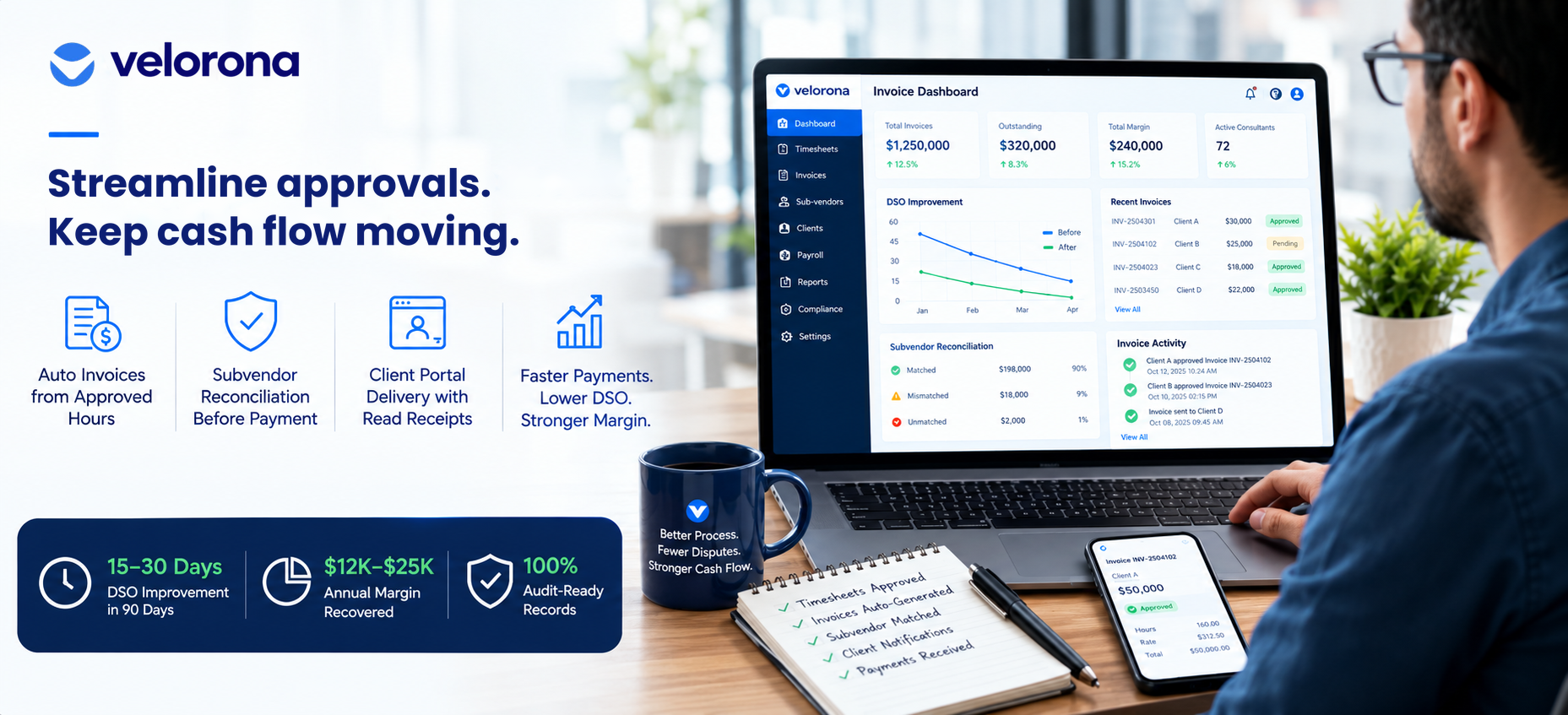
Staffing and recruiting agencies cut recruitment invoice disputes by delivering invoices through a client portal instead of email, so they can see when the client opened, viewed, and approved each one. Add automatic invoice generation from approved hours and sub-vendor invoice matching before payment, and the disputed billing cycle shrinks. Firms typically see DSO improve by 15 to 30 days within the first quarter.
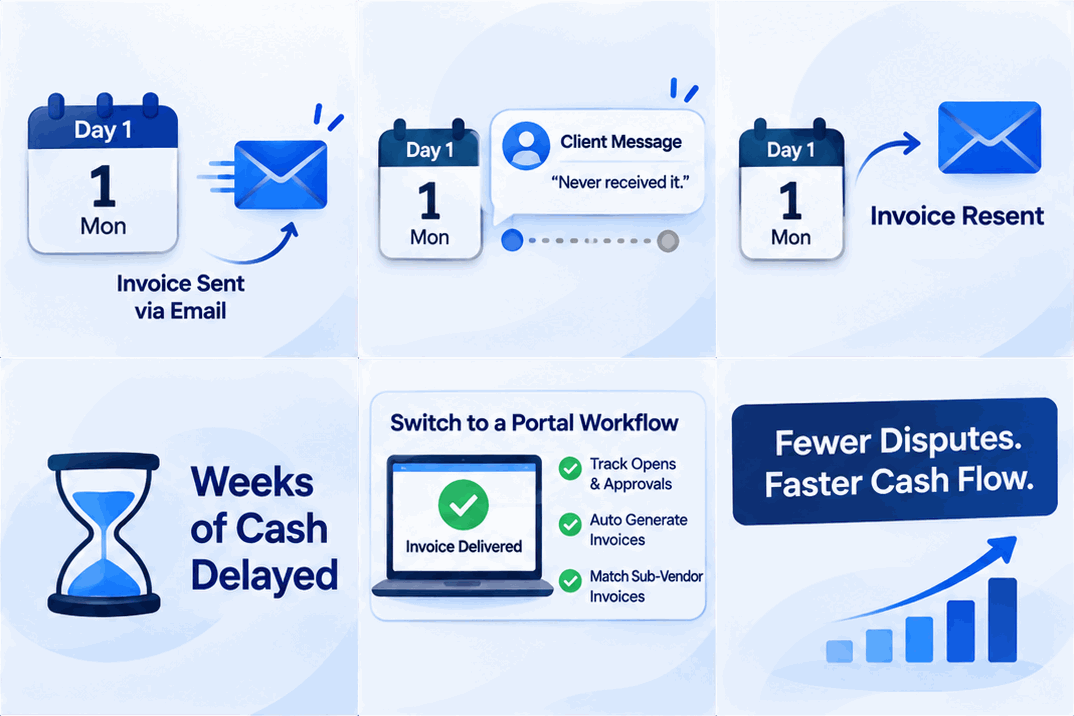
An invoice went out two weeks ago. Today the client’s AP contact says they never received it. Your controller digs through Outlook and finds the sent email. It proves you sent it. It doesn’t prove anyone saw it.
You resend. The payment clock restarts. Meanwhile your own bills don’t wait.
That is the quiet cost of a dispute. The money isn’t lost, but weeks of it go missing, and trust takes a small hit every time. This guide covers where these disputes start and which fixes shorten the cycle.
 Most disputes start before the invoice is even sent.
Why Are Recruitment Invoice Disputes a Silent Growth Killer?
For staffing agencies, an invoice dispute is more than a late payment. It consumes time at every level of the firm, and it usually stems from a lack of transparency after placement.
Three causes sit behind most of them:
- A data gap. The client’s record of hours doesn’t match the agency’s invoice.
- Manual transcription errors. Moving data from a tracker to invoicing software by hand creates mistakes.
- No proof of delivery. Email leaves no evidence an invoice arrived.
Each one is a process problem, not a people problem. The same team that catches errors on a good week misses them on a busy one.
The cheapest dispute to resolve is the one that can’t happen.
How Does a Client Portal Eliminate “I Never Received It” Disputes?
The most effective fix is to stop invoicing by email. When an invoice is a PDF sent to an AP inbox, you can’t see whether it arrived. The client says weeks later that they never got it, and the payment clock resets.
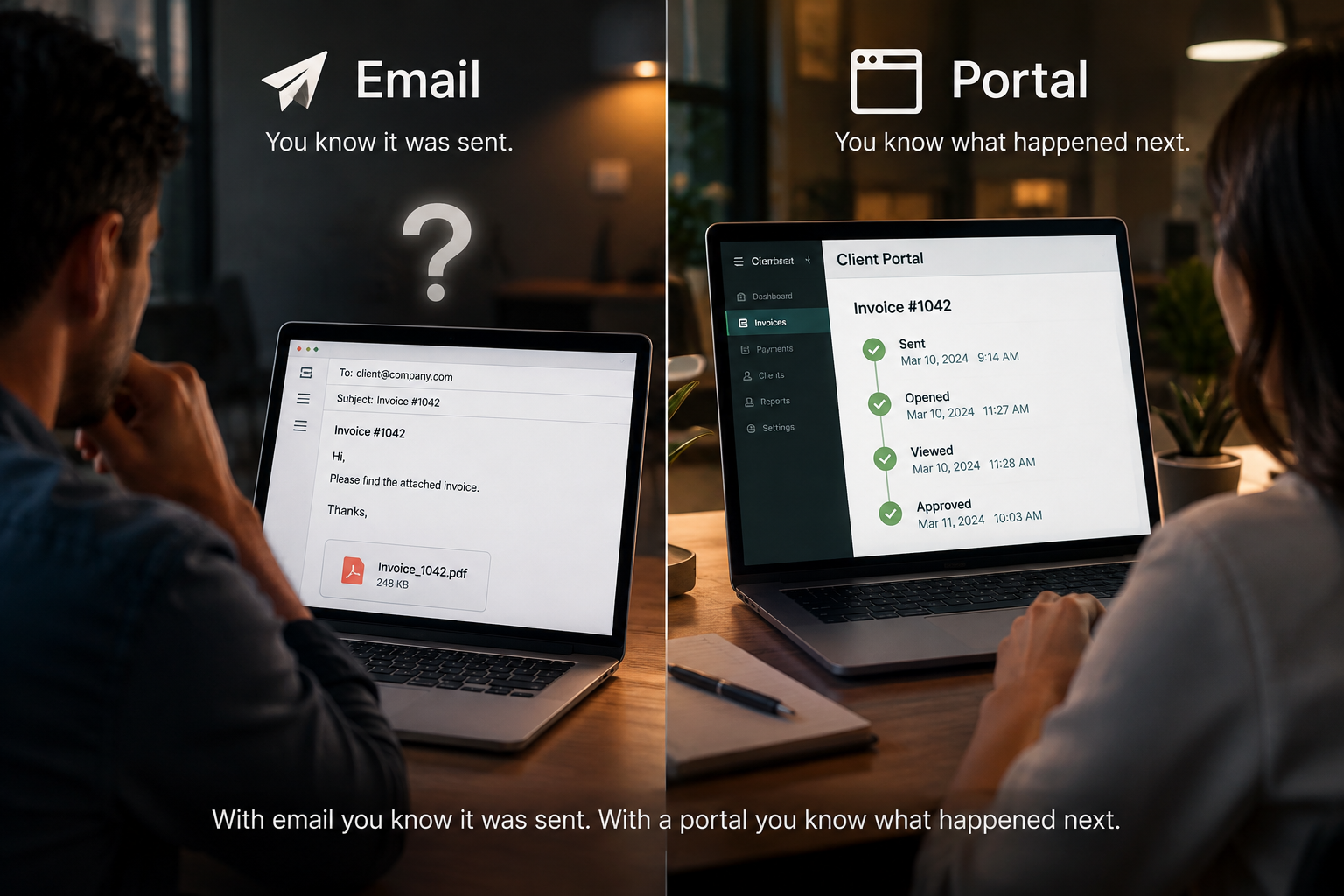
A client portal changes the mechanism. The invoice lands inside a branded portal with no attachment to lose. You see a timestamped record of when it was opened, viewed, and approved. If the client hasn’t opened it, you know before the due date and can follow up.
For clients who stall, invoices generate directly from approved hours, so what the client sees matches what was approved. That removes the first and second causes above along with the third.
KEY TAKEAWAY BOX Email proves you sent an invoice. A portal proves the client opened it.
 The bigger error often sits on the inbound side.
How Does Sub-Vendor Reconciliation Prevent the Biggest Billing Error?
Most dispute guides focus on what you bill the client. For IT staffing firms running C2C sub-vendor arrangements, the larger error often sits on the inbound side: the sub-vendor invoices for hours that didn’t happen.
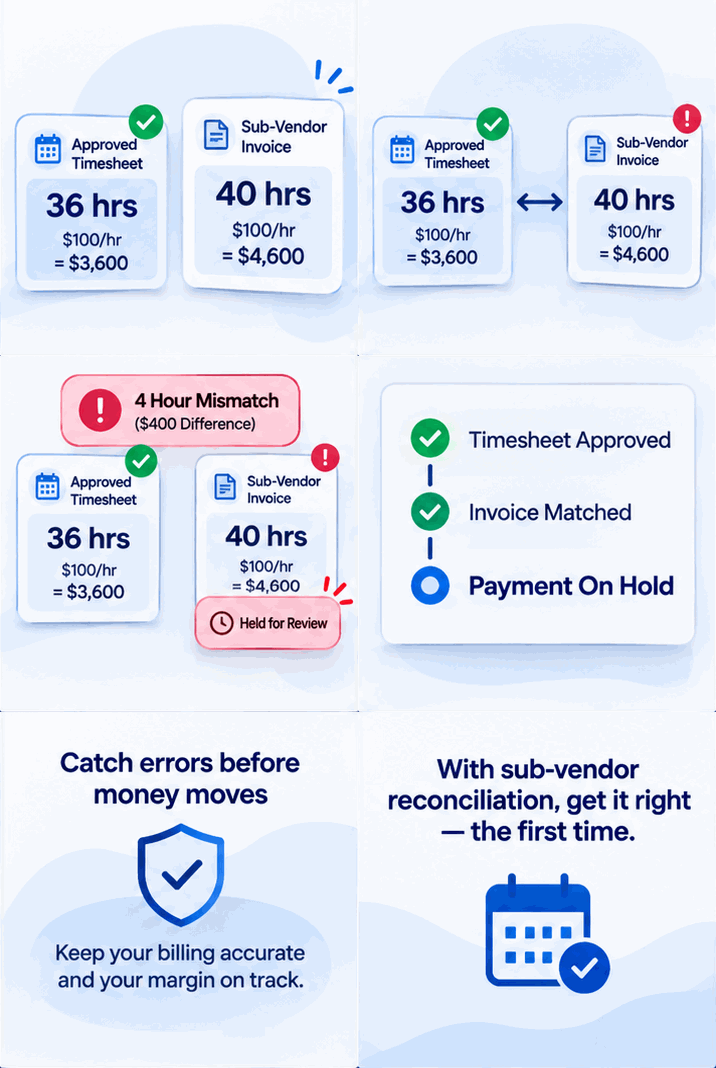
Here is an illustrative example, not a real customer. A sub-vendor sends an invoice for 40 hours. Your consultant worked 36. At $100 an hour, that is $400 for one invoice, and it looks perfectly normal until someone compares it to the approved timesheet.
Per Velorona’s analysis, manual invoice-to-timesheet matching carries a 3–5% error rate. At $500K to $1M in annual sub-vendor spend, that is $12,000–$25,000 a year in overpayments. The matching step fixes this. Each incoming invoice gets checked against approved hours before payment, so the mismatch surfaces before money moves. Ask for a demonstration of this step on your own data.
 Same billing cycle, two very different weeks.
What Changes When You Move From Email and Spreadsheets to a Portal Workflow?
| Dimension | Manual (Email and Spreadsheets) | Connected Portal Workflow |
|---|---|---|
| Data source | Several spreadsheets | One approved timesheet record |
| Invoice creation | Hours retyped into an invoice | Invoices generate from approved hours |
| Client visibility | A PDF in an inbox, with no status | A portal with opened, viewed, and approved timestamps |
| Dispute resolution | Days of back and forth | A timestamped record to review |
| Sub-vendor invoices | Compared by eye | Matched against approved hours before payment |
| Follow-up | Someone remembers | Automated reminders at 7, 14, and 30 days past due |
Where do the weeks actually come back?
Where Does the DSO Improvement Come From?
Days sales outstanding (DSO) measures the average days between invoicing and payment. High DSO ties up the working capital of any firm that bills weekly.
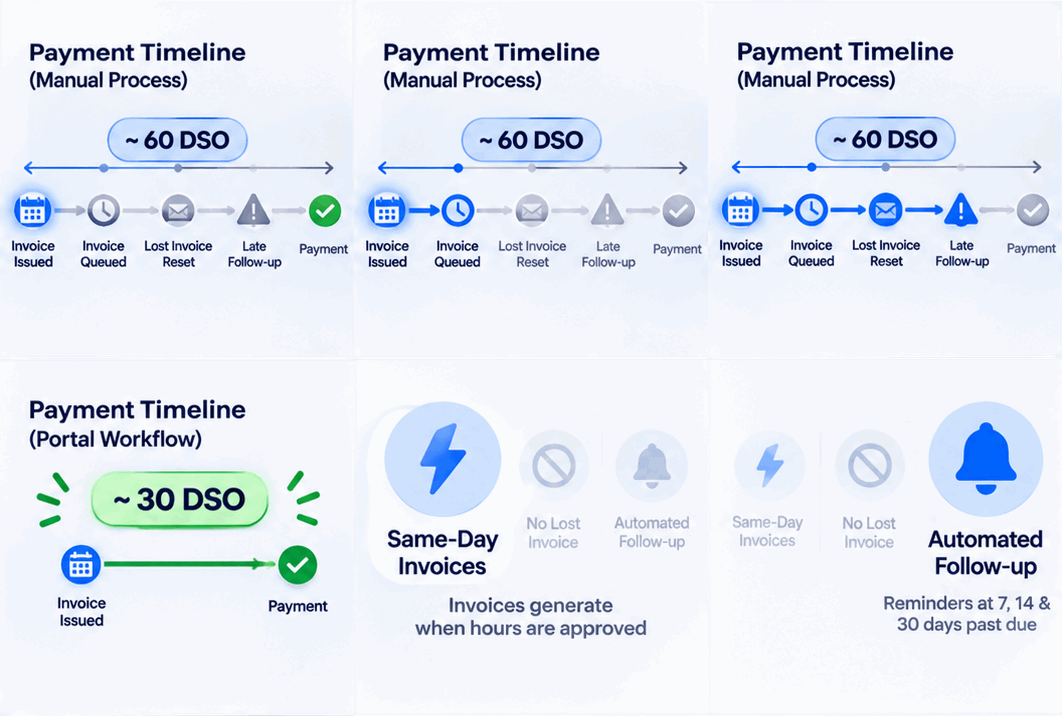
Per Velorona’s analysis, firms moving from email to portal delivery typically see 15 to 30 days of DSO improvement within the first quarter. Three changes drive it:
- Same-day invoices. Invoices generate when hours are approved, instead of waiting in a queue.
- No lost-invoice cycle. Portal delivery removes the “I never received it” reset.
- Consistent follow-up. Reminders go out on a schedule, so a busy week doesn’t let a slow payer slide.
Both sides of the invoice need the same source of truth.
How Does Velorona Fix Both Sides of the Invoice Problem?
Velorona is back-office software for US IT staffing firms with 30–300 consultants, and for companies managing 20+ contractors. It handles both directions with one record of approved hours:
- Outbound. Approved timesheets become client invoice lines automatically, with no manual transfer.
- Delivery. Invoices go to the client portal, with opened, viewed, and approved timestamps.
- Inbound. Sub-vendor invoices are matched against approved hours through the vendor hub before payment.
- Records. Approvals and actions are timestamped, with 2FA.
For related reading, see How Digital PO Tracking Prevents Billing Surprises for Staffing Firms, Automated Invoicing for Staffing Firms, and 15 Staffing Agency Tools for Back-Office Operations.
What it doesn’t do yet. Velorona doesn’t run payroll. It produces payroll details and prepares clean data for your payroll process. Payroll execution via Gusto Embedded targets Q4 2026. Online payment through the portal (Stripe Connect) and QuickBooks Online synchronization sit on the roadmap, with CSV export covering the handoff. The FAQ page has current status.
The Team plan costs $10/month per user ($7 on annual billing), with no setup fees. Firms typically go live in 5 to 14 days. See the pricing page.
Quick answers before you go.
Claim 2 Months Free Premium Plan
No credit card required, No Sales Call.
RELATED RESOURCES:
What is the most common cause of recruitment invoice disputes?
Either the client’s records don’t match the agency’s invoice, or the invoice never reached the right AP contact. A shared portal record with timestamps addresses both.
How does automated invoicing speed up payment?
It removes the manual verification step. Approved hours generate the invoice, the invoice goes to the portal, and the client reviews one record instead of reconciling two.
What is DSO and why does it matter?
Days Sales Outstanding is the average number of days between invoicing and payment. High DSO reduces working capital for firms that bill weekly.
Can a portal stop all invoice disputes?
No. It removes the “never received it” dispute. Disputes about hours or amounts still depend on accurate approved data, which is why invoices should generate from approved timesheets.
How do sub-vendor invoice errors happen?
Usually through small drift: a consultant billed for a day not worked, a rate that changed informally, or a duplicate invoice. They look normal until compared with approved hours.
Does Velorona run payroll?
No. It prepares payroll-ready data. Payroll execution is on the roadmap.
How quickly can a firm switch from email invoicing to a portal?
Firms typically go live with Velorona in 5 to 14 days with no setup fees.