How IT Staffing Firms Can Eliminate Payroll Errors in 2026
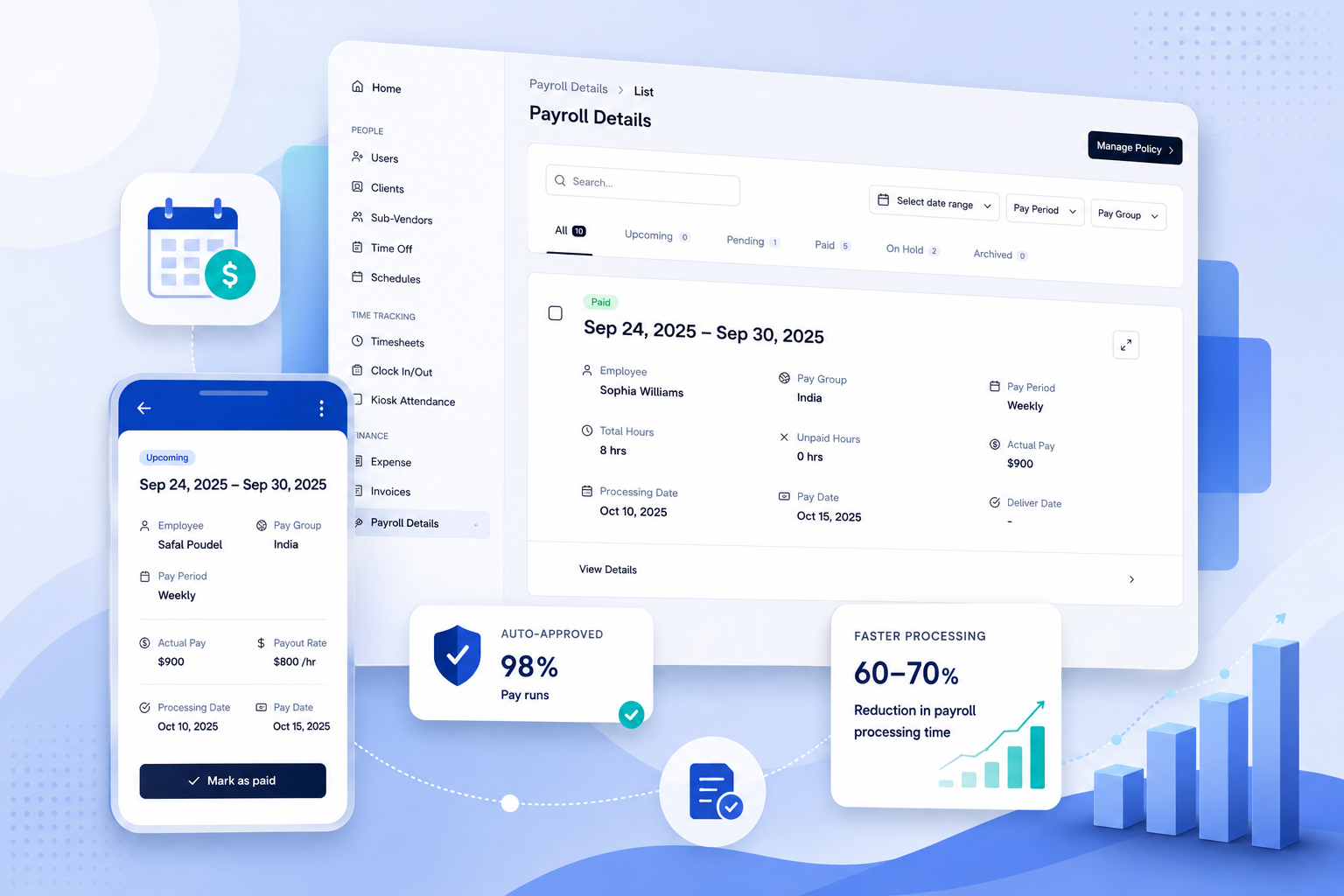
IT staffing firms eliminate payroll errors by connecting approved timesheets directly to payroll details — removing the manual export, copy-paste, and re-keying steps that introduce errors. For a firm managing 50 consultants across multiple clients and employment types, this means payroll runs in under two hours and every figure traces back to an approved, timestamped timesheet record.
Why Do IT Staffing Firms Have More Payroll Errors Than Other Industries?
IT staffing operates with more payroll complexity per employee than almost any other sector. A single payroll run for a 50-consultant firm might include:
- W-2 employees on different pay schedules (weekly, bi-weekly, monthly)
- 1099 independent contractors billed per project at variable rates
- C2C sub-vendors whose consultants are paid through a third-party firm
- Multi-currency arrangements — US clients billed in USD, Indian sub-vendors paid in INR
- Multiple clients with different billing rates for the same consultant
Most payroll errors in IT staffing trace to one root cause: the data travels through too many manual handoffs. According to G2 Research, 51% of small businesses still use spreadsheets for payroll processing. The Workforce Institute at UKG found that 54% of US workers are affected by payroll problems annually, and 50% start actively job hunting after just two payroll errors.
What Are the Most Common Payroll Error Types in IT Staffing?
Manual re-entry between timesheet approval and payroll
Approved consultant hours exist in one system. Payroll exists in another. Someone moves the data between them. One wrong figure means a wrong paycheck. The fix is eliminating the transfer step.
Mismatched employment types in the same pay run
An IT staffing firm running W-2 employees, 1099 contractors, and C2C sub-vendors in the same billing cycle needs each type handled with different payroll logic. Systems that don’t distinguish between these introduce errors by applying the wrong treatment.
Sub-vendor invoices paid for hours that didn’t happen
A sub-vendor invoices for 40 hours. The consultant worked 36. The $400 gap (at $100/hour) gets paid because nobody ran the comparison against the approved timesheet. Across 20–30 sub-vendor relationships, this costs most IT staffing firms $12–25K per year. According to the American Payroll Association, time theft and billing errors are among the top three payroll cost drivers for service firms.
Pay cycle misconfiguration
When pay groups and processing days are manually reconfigured each cycle, a consultant added mid-period gets paid from the wrong start date. An employment type change isn’t reflected in the current run. Configuration errors are harder to catch than data entry errors.
How Does Automated Payroll Eliminate These Errors for IT Staffing Firms?
- Approved timesheet hours flow directly into payroll details — no export, no copy-paste, no re-keying. The same number the manager approved Monday is the number that populates the payroll record.
- Pay groups, pay periods, and processing days are configured once per employee at onboarding. Every subsequent cycle runs automatically. The payroll admin reviews exceptions, not the entire run from scratch.
- W-2, 1099, and C2C employment types are each handled with the correct payroll treatment from day one. No manual sorting, no misclassification risk within the platform.
- Sub-vendor invoices are auto-matched against approved consultant hours before payment. Mismatches flagged before money moves. The $12–25K/year leak is caught at the invoice, not at year-end.
- Every payroll action is timestamped and logged. Pay period locking prevents retroactive changes without an audit trail. Wage-claim disputes resolve in minutes.
Manual vs. Automated Payroll for a 50-Consultant IT Staffing Firm
| Step | Manual workflow | Automated (Velorona) |
| Timesheet submission | Email or PDF to payroll admin | Consultant submits via web or mobile |
| Approval | Manual review per timesheet | Multi-level routing, bulk approval |
| Payroll data prep | Export, reformat, re-key | Auto-populated from approved hours |
| Sub-vendor matching | Manual comparison spreadsheet | Auto-matched, mismatches flagged |
| Pay cycle run | Manual rebuild each cycle | Auto-generated from configured schedule |
| Employee pay visibility | Admin sends pay stubs by email | Employee self-service portal |
| Audit trail | Email thread + spreadsheet history | Full timestamped log, locked periods |
| Typical run time | 6–8 hours | Under 2 hours |
How Does Multi-Currency Payroll Work for Indian-American IT Staffing Firms?
A significant proportion of US IT staffing firms — concentrated in NJ, Dallas-Fort Worth, and Atlanta — invoice US clients in USD and pay Indian sub-vendors in INR. Manual FX conversion at each pay cycle creates reconciliation problems: the rate at approval differs from the rate at payment, margin calculations are inconsistent.
Automated platforms with native multi-currency support lock the FX rate at invoice issue. The margin figure on Monday is the margin figure at close. No manual FX worksheet, no reconciliation, no year-end margin surprise.
Frequently Asked Questions
How does approved timesheet data flow into payroll without re-entry?
When a manager approves a timesheet in Velorona, the approved hours automatically populate the payroll details record for that consultant and pay period. The pay rate, employment type, and pay group are already configured. Nothing is re-entered.
Can one platform handle W-2, 1099, and C2C payroll in the same run?
Yes. Velorona supports all three employment types with the correct payroll treatment per type. All three are visible in the same payroll view, processed correctly, and available in one audit trail.
What happens when a sub-vendor invoice doesn’t match approved hours?
The invoice is flagged before payment with the specific discrepancy noted — billed hours vs. approved hours and the dollar difference. The mismatch stays in a review queue until the ops team resolves it. No payment clears automatically on a flagged record.
How long does it take to get an IT staffing firm live on Velorona?
5–14 days. No setup fees. No implementation cost. Import historical data via CSV. CEIPAL requires 12 weeks and $8–15K in setup costs.
How does Velorona pricing compare to enterprise staffing platforms?
$10/user/month ($7 annual). No per-consultant or per-vendor fees. Adding 20 new consultants costs nothing extra. CEIPAL starts at $30K/year. Bullhorn starts at $50K/year.